# pean.dev — Full Writing Archive
> Full text of all articles published on pean.dev by Andrii Petlovanyi, a full stack developer from Rivne, Ukraine.
Author: Andrii Petlovanyi
Site: https://www.pean.dev
GitHub: https://github.com/andrii-petlovanyi
LinkedIn: https://www.linkedin.com/in/andriipetlovanyi/
For the site index, see: https://www.pean.dev/llms.txt
---
## How to Scope a Custom MVP Before Hiring a Developer
URL: https://www.pean.dev/blog/how-to-scope-a-custom-mvp-before-hiring-a-developer
Published: 2026-05-12
Description: A practical guide for founders and small teams on turning a product idea into a focused, buildable MVP scope before starting custom development.
Most MVPs do not get into trouble because the first version is too small. They
get into trouble because the first version is trying to be five products at
once.
I have seen this pattern many times. A founder or a small team starts with a
clear product idea, then the scope grows before anyone writes code. The first
version needs authentication, a dashboard, payments, an admin panel,
notifications, AI, analytics, roles, exports, onboarding, settings, and maybe a
mobile app too.
None of those things are wrong by themselves. The problem is that they often
show up before the team has answered the most important question:
**What is the smallest useful workflow we need to prove?**
That is what MVP scoping is really about. Not writing a perfect specification.
Not removing every nice idea. Not making the product cheap for the sake of being
cheap. A good MVP scope is a way to protect the first version from becoming too
big, too vague, and too expensive before it has learned anything.
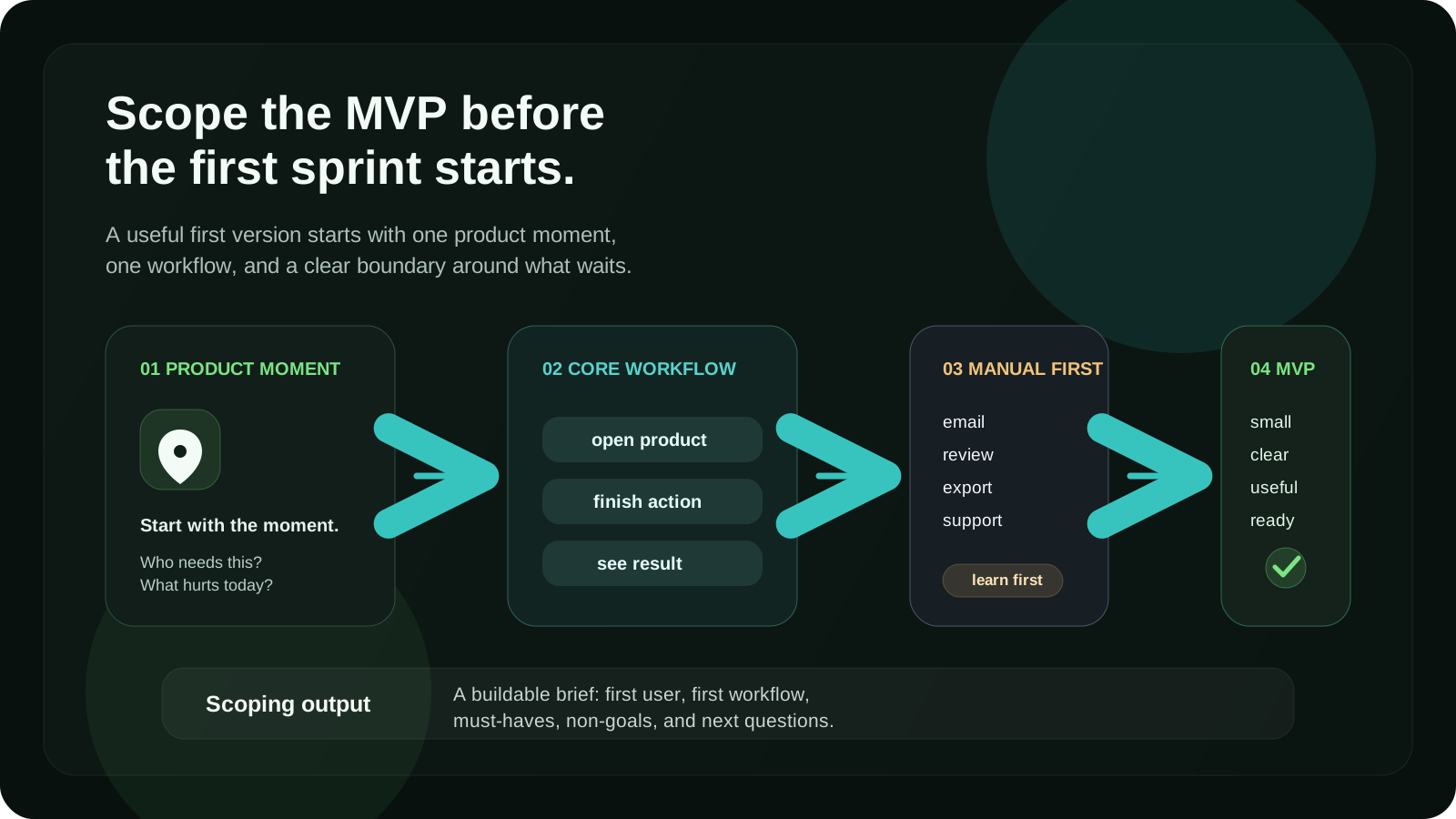
## An MVP is not a smaller final product
A common mistake is to think of an MVP as the final product with fewer features.
That sounds reasonable, but it usually leads to bad decisions.
If you start from the final product, everything feels important. The admin panel
feels important. The billing system feels important. The analytics dashboard
feels important. The perfect UI states feel important. The second user role
feels important.
But an MVP should not start from the final product. It should start from the
first product risk.
For example:
- Can users complete the core workflow?
- Does this solve a painful enough problem?
- Is the product shape right: web app, mobile app, browser extension, internal
tool, API, or something else?
- Can the team operate the first version without building too much automation?
- Is there enough signal to justify the next version?
That changes the conversation. Instead of asking “what features should the
product have?”, you start asking “what do we need to build to learn the next
important thing?”
That is a much better question.
## Start with the product moment
Before I think about tech, I like to understand the product moment.
A product moment is the situation where the user actually needs the product. It
is not a feature list. It is not a database model. It is not a design system. It
is the real-world moment where someone is trying to do something and the current
way is annoying, slow, risky, manual, or unclear.
A few examples:
- A founder wants to review SEO and accessibility issues directly on a page
without jumping between tools.
- A small team wants to replace a spreadsheet workflow with a simple internal
dashboard.
- A coach wants to collect client progress from a mobile-first flow instead of
sending forms manually.
- A marketplace operator wants sellers to create listings and buyers to contact
them without building the whole marketplace platform yet.
When the product moment is clear, scope decisions become easier. If a feature
does not support that moment, it is probably not part of the first version.
This is also where a developer should ask uncomfortable questions. Not to slow
the project down, but to avoid building around an assumption that nobody has
checked.
Questions like:
- Who is the first user?
- What are they doing today instead?
- What part of that workflow is painful?
- What does success look like after one session?
- What has to happen for the product to feel useful?
- What can still be manual in version one?
If these questions are hard to answer, that is not a problem. It just means the
first step is not development yet. The first step is product clarification.
## Define one core workflow
The fastest way to make an MVP scope practical is to write down one core
workflow.
Not ten workflows. One.
For a SaaS product, it could be:
```text
User connects data → reviews generated results → exports a report
```
For a marketplace MVP:
```text
Seller creates listing → buyer discovers listing → buyer contacts seller
```
For a browser extension:
```text
User opens a page → extension analyzes the page → user sees actionable issues
```
For an internal tool:
```text
Team member uploads data → manager reviews status → client receives summary
```
This simple sequence is more useful than a long feature list because it shows
how the product is supposed to behave. It also exposes what is missing.
If the workflow cannot be described in one or two lines, the product may still
be too abstract. That does not mean it is a bad idea. It means it needs more
shaping before a developer can estimate it properly.
A good MVP scope usually has one primary workflow and maybe one or two support
flows. Authentication, settings, admin actions, and notifications can exist, but
they should support the main workflow instead of becoming the product.
## Separate must-have, later, and fake requirements
When a scope is unclear, every feature sounds like a must-have. I like to split
requirements into three groups.
| Type | Meaning | Example |
| --- | --- | --- |
| Must-have | The core workflow does not work without it | A user can create and submit the main form |
| Later | Useful, but not required to prove the first workflow | Advanced filters, saved views, team permissions |
| Fake requirement | Sounds professional, but does not reduce first-version risk | A complex admin panel before there are real users |
“Fake requirement” does not mean the idea is stupid. It means the timing is
wrong.
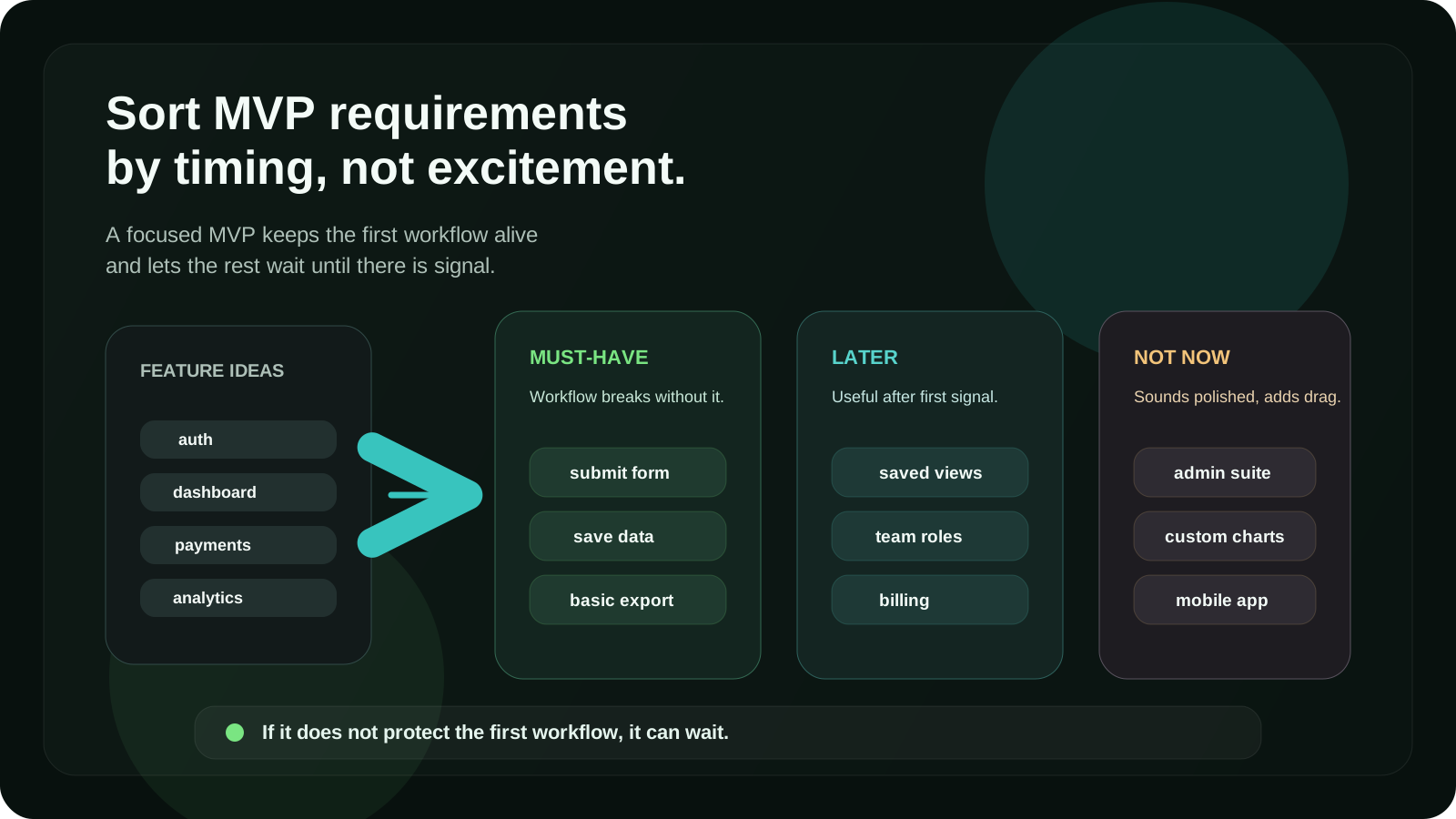
Some common fake requirements in early MVPs:
- advanced role management before there are different real user types
- custom analytics dashboards before there is meaningful usage
- full automation for operations that could be manual for the first customers
- mobile apps before the core workflow is validated on the web
- complex notification systems before the product has repeated usage
- a polished admin panel before the team knows what admins actually need
- a design system before the interface patterns have stabilized
The best MVPs are not the ones with the fewest features. They are the ones where
every feature has a job.
## Decide what can stay manual
This is one of the most important scoping decisions.
A lot of early products overbuild because they try to automate everything from
day one. But not every operation needs custom software immediately.
In a first version, it is often fine if:
- onboarding happens manually
- some emails are sent by a person
- data is reviewed before being published
- reports are generated with a small internal step
- customer support handles edge cases directly
- payments are managed through an existing tool first
Manual does not mean low quality. Manual can be a deliberate product strategy.
It lets you learn what the software should do before you hard-code the wrong
process.
The question is not “can this be automated?” Almost everything can be automated.
The better question is:
```text
Does automating this now help us prove the product, or does it just make the
first version bigger?
```
If the answer is the second one, keep it manual for now.
## Choose the technical shape after the workflow
A lot of teams start with technology too early.
They decide they need a mobile app, or a SaaS dashboard, or an AI product, or a
browser extension before the workflow is clear. Sometimes that is right. Often
it is just the most obvious shape, not the best one.
The technical shape should follow the product moment.
If the user needs to work inside a browser page, a browser extension might be a
better first product than a dashboard.
If the user needs to capture something quickly during the day, a mobile-first
flow might matter more than a complex web app.
If the product is mostly about managing internal operations, an internal tool
might be the right MVP before a customer-facing platform.
If the main value is data processing, the backend and API design may be more
important than the first UI.
If the idea is still being validated, a small web app may be enough before
committing to native mobile development.
This is where product-minded engineering matters. The job is not just to pick a
stack. The job is to pick the simplest technical shape that can prove the
workflow without blocking the future.
## Write the brief in plain language
Before hiring a developer, you do not need a huge technical specification. In
many cases, a short plain-language brief is more useful.
A good MVP brief should answer these questions:
```text
What are we building?
Who is the first user?
What problem are they trying to solve?
What is the core workflow?
What already exists today?
What should the first version definitely include?
What should it definitely not include yet?
What data does the product need to store?
Are there integrations?
Are there user roles?
Is design provided, or should the developer help shape the UX?
What is the expected timeline?
What would make the first version successful?
```
This does not have to be perfect. It just needs to be clear enough for a
developer to understand the product direction and ask better questions.
The most useful part is often “what should it definitely not include yet?”
That sentence prevents a lot of scope creep.
## Do not estimate a vague product
A vague product can always be estimated, but the estimate will not mean much.
If someone asks for “a platform where users can manage projects, invite teams,
track progress, get notifications, export reports, and use AI to improve their
workflow”, the range could be enormous.
That could be a focused four-week prototype. It could also be a six-month
product.
The difference is scope.
Before asking “how much will it cost?”, it is better to ask:
- What is the first workflow?
- What can be removed?
- What can be manual?
- What does the first user actually need?
- What does version one need to prove?
A good developer should not give you a confident fixed answer while the product
is still blurry. They should help make the product less blurry first.
## Example: scoping a browser extension MVP
Imagine the idea is a browser extension for reviewing websites.
The big version might include:
- page analysis
- SEO checks
- accessibility checks
- schema validation
- AI suggestions
- saved reports
- team workspaces
- history
- billing
- shareable links
- project dashboards
- integrations with other tools
That is too much for a first version.
A better MVP scope could be:
```text
A user opens a webpage, runs an analysis from a side panel, sees a prioritized
list of issues, and exports a simple report.
```
Now the scope is easier to reason about.
Must-have:
- extension loads on the active page
- side panel UI
- core checks
- issue list with severity
- basic export
Later:
- team accounts
- saved history
- billing
- advanced report customization
- integrations
Manual or skipped:
- onboarding emails
- public dashboard
- complex account system
- organization management
This first version is much more buildable. It may still be useful. And it gives
the team real feedback before investing in the bigger product.
## Example: scoping a custom web app MVP
Now imagine a team wants to replace an internal spreadsheet with a custom web
app.
The first instinct may be to build a full system:
- login
- dashboard
- CRUD for all entities
- roles and permissions
- audit logs
- notifications
- charts
- exports
- comments
- file uploads
- admin settings
Some of that may be needed. But the MVP question is different:
```text
What is the one internal workflow that is painful enough to replace first?
```
A focused first version could be:
```text
Team members submit weekly client updates, managers review them, and the system
produces a clean summary for each client.
```
That gives the first version a clear job. You can still build it properly, with
a good data model and room to grow, but you are not pretending to know the whole
future system on day one.
## A good MVP scope should protect the future
Small does not mean careless.
This is an important point. Some people hear “MVP” and think it means quick,
dirty, and disposable. Sometimes that is fine for a throwaway prototype. But for
custom software, the first version often becomes the foundation for the next
version.
That means the scope should be small, but the engineering should still be
responsible.
For me, that usually means:
- clear data models
- simple but stable architecture
- readable code
- basic validation
- sensible error states
- secure handling of user data
- deployment that can be repeated
- enough logging to debug real usage
- UI that is simple, but not confusing
You do not need every enterprise feature in version one. But you do need a codebase
that does not punish you for learning.
## What I expect before starting development
When someone reaches out with a custom MVP idea, I do not expect a finished
specification. That is usually unrealistic.
But I do want enough context to understand the shape of the problem.
The most helpful message looks something like this:
```text
I want to build a product for [type of user].
They currently solve the problem by [current workaround].
The painful part is [specific pain].
The first workflow should be [simple sequence].
I think the first version needs [must-haves].
I am unsure about [open questions].
I would like to launch or test it by [timeline].
```
That is already a strong start. From there, a developer can help turn the idea
into screens, data models, technical decisions, and a realistic build plan.
## The output of scoping is not a document. It is clarity.
You can write a long requirements document and still have a bad scope.
The real output of MVP scoping is clarity:
- clear user
- clear workflow
- clear must-haves
- clear non-goals
- clear technical shape
- clear first release
- clear next questions
When those things are clear, development becomes much healthier. There are fewer
surprises. Estimates are more realistic. Trade-offs are easier to discuss. The
first version has a better chance of becoming something useful instead of just
something complete.
That is the difference between building features and building a product.
## Before you hire a developer
Before you hire a developer for a custom MVP, try to reduce the idea to one
sentence:
```text
We are building [product shape] for [first user] so they can [core workflow]
without [current pain].
```
For example:
```text
We are building a browser extension for technical marketers so they can review
SEO and accessibility issues directly on a webpage without switching between
multiple tools.
```
Or:
```text
We are building a web app for small operations teams so they can collect,
review, and send client updates without managing everything in spreadsheets.
```
If that sentence is hard to write, the product probably needs more scoping. If
that sentence is clear, the first version becomes much easier to shape.
And that is usually where custom development should begin.
Not with a huge feature list.
Not with a perfect spec.
With a focused product moment, a buildable first workflow, and a clear reason
for every feature that makes it into version one.
If you are shaping a custom MVP, web app, browser extension, or backend-heavy
product, I can help turn the idea into a focused first version before it gets
too big.
[Send me the product context](/contact)
---
## Server Actions vs API Routes in Next.js: the rules I actually use
URL: https://www.pean.dev/blog/server-actions-vs-api-routes-in-nextjs-rules-i-use
Published: 2026-05-06
Description: A practical guide to choosing between Server Actions and API Routes in Next.js App Router. Learn when to use Server Actions, when to use Route Handlers, and how to structure mutations, forms, validation, auth, and external API calls.
Next.js gives you more than one way to run code on the server.
That is useful.
It is also confusing.
In older Next.js projects, the answer was usually simple: create an API Route, call it from the client, and handle the request on the server. In App Router projects, the decision is not always that obvious anymore.
You can use Server Components. You can use Server Actions. You can use Route Handlers. If you still have a Pages Router setup, you may also have API Routes.
The question is not:
**Which one is newer?**
The better question is:
**Which one fits the job?**
This article is the practical version of that decision. Not a full documentation rewrite. Not a framework debate. Just the rules I actually use when deciding between Server Actions and API Routes in real Next.js projects.
## First: API Routes and Route Handlers are not exactly the same thing
Before comparing anything, it is important to clarify the naming.
In the Pages Router, Next.js has **API Routes** inside `pages/api`.
In the App Router, the equivalent concept is usually **Route Handlers** inside the `app` directory using `route.ts` or `route.js`.
So when people say:
> Should I use Server Actions or API Routes in App Router?
They often really mean:
> Should I use Server Actions or Route Handlers?
That distinction matters.
If you are building a modern App Router project, you usually compare:
- Server Actions
- Route Handlers
- Server Components
If you are maintaining an older Pages Router project, you may still compare:
- API Routes
- client-side fetch calls
- server-side rendering functions
In this article, I will use “API Routes” in the common broad sense, but technically, for App Router, the server endpoint option is usually a **Route Handler**.
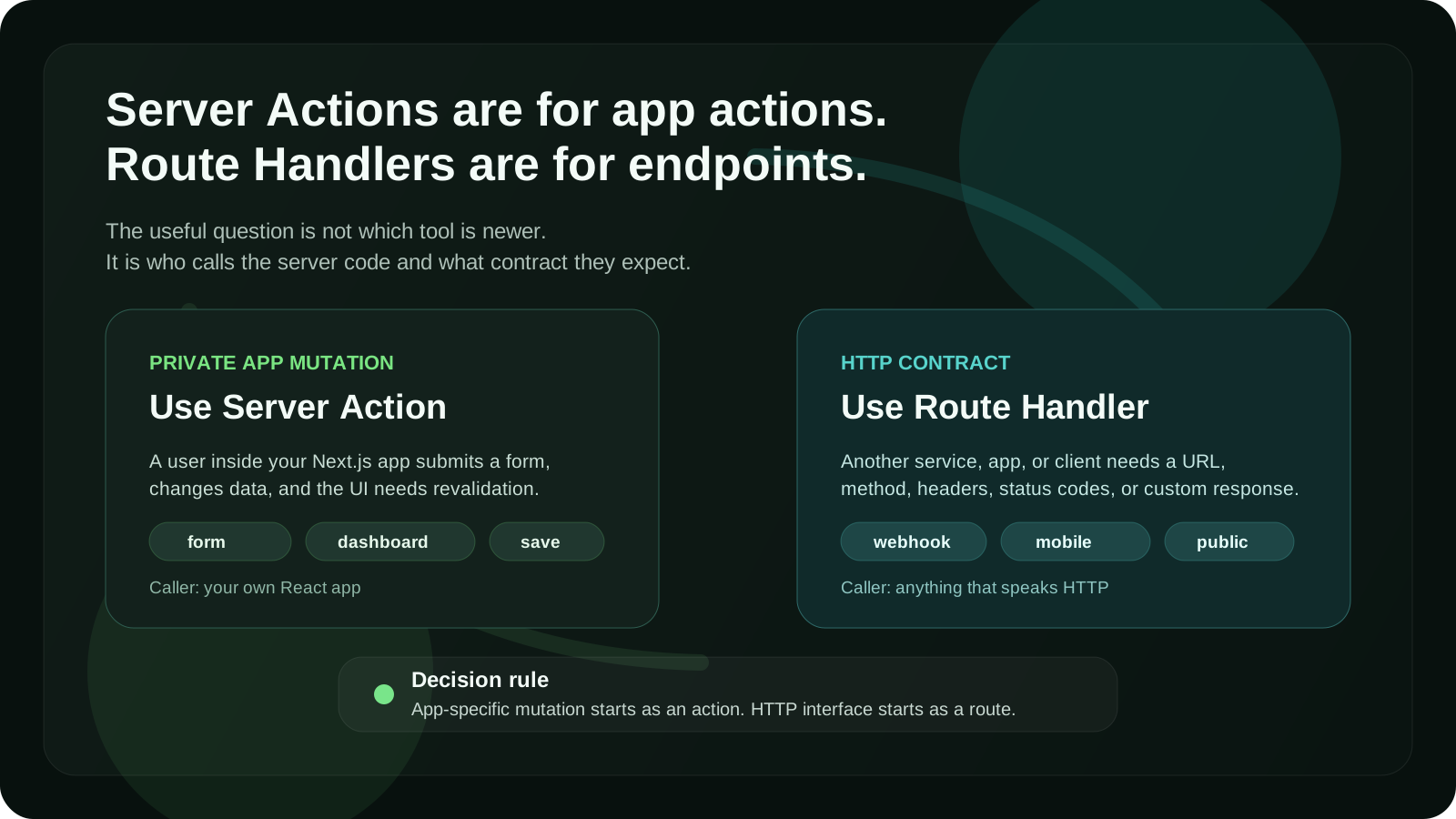
## The simple rule
Here is the shortest version:
**Use Server Actions for app-specific mutations.**
**Use Route Handlers or API Routes for HTTP endpoints.**
That one rule solves most decisions.
A Server Action is great when a user does something inside your app and you need to change data on the server.
Examples:
- submitting a form
- creating a post
- updating a profile
- deleting a saved item
- saving user preferences
- triggering a database mutation
- revalidating app data after a change
A Route Handler or API Route is better when you need a real HTTP endpoint.
Examples:
- receiving a webhook
- exposing data to another app
- handling requests from a mobile app
- building a public API
- proxying a third-party service
- supporting non-React clients
- returning custom JSON, files, feeds, or streaming responses
That is the main split.
One is about **app actions**.
The other is about **HTTP interfaces**.
## What Server Actions are good at
Server Actions are server functions that can be called from your Next.js application.
The most obvious use case is a form.
Instead of creating a client-side submit handler, calling `/api/something`, parsing JSON, and then updating the UI, you can send the form directly to a server function.
Example:
```tsx
// app/settings/actions.ts
'use server'
import { revalidatePath } from 'next/cache'
import { z } from 'zod'
const schema = z.object({
displayName: z.string().min(2).max(80),
})
export async function updateProfile(formData: FormData) {
const result = schema.safeParse({
displayName: formData.get('displayName'),
})
if (!result.success) {
return {
ok: false,
message: 'Please enter a valid display name.',
}
}
// Check auth here
// Update database here
revalidatePath('/settings')
return {
ok: true,
message: 'Profile updated.',
}
}
```
Then you can use it from a form:
```tsx
// app/settings/page.tsx
import { updateProfile } from './actions'
export default function SettingsPage() {
return (
)
}
```
That is the kind of code Server Actions are designed for.
The user performs an action. The server changes something. The page can revalidate. The workflow stays close to the component that needs it.
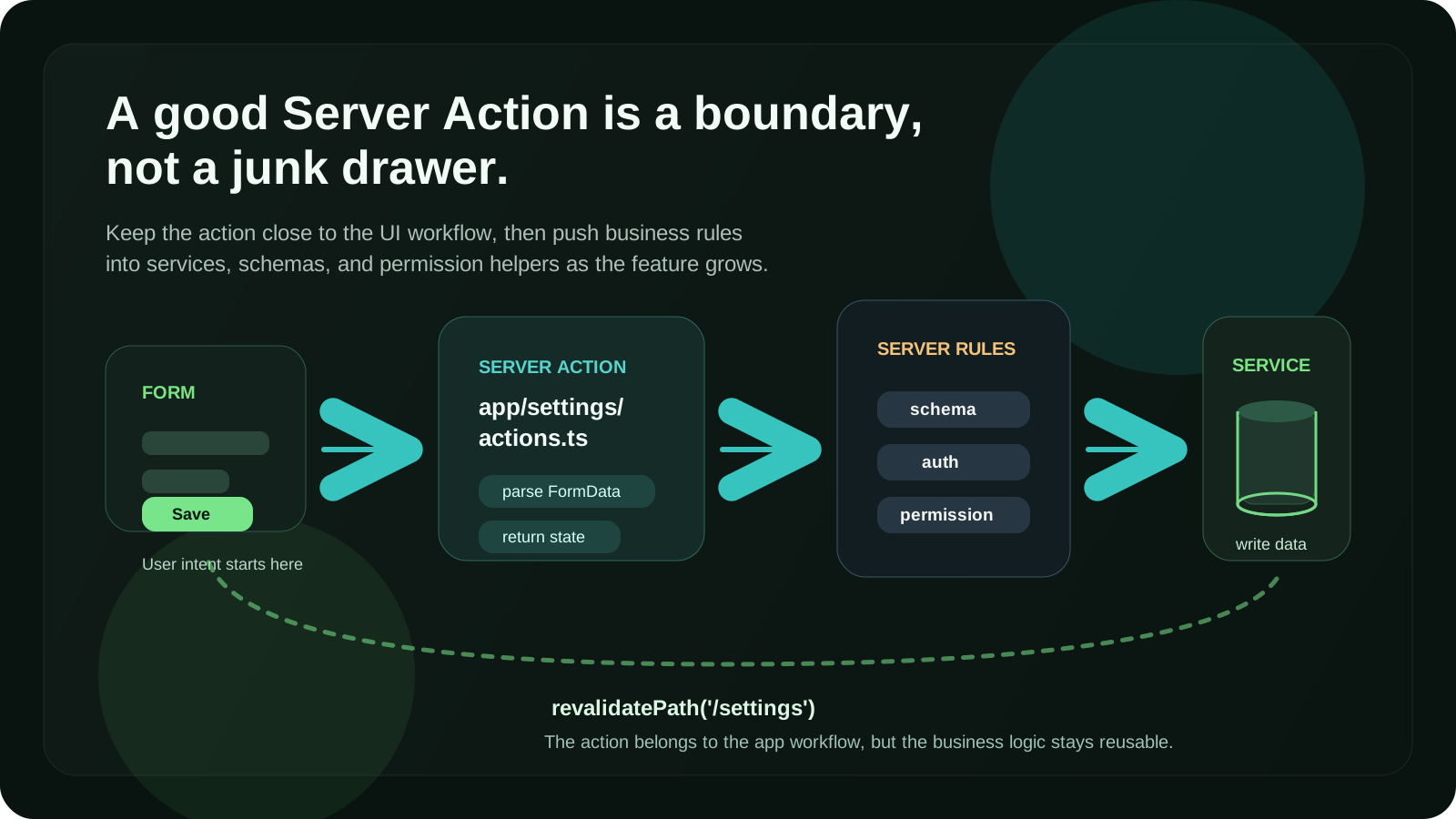
## What API Routes and Route Handlers are good at
API Routes and Route Handlers are better when the main thing you are designing is an HTTP contract.
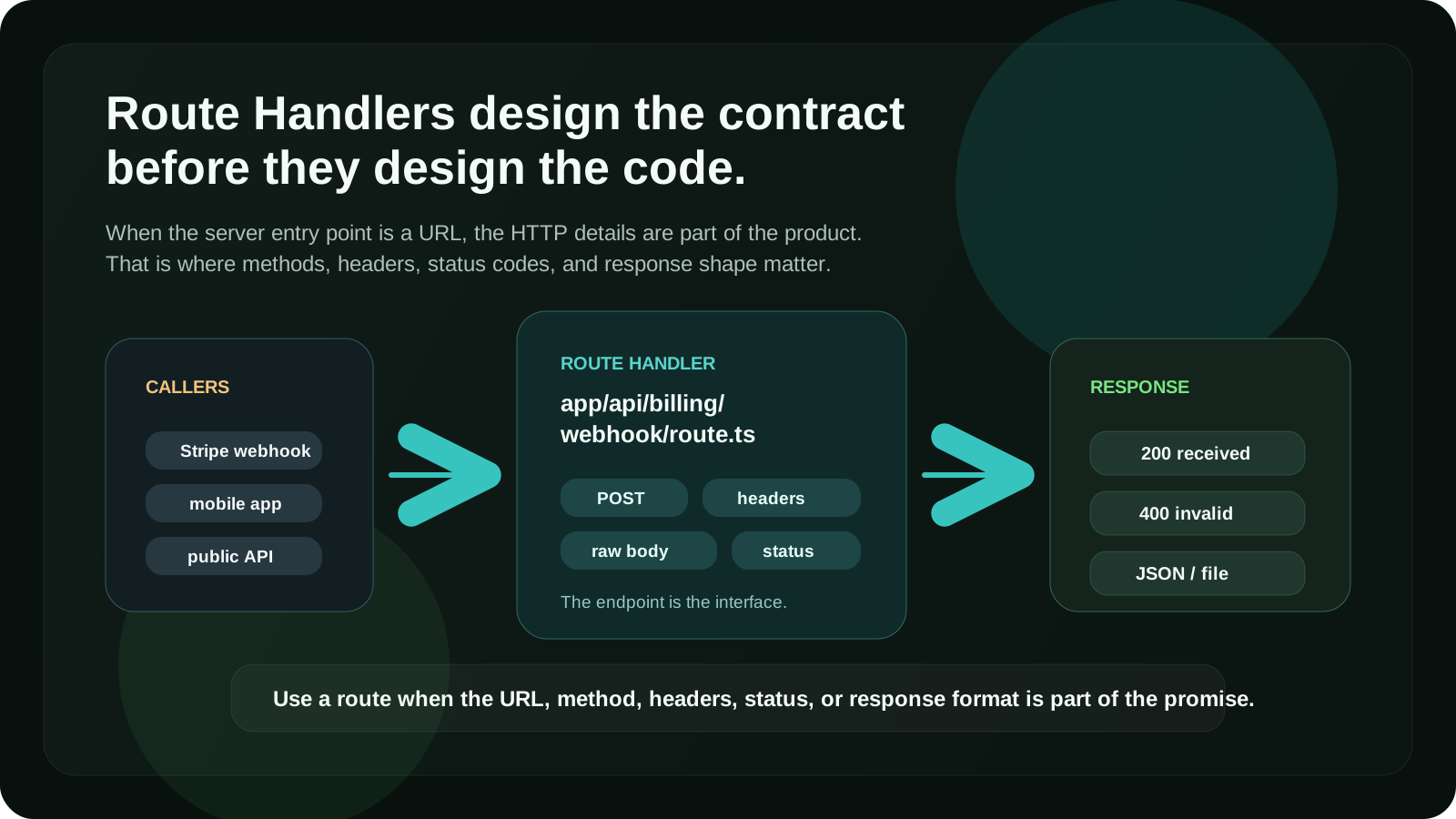
For example, a Stripe webhook should not be a Server Action.
It is not called by your React component. It is called by Stripe. It needs a stable URL, a request body, headers, verification, status codes, and a response.
That belongs in a Route Handler.
Example:
```ts
// app/api/stripe/webhook/route.ts
import { NextResponse } from 'next/server'
export async function POST(request: Request) {
const body = await request.text()
const signature = request.headers.get('stripe-signature')
if (!signature) {
return NextResponse.json({ error: 'Missing signature' }, { status: 400 })
}
// Verify webhook signature here
// Handle event here
return NextResponse.json({ received: true })
}
```
This is not really an “app action”.
It is an endpoint.
That is where Route Handlers make more sense.
## My decision table
Here is the decision table I use most often.
| Situation | Use Server Action | Use Route Handler / API Route |
|---|---:|---:|
| Form inside your Next.js app | Yes | Sometimes |
| Create, update, or delete app data | Yes | Sometimes |
| Needs to be called by another service | No | Yes |
| Webhook | No | Yes |
| Public API | No | Yes |
| Mobile app or external client needs access | No | Yes |
| Needs custom HTTP status codes and headers | Sometimes | Yes |
| File upload with custom handling | Sometimes | Yes |
| Simple internal mutation | Yes | No |
| Data fetch for rendering UI | Usually no | Sometimes |
| Third-party callback URL | No | Yes |
| Shared backend endpoint | No | Yes |
The most important question is:
**Who is calling this code?**
If the caller is your own React app, a Server Action may be the cleanest option.
If the caller is anything else, use a Route Handler or API Route.
## Rule 1: Use Server Actions for forms
Forms are the clearest Server Actions use case.
A form already represents an action:
- create account
- update settings
- save item
- delete record
- send message
- join waitlist
- submit feedback
In the old pattern, you might write something like this:
```tsx
async function onSubmit(values) {
await fetch('/api/profile', {
method: 'POST',
body: JSON.stringify(values),
})
}
```
Then you create the API endpoint:
```ts
export default async function handler(req, res) {
// parse request
// validate data
// check auth
// update database
// return JSON
}
```
That works.
But for many app forms, it adds ceremony.
With Server Actions, the mutation can live closer to the UI flow.
That does not mean all form logic belongs inside the component. I usually keep actions in a separate `actions.ts` file when the logic is reused or non-trivial.
Example structure:
```txt
app/
settings/
page.tsx
actions.ts
schema.ts
```
That gives you a simple mental model:
- `page.tsx` renders the UI
- `schema.ts` validates the input
- `actions.ts` performs the mutation
Clean enough for small features.
Structured enough for real projects.
## Rule 2: Use Route Handlers for webhooks
Webhooks should almost always be Route Handlers.
A webhook is an external HTTP request. It usually needs:
- raw request body
- signature verification
- specific status codes
- provider-specific headers
- retry-safe behavior
- logging
- idempotency
That is endpoint territory.
Do not force webhooks into Server Actions.
Good examples for Route Handlers:
- Stripe webhook
- Lemon Squeezy webhook
- GitHub webhook
- Clerk webhook
- Supabase webhook
- Resend inbound email webhook
- custom integration callback
A webhook needs a URL that another system can call.
That is not what Server Actions are for.
## Rule 3: Use Server Actions for private app mutations
Most product apps have many small private mutations.
For example:
- save a place
- rename a collection
- archive a project
- update a task status
- mark a notification as read
- change a workspace setting
- invite a teammate from the dashboard
These actions are usually not part of a public API.
They are not used by a mobile app.
They are not called by an external service.
They only exist because the current web app needs them.
That is where Server Actions feel natural.
You can still keep the logic clean by separating the layers:
```txt
app/
dashboard/
actions.ts
features/
projects/
service.ts
schema.ts
permissions.ts
```
The Server Action should not become a giant file full of business logic.
I like this pattern:
```ts
'use server'
import { createProject } from '@/features/projects/service'
import { createProjectSchema } from '@/features/projects/schema'
export async function createProjectAction(formData: FormData) {
const parsed = createProjectSchema.safeParse({
name: formData.get('name'),
})
if (!parsed.success) {
return { ok: false, message: 'Invalid project name.' }
}
return createProject(parsed.data)
}
```
The action handles the app boundary.
The service handles the business operation.
That separation matters as the project grows.
## Rule 4: Use Route Handlers when you need an API contract
Sometimes you need an endpoint even if the current caller is your own frontend.
That happens when the endpoint has a meaningful HTTP contract.
Use a Route Handler when you care about:
- request method
- URL shape
- status code
- response format
- headers
- caching behavior
- streaming
- external reuse
- non-React clients
Example:
```ts
// app/api/reports/route.ts
import { NextResponse } from 'next/server'
export async function GET() {
const reports = await getReports()
return NextResponse.json({ reports })
}
```
This endpoint can be called from different places.
It has a clear URL.
It returns JSON.
That is an API.
A Server Action would make the code feel too tied to a single UI workflow.
## Rule 5: Do not use Server Actions as a general API layer
This is one of the easiest mistakes to make.
Server Actions are convenient, so people start using them for everything.
That can make the app feel clean at first.
But then problems appear.
For example:
- another client needs the same mutation
- an integration needs a public endpoint
- you need custom status codes
- you need request-level middleware behavior
- you want to document the API
- you want to test it as an HTTP endpoint
- you need stable URLs across clients
If your server code is really an API, make it an API.
Do not hide it behind Server Actions just because the first caller is a React component.
A good question to ask:
**Would this still make sense if I had a mobile app tomorrow?**
If yes, a Route Handler may be the safer long-term choice.
## Rule 6: Do not create API endpoints just to avoid Server Actions
The opposite mistake is also common.
Some teams keep creating API endpoints for every tiny mutation because that is how they wrote Next.js before App Router.
That can lead to unnecessary boilerplate:
- client submit handler
- fetch call
- JSON parsing
- API route
- duplicated validation
- manual loading states
- manual revalidation
For many internal app mutations, that is more code than you need.
If the action belongs to one app workflow and does not need to be exposed as an HTTP API, Server Actions are often simpler.
Less ceremony is a valid technical reason.
## Rule 7: Validation belongs on the server either way
This rule is not about Server Actions vs API Routes.
It applies to both.
Client-side validation is useful for user experience.
Server-side validation is required for correctness.
Never trust the browser.
Whether the data arrives through a Server Action or a Route Handler, validate it on the server before writing to the database.
A common pattern:
```ts
import { z } from 'zod'
export const createTaskSchema = z.object({
title: z.string().min(1).max(120),
})
```
Then reuse that schema in the boundary that receives the input.
For a Server Action:
```ts
const parsed = createTaskSchema.safeParse({
title: formData.get('title'),
})
```
For a Route Handler:
```ts
const body = await request.json()
const parsed = createTaskSchema.safeParse(body)
```
Same rule.
Different boundary.
## Rule 8: Auth also belongs on the server
Do not rely on the client to decide whether a user is allowed to perform an action.
A hidden button is not security.
A disabled form is not security.
A protected page is not always enough.
Every sensitive mutation should check authorization on the server.
For Server Actions, check auth inside the action or inside the service it calls.
For Route Handlers, check auth inside the handler or middleware, depending on the app.
Example:
```ts
export async function deleteProjectAction(formData: FormData) {
const user = await getCurrentUser()
if (!user) {
return { ok: false, message: 'You must be signed in.' }
}
const projectId = String(formData.get('projectId'))
const canDelete = await userCanDeleteProject(user.id, projectId)
if (!canDelete) {
return { ok: false, message: 'You do not have access to this project.' }
}
await deleteProject(projectId)
return { ok: true }
}
```
The important part is not the exact auth library.
The important part is that the permission check happens on the server boundary.
## Rule 9: Keep data fetching separate from mutations
Server Actions are mainly for mutations.
That means actions like:
- create
- update
- delete
- submit
- save
- archive
- invite
- reorder
For reading data, I usually start with Server Components and direct server-side data fetching.
Example:
```tsx
export default async function ProjectsPage() {
const projects = await getProjects()
return
}
```
You do not need a Server Action just to read data for initial rendering.
You also do not always need a Route Handler.
If the data is only used to render the page on the server, fetch it on the server.
Use Route Handlers for reads when you need an endpoint.
Use client-side fetching when the data changes after interaction or needs to load independently in the browser.
Use Server Actions mostly when the user is changing something.
## Rule 10: Think about revalidation before choosing
In App Router, data updates are not just about writing to the database.
You also need to think about what should update after the mutation.
Server Actions work nicely with revalidation.
For example:
```ts
import { revalidatePath } from 'next/cache'
export async function createPostAction(formData: FormData) {
// create post
revalidatePath('/posts')
return { ok: true }
}
```
That is a good fit when the mutation belongs to a page or section of the app.
Route Handlers can also trigger revalidation, but the workflow can feel more detached from the UI.
So I ask:
**Does this mutation mostly exist to update this app interface?**
If yes, Server Action.
**Does this mutation mostly exist as an HTTP endpoint?**
If yes, Route Handler.
## Rule 11: Be careful with reusable actions
Server Actions can be reused, but I try not to treat them like a random utility library.
This is fine:
```txt
app/
dashboard/
actions.ts
```
This can become messy:
```txt
lib/
actions.ts
```
A giant global `actions.ts` file usually becomes a junk drawer.
Better options:
```txt
features/
billing/
actions.ts
service.ts
schema.ts
features/
teams/
actions.ts
service.ts
schema.ts
```
Or, for route-specific actions:
```txt
app/
settings/
actions.ts
```
The goal is not to follow one perfect folder structure.
The goal is to keep actions near the product feature they belong to.
## Rule 12: Use Route Handlers for third-party API proxying
Sometimes the browser should not call a third-party API directly.
Maybe you need to hide a secret key.
Maybe you need to normalize the response.
Maybe the third-party API has CORS limitations.
Maybe you want to rate-limit or log requests.
In those cases, a Route Handler often makes more sense than a Server Action.
Example:
```ts
// app/api/search/route.ts
import { NextResponse } from 'next/server'
export async function GET(request: Request) {
const { searchParams } = new URL(request.url)
const query = searchParams.get('q')
if (!query) {
return NextResponse.json({ error: 'Missing query' }, { status: 400 })
}
const results = await searchExternalService(query)
return NextResponse.json({ results })
}
```
This behaves like a normal API endpoint.
It can be called by search UI, background jobs, tests, or another client later.
That flexibility is useful.
## Rule 13: Use Server Actions when progressive enhancement matters
One underrated benefit of Server Actions is that they fit naturally with HTML forms.
That means you can often build flows that are less JavaScript-heavy.
The user submits a form.
The server handles it.
The app responds.
For many product forms, this is a simpler model than managing everything through client-side event handlers.
This does not mean you never need client-side code.
You still may need:
- optimistic UI
- pending states
- inline validation feedback
- dynamic inputs
- modals
- autocomplete
- drag and drop
But the mutation itself can still live on the server.
The best setup is often a combination:
- Client Component for interactivity
- Server Action for the mutation
- shared schema for validation
- server-side auth check
- revalidation after success
That gives you both good UX and a clean server boundary.
## Rule 14: Use Route Handlers for files, feeds, and custom responses
Server Actions are not the right tool for every server-side task.
If you are returning something that is not a normal app mutation result, use a Route Handler.
Good examples:
- `sitemap.xml`
- `robots.txt`
- RSS feed
- CSV export
- PDF generation endpoint
- file download
- image proxy
- Open Graph image route
- streaming response
- custom JSON API
These are response-oriented tasks.
They need an HTTP response.
Route Handlers are built for that.
## Rule 15: Do not ignore testing
Testing can influence the decision too.
Server Actions are easy to test as functions if the logic is separated well.
Route Handlers are easy to test as HTTP boundaries if the endpoint contract matters.
That is another reason I prefer separating business logic into services.
Instead of testing only this:
```ts
export async function createProjectAction(formData: FormData) {
// everything happens here
}
```
I prefer this:
```ts
export async function createProject(input: CreateProjectInput) {
// business logic here
}
```
Then the Server Action becomes a thin wrapper:
```ts
export async function createProjectAction(formData: FormData) {
// parse input
// check auth
// call createProject
}
```
The same service can also be used by a Route Handler later if needed.
That keeps your architecture flexible.
## A practical example: creating a project
Let’s say you are building a dashboard and users can create projects.
The project creation flow is only used inside your web app.
It does not need to be public.
It does not need a mobile client.
It is a normal form mutation.
I would use a Server Action.
```tsx
```
Then in the action:
```ts
'use server'
import { revalidatePath } from 'next/cache'
import { createProjectSchema } from './schema'
import { createProject } from '@/features/projects/service'
export async function createProjectAction(formData: FormData) {
const parsed = createProjectSchema.safeParse({
name: formData.get('name'),
})
if (!parsed.success) {
return { ok: false, message: 'Invalid project name.' }
}
await createProject(parsed.data)
revalidatePath('/dashboard/projects')
return { ok: true }
}
```
This is a good Server Action use case.
The action is private to the app.
The form is simple.
The mutation updates app data.
Revalidation is close to the workflow.
## A practical example: receiving a webhook
Now let’s say Stripe needs to tell your app that a subscription was updated.
That is not a Server Action.
Stripe does not submit your React form.
Stripe calls an endpoint.
I would use a Route Handler.
```ts
// app/api/billing/webhook/route.ts
import { NextResponse } from 'next/server'
export async function POST(request: Request) {
const body = await request.text()
const signature = request.headers.get('stripe-signature')
if (!signature) {
return NextResponse.json({ error: 'Missing signature' }, { status: 400 })
}
// verify signature
// update subscription state
return NextResponse.json({ ok: true })
}
```
This needs an HTTP boundary.
The URL matters.
The method matters.
The headers matter.
The status code matters.
Route Handler is the right tool.
## A practical example: saving a user preference
Now imagine a user toggles a setting in your app.
For example:
- dark mode preference
- compact layout preference
- email notification setting
- default workspace
If that setting is only used inside your web app, I would usually use a Server Action.
```ts
'use server'
export async function updateNotificationSettings(formData: FormData) {
const user = await getCurrentUser()
if (!user) {
return { ok: false, message: 'Unauthorized' }
}
const enabled = formData.get('enabled') === 'on'
await saveNotificationSettings(user.id, { enabled })
return { ok: true }
}
```
This is not a public API.
It is a private app mutation.
Server Action fits.
## A practical example: building a public endpoint
Now imagine users can fetch public project data from your app.
Example:
```txt
GET /api/public/projects/acme
```
That should be a Route Handler.
```ts
// app/api/public/projects/[slug]/route.ts
import { NextResponse } from 'next/server'
export async function GET(
request: Request,
{ params }: { params: Promise<{ slug: string }> }
) {
const { slug } = await params
const project = await getPublicProject(slug)
if (!project) {
return NextResponse.json({ error: 'Not found' }, { status: 404 })
}
return NextResponse.json({ project })
}
```
This endpoint has a public contract.
Someone may bookmark it, call it from another app, or integrate with it.
That is not a Server Action job.
## The mistake I try to avoid
The biggest mistake is choosing based on fashion.
Server Actions are not automatically better because they are newer.
API Routes are not automatically worse because they are older.
Route Handlers are not automatically necessary just because the code runs on the server.
The right decision depends on the boundary.
Ask these questions:
- Is this triggered by a form or app interaction?
- Is this only used inside this Next.js app?
- Does it need a stable URL?
- Will another client call it?
- Do I need custom status codes or headers?
- Is this a webhook?
- Is this a public API?
- Is this mostly a mutation or an HTTP endpoint?
Those questions are more useful than arguing about which feature is “the Next.js way”.
## My default architecture
In most App Router projects, my default setup looks like this:
```txt
app/
dashboard/
page.tsx
actions.ts
api/
webhooks/
stripe/
route.ts
features/
projects/
service.ts
schema.ts
permissions.ts
```
The responsibilities are clear:
- Server Components render server data
- Server Actions handle private app mutations
- Route Handlers handle HTTP endpoints
- services contain reusable business logic
- schemas validate input
- permission helpers keep authorization explicit
This structure keeps the app simple without locking everything into one pattern.
## So, should you use Server Actions or API Routes?
Use **Server Actions** when:
- the action belongs to your web app UI
- the main task is a mutation
- the caller is your own React app
- you are handling a form submission
- you want less client-side boilerplate
- you want to revalidate app data after a change
- the logic does not need to be a public endpoint
Use **Route Handlers or API Routes** when:
- you need a real HTTP endpoint
- another service needs to call your app
- you are handling a webhook
- you are building a public or shared API
- a mobile app or external client needs access
- you need custom headers, status codes, or response formats
- you are returning files, feeds, streams, or custom JSON
That is the practical difference.
Server Actions are for actions inside the app.
Route Handlers and API Routes are for endpoints.
## Final thoughts
The Server Actions vs API Routes debate becomes easier when you stop treating it like a winner-takes-all decision.
They solve different problems.
Server Actions are great for private mutations inside your Next.js app. They reduce boilerplate, work naturally with forms, and keep many product workflows simple.
Route Handlers and API Routes are better when you need an HTTP interface. They are the right choice for webhooks, public APIs, external clients, custom responses, and integration boundaries.
The rule I actually use is simple:
**If it is an app-specific mutation, start with a Server Action.**
**If it is an HTTP endpoint, use a Route Handler or API Route.**
That rule is not perfect, but it is a good default.
And good defaults are what keep Next.js projects from turning into architecture soup.
## FAQ
### Are Server Actions better than API Routes in Next.js?
Not always. Server Actions are better for private app mutations, especially forms and simple data changes inside a Next.js App Router project. API Routes or Route Handlers are better when you need an HTTP endpoint, webhook, public API, custom response, or external client support.
### Should I use Server Actions or Route Handlers in Next.js App Router?
Use Server Actions when the code is triggered by your app UI and mainly changes data. Use Route Handlers when you need a URL that can receive HTTP requests from browsers, third-party services, mobile apps, webhooks, or other external clients.
### Are API Routes still used in Next.js App Router?
In App Router, the equivalent of API Routes is usually Route Handlers inside the `app` directory. API Routes still exist in the Pages Router, but App Router projects usually use Route Handlers for endpoint-style server code.
### When should I use Server Actions in Next.js?
Use Server Actions for form submissions, private mutations, dashboard actions, user settings, create/update/delete workflows, and cases where the mutation belongs directly to your Next.js app interface.
### When should I use API Routes or Route Handlers?
Use API Routes or Route Handlers for webhooks, public APIs, third-party callbacks, custom JSON endpoints, file downloads, RSS feeds, mobile app endpoints, and any server code that needs a stable HTTP contract.
### Can Server Actions replace API Routes?
Server Actions can replace some internal API routes that were only created for app-specific mutations. They should not replace real API endpoints, webhooks, public APIs, or routes that need to be called by external clients.
### Do Server Actions run on the server?
Yes. Server Actions run on the server. That is why they are useful for database writes, secure mutations, validation, authorization checks, and revalidation. But you still need to validate input and check permissions on the server.
### Should I put business logic inside Server Actions?
Small logic can live in a Server Action, but for real projects it is usually better to keep business logic in separate service files. The Server Action should parse input, check auth, call the service, and revalidate data when needed.
### Are Server Actions good for SEO?
Server Actions themselves do not directly improve SEO. They can help product architecture by simplifying server-side mutations. SEO still depends on rendering, metadata, content quality, performance, internal linking, structured data, and crawlable pages.
### What is the best default for a new Next.js App Router project?
A good default is to use Server Components for server-rendered data, Server Actions for private app mutations, and Route Handlers for HTTP endpoints. This keeps the architecture simple and avoids unnecessary API boilerplate.
---
**Related guides:**
- [Server vs Client Components in Next.js](/blog/nextjs-server-vs-client-components-article)
- [Where to Put Data Fetching in Next.js App Router](/blog/where-to-put-data-fetching-nextjs-app-router)
- [Next.js App Router Mistakes I Keep Seeing in Real Projects](/blog/nextjs-app-router-mistakes)
- [What Actually Makes a Frontend Feel Fast in 2026](/blog/frontend-feels-fast-2026)
---
## How I think about building products as a developer, not just features
URL: https://www.pean.dev/blog/product-minded-developer-building-products-not-features
Published: 2026-05-04
Description: A practical breakdown of how I approach product-minded development: thinking about real users, systems, performance, failure states, and long-term quality instead of only shipping isolated features.
Most developers are trained to ship features.
A ticket says “add search,” so search gets added. A ticket says “add sync,” so
sync gets added. A ticket says “add a form,” so the form appears on the screen.
There is nothing wrong with that. Shipping features is part of the job.
But after working on real products, I started caring much more about a different
question:
> Does this actually work for the person using it?
Not just technically. Not just in the happy path. Not just in the demo.
Does it feel clear? Is it fast enough? What happens when the connection is bad?
What happens when the data grows? What happens when the user comes back next
week and expects the product to remember what they did?
That is the difference between building a feature and building a product.
A feature can be complete.
A product has to hold up in real life.
## The trap of feature-first development
Feature-first development feels productive because it creates visible progress.
A new page exists. A button works. A filter appears. A modal opens. A dashboard
gets another chart.
Everyone can point at something and say: done.
But a feature can be “done” and still make the product worse.
Search can exist but return noisy results. Sync can exist but feel unreliable. A
settings page can exist but make the product harder to understand. A dashboard
can have five charts and still not help anyone make a decision.
I have seen this pattern enough times to become careful with it.
The problem is not that features are bad. The problem is that features are often
planned as isolated pieces of UI instead of parts of a larger behavior.
A ticket might say:
> Add saved places.
But the real product question is closer to:
> How does someone save something important at the exact moment they need it,
> and how do we make them trust that it will still be there later?
That is a much better question.
It forces you to think about context, not only implementation.
## The product is the behavior around the feature
The more I build, the less I care about feature names.
“Save place” is a feature.
The product is everything around it:
- how quickly the user can do it
- what happens if the phone has no signal
- whether the user needs to type anything
- how the app confirms the place was saved
- how the place syncs later
- how easy it is to find again
- whether privacy is the default
- whether the flow still works from a small screen or Apple Watch
That is how I thought about [Pean](https://www.pean.me/), my private
place-saving app for iPhone and Apple Watch.
The basic feature sounds simple: save a point on a map.
But that description misses the actual product problem.
Pean is for moments when someone finds a place they may want to return to later:
a fishing spot, a mushroom area, a berry patch, a landmark, a quiet place in the
woods. Those moments are often outside. The user might be moving. The connection
might be weak. They might not want to take out the phone, open a form, choose a
group, type a note, and organize everything perfectly.
So the product cannot start with a complex form.
It has to start with capture.
Save first. Organize later.
That one decision changes the product much more than it changes the feature
list.
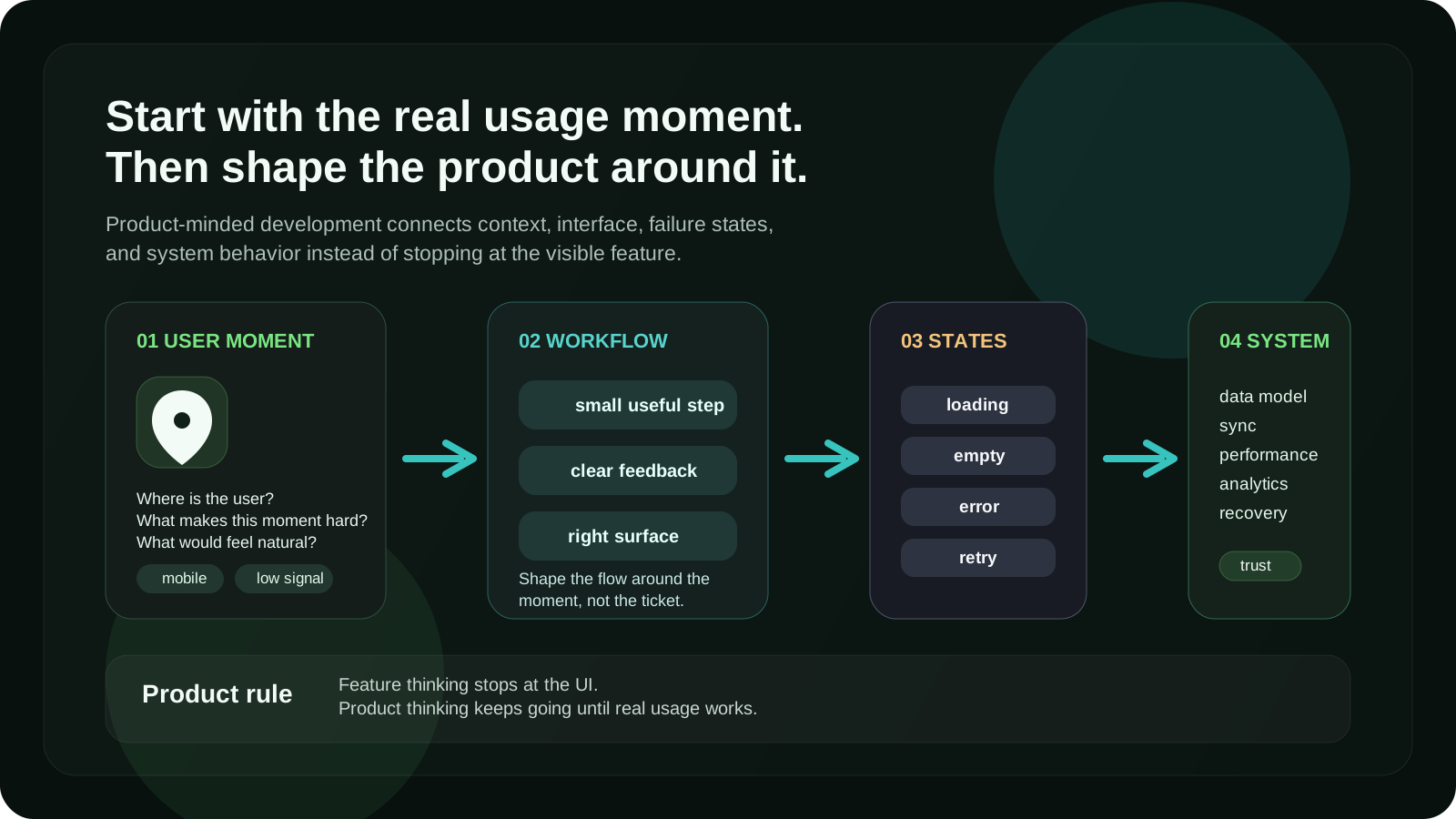
## I try to understand the usage moment first
Before I think too much about components, APIs, or database structure, I try to
understand the moment where the product is used.
That sounds obvious, but it is easy to skip.
A desktop dashboard, a mobile app, a browser extension, and a marketing page all
have different usage moments. They may use the same technologies, but they do
not need the same product decisions.
For every product surface, I try to ask:
- where is the user?
- are they focused or distracted?
- are they in a hurry?
- are they on desktop, mobile, or watch?
- do they trust the product already?
- is the action reversible?
- what happens if the connection is slow?
- what would become annoying after the tenth use?
These questions usually reveal more than a long feature discussion.
They also stop me from building the wrong interface.
For example, [Crowra](https://www.crowra.pean.dev/) could have been a normal SEO
dashboard. Login, add project, paste URL, run scan, open report.
That would be a valid product.
But it was not the workflow I wanted to solve.
The moment I cared about was this: the user is already looking at a page and
wants to inspect it without leaving the page.
That is why Crowra became a Chrome side-panel tool.
The side panel is not just a UI choice. It matches the moment. The page stays
open. The audit stays beside it. The user can scroll, inspect, fix, reload, and
scan again without switching context.
That is the kind of product decision I care about.
Not “what can we add?”
More often:
> Where should this live so the workflow feels natural?
## Real products fail in boring ways
A feature demo usually happens in perfect conditions.
The API responds. The network works. The data is clean. The user follows the
expected path. The browser is modern. The device is fast. Nothing weird happens.
Real products are not used like that.
People lose connection. They refresh at the wrong moment. They double-click.
They paste strange data. They leave and come back later. They use older devices.
They misunderstand labels. They expect the product to recover anyway.
This is why I try to think about failure states early.
Not because every product needs complicated architecture from day one.
Because failure is part of the user experience.
If a save action silently fails, the user does not think:
> The backend request returned an error.
They think:
> I cannot trust this product.
That is a much bigger problem.
So when I build a flow, I want to know:
- what happens while the action is loading?
- what happens if it fails?
- can the user retry safely?
- can the same action happen twice?
- is the local state still correct?
- does the UI explain what happened?
- do we lose data?
- do we need optimistic updates?
- do we need sync or queueing?
A lot of product quality lives in these boring details.
They rarely look impressive in screenshots.
But users feel them.
## Performance is part of the product
I do not think about performance as a final optimization step.
Performance is product work.
A slow interface feels uncertain. A delayed click feels broken. A page that
jumps while loading feels unfinished. A mobile screen that needs too much
JavaScript can make even a good product feel heavy.
This does not mean every project needs extreme optimization from the first
commit.
It means performance should influence the shape of the product before it becomes
hard to change.
I care about things like:
- what should render first
- what can wait
- what should be server-rendered
- what really needs client-side JavaScript
- whether an animation improves the experience or only adds weight
- whether images are sized correctly
- whether loading states reduce confusion
- whether the product still feels good on mobile
I wrote more about this in
[What actually makes a frontend feel fast in 2026](/blog/what-actually-makes-a-frontend-feel-fast).
For me, the important point is simple:
> Users do not experience the tech stack. They experience waiting.
That is why performance belongs in the same conversation as UX.
## I care about the system behind the screen
Screens are easy to see.
Systems are easier to ignore.
But many product problems come from the space between screens: unclear data
ownership, fragile state, inconsistent validation, weak error handling, messy
sync, or backend models that do not match the product.
A screen can look clean while the system behind it is already becoming painful.
That is why I like thinking full-stack.
Not because every developer has to do everything.
But because product behavior usually crosses boundaries.
A “save” button is not only a button. It involves UI feedback, local state,
validation, persistence, failure handling, retry behavior, accessibility, and
sometimes analytics or sync.
A “publish” action is not only an endpoint. It changes user expectations,
metadata, crawlability, previews, cache, and rollback strategy.
A “dashboard” is not only charts. It has to answer a question someone actually
has.
Good product engineering means understanding which of these layers matter for
the current problem and not pretending the rest does not exist.
It also means not making everything complicated.
Some features should stay simple.
But the simplicity should be intentional, not accidental.
## Clarity beats cleverness
I like simple products.
But simple does not mean empty.
Simple means the important thing is easy to understand.
This applies to the interface, but also to the code.
Clear naming matters. Clear data models matter. Clear component boundaries
matter. Clear empty states matter. Clear error messages matter. Clear metadata
matters.
I have learned to be suspicious of cleverness when it appears too early.
Clever abstractions. Clever animations. Clever navigation. Clever dashboards.
Clever settings. Clever architecture that takes longer to understand than the
problem itself.
Sometimes cleverness is useful.
But most of the time, products get better when they become easier to reason
about.
That is why I prefer:
- obvious flows
- boring but stable patterns
- clear user actions
- predictable state
- readable code
- fewer hidden assumptions
These choices do not always look exciting.
They make the product easier to improve later.
## UX does not end in Figma
A design can look great in Figma and still become weak in production.
The opposite is also true. A modest design can feel excellent if the product is
fast, clear, accessible, and reliable.
A lot of UX is engineering.
It is focus behavior. Loading states. Error recovery. Mobile layout. Keyboard
navigation. Form validation. Image loading. Metadata. Empty states. Response
time. Scroll behavior. State preservation.
These details decide whether the product feels polished or fragile.
That is why I like being close to product decisions.
A developer can see problems that are not always visible in static designs:
- this flow needs a better state model
- this page will be too heavy on mobile
- this form will create messy data
- this empty state needs a real action
- this feature needs a retry path
- this content needs better structure for search
- this interaction will be annoying after repeated use
That does not mean developers should block product ideas.
It means engineering should make the product sharper, not only “implemented.”
## Production-ready does not mean perfect
I use the phrase “production-ready” a lot, but I do not mean perfect.
Perfect products do not ship.
For me, production-ready means the product is honest enough for real usage.
It has the core behavior. It handles the most important states. It does not rely
only on the happy path. It is understandable enough to maintain. It is fast
enough to feel trustworthy. It does not hide obvious broken parts behind nice
UI.
Depending on the project, production-ready might include:
- clear user value
- predictable behavior
- useful loading states
- understandable errors
- basic accessibility
- stable data flow
- reasonable performance
- safe failure handling
- correct metadata
- maintainable implementation
- enough analytics or logging to learn from usage
That list changes by product.
A Chrome extension, a mobile app, a backend API, and a marketing site do not
need the same checklist.
But they all need the same mindset:
> Do not ship something that only works when everything goes right.
The ideal path is a demo.
The real path is the product.
## An example from Pean
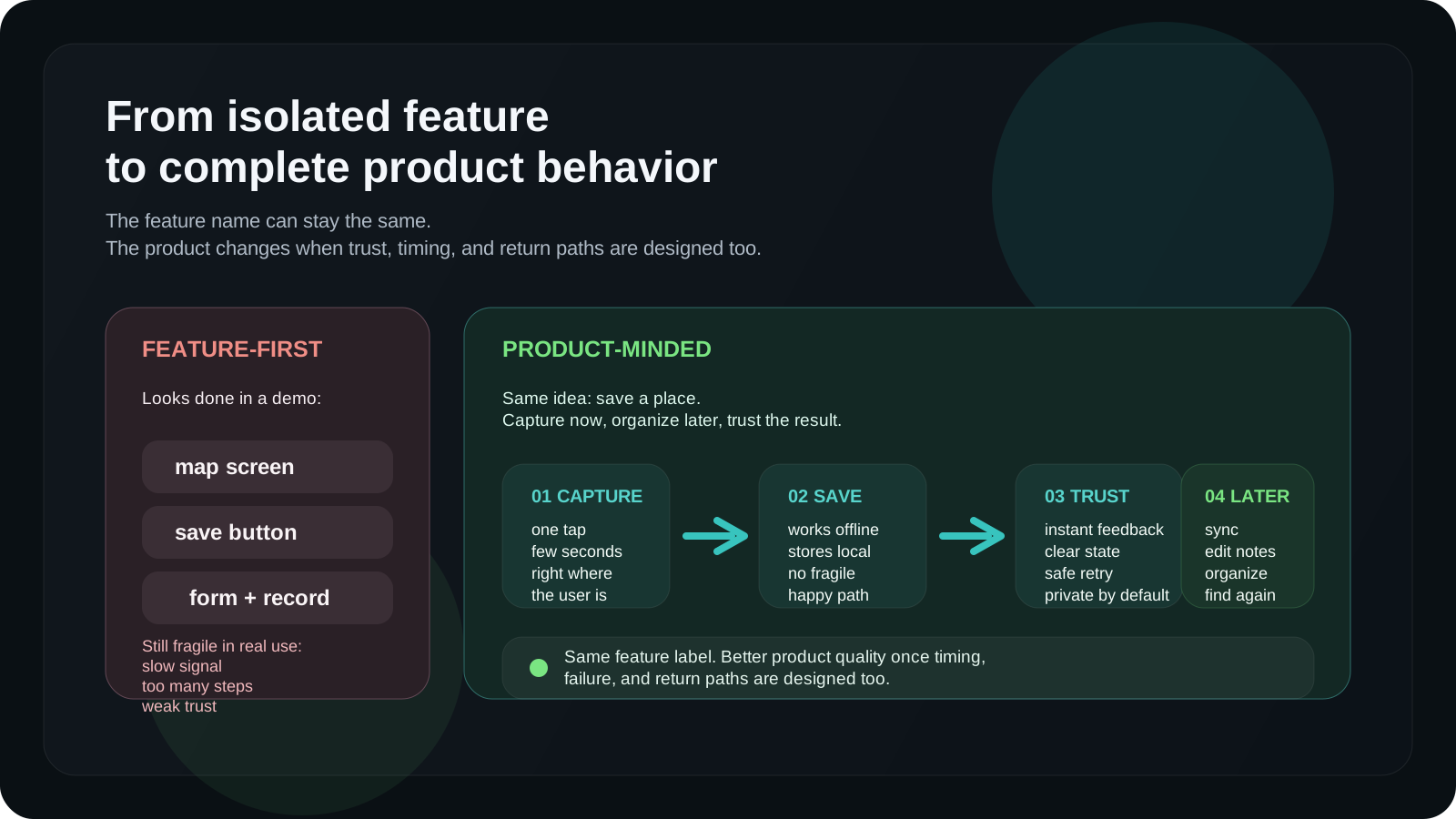
A simple way to explain the difference is to take one product idea:
> Save important places.
Feature-first thinking might lead to:
- a map
- a save button
- a form
- a database record
- a list of saved places
That is a reasonable start.
But it is not enough to make the product feel right.
For Pean, the better questions were:
- what if the user is outside with poor signal?
- what if they only have a few seconds?
- what if they want the place private by default?
- what if they are using Apple Watch?
- what if they want to add details later?
- what if syncing happens after they reconnect?
- what gives them confidence that the place was saved?
Those questions pushed the product toward one-tap capture, offline support,
automatic sync, privacy by default, and simple organization after the place is
already saved.
The feature is still “save a place.”
But the product becomes something more useful:
> Save the spot before the moment is gone.
That is the difference I care about.
## What this changes for teams
When developers think this way, teams get more than implementation.
They get better questions earlier.
That can prevent a lot of rework.
A product-minded developer can notice when a feature solves the wrong problem,
when a flow is too heavy, when the data model does not match the interface, when
a page will be hard for search engines to understand, or when performance will
become a UX issue later.
This is not about turning developers into product managers.
It is about making engineering part of product quality.
The best work usually happens when product, design, and engineering are not
separate handoff stations.
They should still have clear responsibilities.
But the thinking has to overlap.
A developer does not need to own every product decision.
A good developer should understand the product well enough to protect it.
## What I try not to build
I try to avoid adding things only because they are easy to add.
More pages do not always make a site better. More settings do not always make a
product more flexible. More filters do not always improve discovery. More
animations do not always improve feel. More dashboards do not always create more
clarity.
Sometimes a product needs more.
Often it needs less.
Less friction. Less confusion. Less hidden state. Less repeated work. Less
unclear choice. Less UI that exists only because the data exists.
I also try to avoid features where success is undefined.
If nobody can explain what should get better after the feature ships, the
feature probably needs more thought.
It does not always need a complex metric.
But it needs a reason.
A good feature should reduce friction, increase trust, unlock a workflow,
improve speed, clarify a decision, support growth, or make the product easier to
use.
If it only makes the product bigger, I am not convinced.
## The kind of work I enjoy most
I enjoy work where product thinking and engineering quality meet.
That usually means:
- web apps with real workflows
- mobile experiences that need to feel fast and clear
- browser extensions with tight interaction design
- backend systems that support user-facing reliability
- SEO and content surfaces where structure matters
- product redesigns where positioning, UX, and implementation need to align
I like the middle space between idea and production.
Not only the first mockup.
Not only the final code.
The part where the product becomes real: constraints, flows, trade-offs, edge
cases, performance, content, metadata, systems, and the small decisions that
decide whether people can actually use it.
That is where I think good developers can create a lot of value.
## My product-building loop
If I reduce my approach to a simple loop, it looks like this:
1. Understand the real usage moment.
2. Define the behavior, not only the feature.
3. Map the important states: empty, loading, success, failure, retry.
4. Build the smallest useful version.
5. Keep the system behind the screen understandable.
6. Make the interface fast and clear.
7. Treat performance and accessibility as product quality.
8. Ship with enough structure to learn from usage.
9. Remove complexity that does not support the product.
10. Improve based on what the product teaches you.
The hard part is not understanding this list.
The hard part is staying disciplined when it is faster to just build the ticket.
## What building products has taught me
Building products has made me less impressed by long feature lists.
A product can have many features and still feel weak.
A smaller product can feel strong if it understands its moment well.
That lesson keeps repeating.
A private place-saving app does not need to become a general map. It needs to
save meaningful places quickly, privately, and reliably.
An SEO Chrome extension does not need to become a full platform first. It needs
to help review the page in front of the user.
A developer website does not need to list every technology. It needs to explain
what kind of value the developer brings and show proof clearly.
The product gets better when the purpose gets sharper.
That is how I want to build.
Not just more features.
Better products.
## FAQ
### What is a product-minded developer?
A product-minded developer is a developer who thinks beyond implementation and
cares about how the product works in real usage. That includes UX, performance,
failure states, data flow, accessibility, maintainability, and whether the
feature actually helps users.
### What is the difference between building features and building products?
Building features means implementing specific pieces of functionality. Building
products means designing complete behavior around real user needs, constraints,
edge cases, and long-term product quality.
### Why should developers think about product?
Developers make many decisions that directly affect product quality:
performance, state management, data modeling, error handling, accessibility,
technical trade-offs, and maintainability. Product thinking helps those
decisions support user value instead of only completing tasks.
### Does product-minded development slow teams down?
It can make the first conversation a little deeper, but it usually reduces
rework. Clear behavior, better failure handling, and stronger system boundaries
make products easier to ship, maintain, and improve.
### Is performance part of product quality?
Yes. Performance affects trust, clarity, and perceived quality. A slow interface
can make a useful feature feel broken, especially on mobile or in repeated
workflows.
### How do I become a more product-minded developer?
Start by asking better questions before building: who uses this, when do they
use it, what can fail, what should happen next, what does success look like, and
how will this decision affect future versions of the product?
---
Related reading:
- [What actually makes a frontend feel fast in 2026](/blog/what-actually-makes-a-frontend-feel-fast)
- [Server vs Client Components in Next.js: the rules I actually use](/blog/nextjs-server-vs-client-components-article)
- [How I designed one-tap offline place saving for Apple Watch and iPhone](/blog/how-i-designed-one-tap-offline-place-saving-for-apple-watch-and-iphone)
- [Why I built Crowra as a side-panel SEO and AI readiness inspector](/blog/why-i-built-crowra-side-panel-seo-ai-readiness-inspector)
- [Pean — private place saving for iPhone and Apple Watch](https://www.pean.me/)
---
## Why I built Crowra as a side-panel SEO and AI readiness inspector
URL: https://www.pean.dev/blog/why-i-built-crowra-side-panel-seo-ai-readiness-inspector
Published: 2026-04-25
Description: A practical product and engineering breakdown of Crowra: a Chrome side-panel extension for auditing SEO, technical health, schema, links, accessibility, and AI / GEO readiness without leaving the page you are reviewing.
Most SEO tools assume you are ready to leave the page.
Open a dashboard. Paste a URL. Wait for a scan. Open another tab for schema.
Open another tab for links. Open another tab for robots. Check the page again.
Copy findings into notes. Then try to remember which issue was actually worth
fixing first.
That workflow works when you are doing a deep audit.
It feels too heavy when you are reviewing the page in front of you.
That is the gap I wanted to solve with [Crowra](https://www.crowra.pean.dev/).
Not a full SEO platform. Not a rank tracker. Not a crawler SaaS. A focused
Chrome side-panel inspector for the moment when a page is almost ready and still
needs one serious pass across SEO, technical health, schema, links,
accessibility, and AI / GEO readiness.
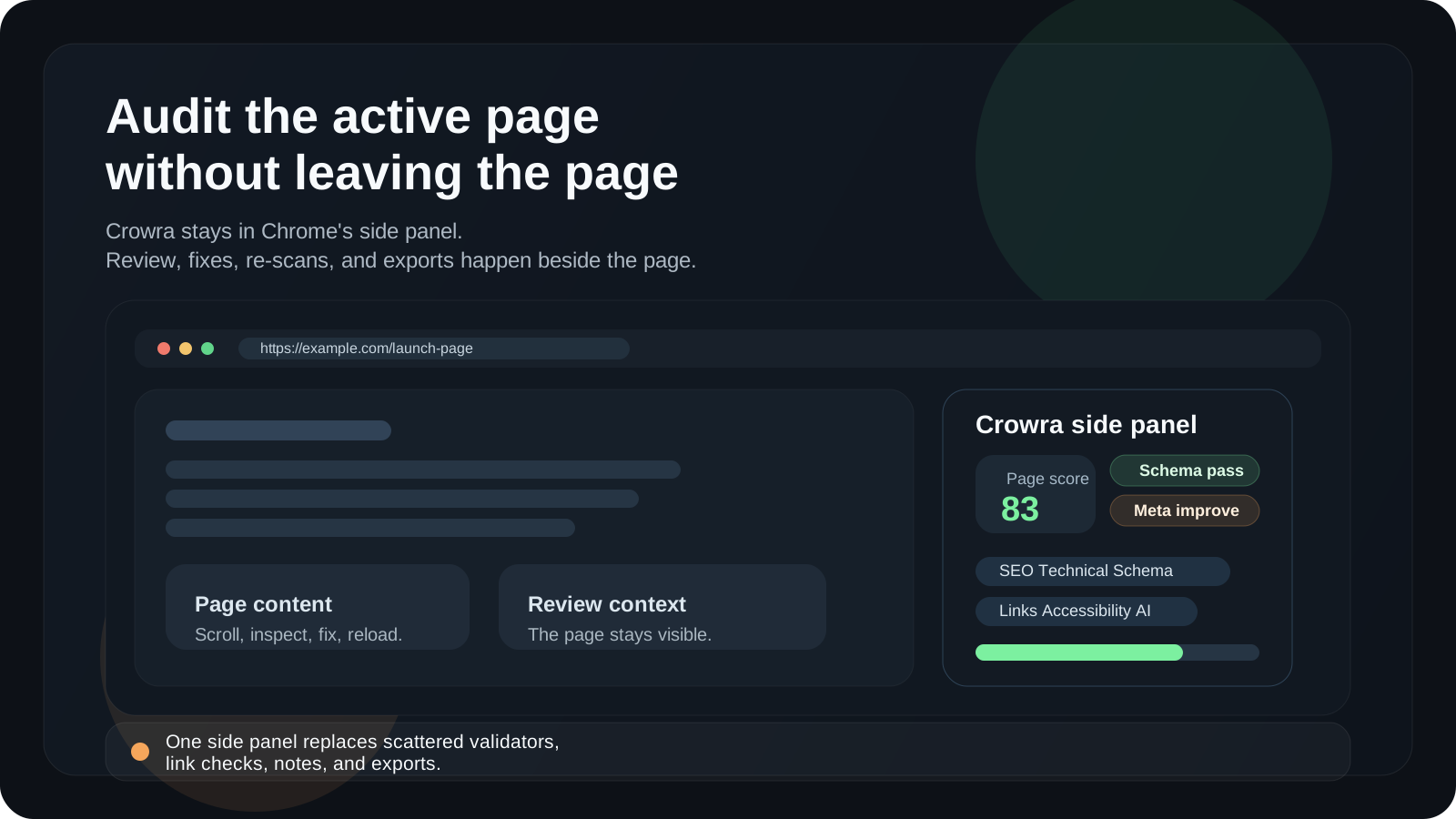
The product idea is simple:
> Audit the active page without leaving the active page.
That one constraint shaped almost every technical and product decision.
## The problem I kept running into
When I build and ship pages, the review step is rarely one clean task.
It is a stack of small checks:
- does the page title exist?
- is the meta description useful?
- is the canonical correct?
- can crawlers access the page?
- is the schema valid enough?
- are links broken?
- does the page have enough content context?
- are there obvious accessibility misses?
- is the page understandable for AI search surfaces?
- can I export the result and share it with someone else?
None of these checks are hard alone.
The annoying part is the switching.
A page review quickly turns into a scattered tab stack: browser DevTools, schema
validators, link checkers, SERP preview tools, robots testers, manual notes, and
a spreadsheet if the review needs to travel.
That is fine for a large audit.
It is too much friction for everyday publishing.
I wanted Crowra to feel closer to a checklist that lives beside the page instead
of a separate destination.
## Why a Chrome side panel made sense
The side panel became the product shape because it matches the review moment.
A popup is too small. A full dashboard pulls you away from the page. A content
overlay risks getting in the way of the page itself. A side panel can stay open
while the user scrolls, checks sections, fixes something, reloads, and runs the
audit again.
That interaction model is important.
Crowra is not meant to be opened once a month for a giant report. It is meant to
be used during work:
1. open the page
2. open Crowra
3. run a scan
4. review prioritized signals
5. fix the page
6. re-scan
7. export the result if needed
The tool should stay close to the surface being inspected.
That is the same kind of product thinking I used when I wrote about
[one-tap offline place saving for Apple Watch and iPhone](/blog/how-i-designed-one-tap-offline-place-saving-for-apple-watch-and-iphone).
The surface matters because the moment matters.
For Pean, the moment was saving a private place before it disappears from memory.
For Crowra, the moment is reviewing a page before it goes live, after a content
update, during a migration, or before someone else asks why search engines and AI
answer surfaces are not understanding it properly.
Different product. Same rule:
> Design around the moment, not around the feature list.
## What Crowra checks
Crowra started as a page audit tool, but I did not want it to be only another
metadata checker.
The page review needed to cover the signals I actually look at before shipping a
page.
### SEO basics
The first layer is traditional on-page SEO:
- title
- meta description
- headings
- H1 structure
- internal anchor text
- robots meta
- Open Graph
- Twitter Cards
- SERP preview signals
These checks are not glamorous, but they catch real mistakes.
A page can have beautiful design and still ship with a weak title, no
description, a duplicated H1, or missing social preview data.
Crowra keeps these checks visible because basic metadata still matters.
### Technical health
The second layer is technical:
- HTTPS
- viewport
- charset
- canonical tags
- canonical mismatch
- absolute canonical URLs
- hreflang inventory
- mixed content signals
- resource breakdowns
- canonical chain following
This is the kind of work that often gets split between DevTools, source view,
and random browser extensions.
I wanted the technical section to answer one question quickly:
> Is this page technically safe enough to be indexed, shared, and crawled?
Not perfectly optimized. Not scored for every performance metric in the world.
Just safe enough to move forward or clear enough to know what needs fixing.
### Schema and entities
Structured data became its own section because schema issues are usually easier
to understand when they are shown as entities, not just raw JSON.
Crowra checks:
- JSON-LD
- Microdata
- RDFa
- parse errors
- entity types
- missing recommended fields
- common types like Article, BlogPosting, Product, Organization, WebSite, and
WebPage
A lot of schema tools tell you whether something is valid. That is useful. But
during a page review, I also want to understand what the page is claiming to be.
Is it an Article? A WebPage? A Product? An Organization? Is the schema helping
search engines understand the page, or is it just present?
That is the difference between validation and inspection.
### Links and same-site crawl
A single page audit is useful, but links often need a wider view.
That is why Crowra has two link modes:
1. page-level link extraction
2. same-site crawl from the Links tab
The page-level view is for quick inspection: internal links, external links,
nofollow links, and anchor patterns.
The crawl view is for launch and migration checks: broken links, redirects,
noindex pages, inbound links, duplicate titles, duplicate descriptions, and
exportable crawl results.
I did not want Crowra to become a giant crawler SaaS.
But I did want it to answer a practical launch question:
> If I ship this site today, are there obvious broken pages or crawl issues I
> should catch first?
That is where a lightweight same-site crawl makes sense.
### Accessibility signals
Crowra is not an accessibility compliance certifier.
That distinction matters.
But there are still useful checks that belong in a page review:
- image alt text
- empty alt text
- form label hints
- landmark checks
- heading order
- focus heuristics
- contrast-related signals
The goal is not to pretend one automated pass can replace a real accessibility
review. The goal is to catch obvious misses before they become production bugs.
### AI / GEO readiness
The newest part of the product is AI / GEO readiness.
GEO, in Crowra, means Generative Engine Optimization. I treat it as a review
surface for the signals that make a page easier to understand for AI answer
engines and discovery systems.
Crowra checks things like:
- `llms.txt`
- AI-bot access through `robots.txt`
- E-E-A-T signals
- author and date hints
- About and Contact links
- content density
- reading and completeness hints
- schema-derived entity hints
I am careful with the language here.
No tool can guarantee that an AI answer engine will cite a page. That would be a
false promise. But a tool can help review whether the page is crawlable,
structured, readable, entity-rich, and supported by basic trust signals.
That is what I want Crowra to do.
Not predict citations.
Surface readiness signals.
## The architecture behind the scan
The extension architecture is intentionally simple.
Crowra is built with React, TypeScript, Vite, Tailwind, Zustand, Lucide, Chrome
Manifest V3, the Chrome side panel API, and Chrome storage.
The scan flow has a few clear pieces:
1. the side panel asks for a scan
2. the active tab is identified
3. a packaged content script extracts a page snapshot
4. the background service worker handles browser-level work
5. the audit engine runs rules against the snapshot
6. the side panel renders the result
7. the result can be stored in local history or exported
The important object is the page snapshot.
In simplified form, I think about it like this:
```ts
type PageSnapshot = {
url: string;
origin: string;
title: string | null;
description: string | null;
headings: HeadingSnapshot[];
images: ImageSnapshot[];
links: LinkSnapshot[];
structuredData: StructuredDataBlock[];
hreflang: HreflangEntry[];
social: SocialTags;
robots: RobotsSignals;
content: ContentSummary;
accessibility: AccessibilityHints;
resources: ResourceSignals;
};
```
The exact production type has more detail, but the idea is stable:
> The content script observes the page. The audit engine interprets it.
I like that separation because it keeps the extension easier to reason about.
The extractor should not decide too much. It should collect evidence. The rules
should decide what that evidence means. The UI should show the result in a way a
human can act on.
That separation also keeps the product extensible. Adding a new rule should not
require rewriting the whole scan flow.
## Rules should be useful, not dramatic
One design decision I care about is avoiding overdramatic audit results.
It is easy to make a tool that scares users.
Everything can become a red warning. Every missing field can become a critical
failure. Every score can look like a final judgment.
That is not useful.
Crowra uses severity levels because not every issue means the same thing:
```ts
type AuditSeverity = 'critical' | 'high' | 'medium' | 'low' | 'info';
```
A broken canonical is not the same as a missing Twitter Card. A page blocked by
robots is not the same as a title that could be shorter. A missing schema field
is not the same as invalid JSON-LD.
So the scoring model has to be opinionated but not theatrical.
The score is a prioritization tool, not a truth machine.
That is why the UI shows both the score and the evidence behind it: the page
signals, issue groups, affected elements, and recommendations.
A good audit tool should not only say:
> Something is wrong.
It should help answer:
> What should I fix first, and why?
## Why local-first mattered
I did not want Crowra to require an account.
That was not only a privacy decision. It was also a product decision.
For this kind of workflow, an account wall feels wrong. A user is already in the
browser, looking at a page, trying to review something quickly. Asking them to
create an account before the first scan adds friction at the exact wrong moment.
So Crowra is local-first:
- no account required
- no backend required for the audit workflow
- no analytics SDK
- no remote code execution
- settings stored locally
- scan history stored locally
- custom extractor rules stored locally
Audit-related requests are made to the site the user chooses to inspect.
That model also fits Chrome Web Store review better because the product purpose
is narrow and explainable: the extension needs page access because the user is
asking it to inspect a page.
Broad access should always come with a narrow product purpose.
For Crowra, the purpose is not tracking browsing. It is user-started page review.
## The permission model had to match the product
A Chrome extension can easily become suspicious if the permissions feel broader
than the product.
Crowra needs access to the active page because the active page is the object
being audited. It needs scripting because the packaged content script extracts
page signals. It needs storage because settings, onboarding, custom extractors,
and local history live in Chrome storage. It needs the side panel because that is
the main UI. It needs tab information so the audit matches the page being
reviewed. It needs host permissions because users can audit any website they
choose.
That sounds like a lot until the product purpose is clear.
The key is that every permission maps back to one workflow:
> The user opens a page and asks Crowra to audit it.
If a permission does not support that workflow, it does not belong.
That is the same rule I use when building frontend architecture: keep the
boundary as small as the real capability requires. I wrote about that from a
Next.js perspective in
[Server vs Client Components in Next.js: the rules I actually use](/blog/nextjs-server-vs-client-components-article).
For Crowra, the browser permission boundary needed the same kind of discipline.
## Why I did not make it a normal SaaS first
It would have been easy to turn Crowra into a hosted crawler first.
Create an account. Add a project. Enter a domain. Run a crawl. Store reports in
a dashboard. Add team seats later.
That is a valid product.
It is not the product I wanted to start with.
The first version of Crowra is closer to a browser-native review surface. It
should feel like a tool you use while building, editing, and reviewing. The page
is already open. The context is already there. The extension should add a second
brain beside it.
Starting as a Chrome extension also keeps the product honest.
If the side panel is not useful, a bigger backend will not save it.
A narrow tool has to earn attention quickly.
That constraint is healthy.
## Reports are for handoff, not vanity
The Reports tab exists because audits often need to leave the browser.
A developer might need to send findings to a marketer. A marketer might need to
share a page review with a content team. A founder might want to keep a small
record of what changed before launch.
Crowra can export page audits as Markdown or JSON. Crawl results can be exported
as CSV or JSON.
Markdown matters because it fits human workflows:
- Notion
- Slack
- GitHub issues
- Linear tickets
- pull request comments
- internal docs
JSON matters because it fits machine workflows:
- debugging
- custom processing
- archived audit data
- future automation
The report is not meant to be a decorative PDF.
It is meant to travel.
That is the product rule:
> A page review is only useful if the finding reaches the person who can fix it.
## What I want Crowra to avoid
The easiest way to ruin a focused tool is to keep adding adjacent features until
the original workflow disappears.
For Crowra, I want to avoid:
- becoming a full rank tracker
- pretending to replace a human SEO review
- claiming AI citation guarantees
- running automatic background crawls without user intent
- requiring an account before the first useful scan
- hiding simple findings behind a dashboard
- making the score more important than the evidence
- turning every warning into a crisis
The product should stay close to the page.
It should help people ship cleaner pages.
That is enough.
## Where the product can grow
Crowra has a lot of natural next steps, but I want the direction to stay tied to
the same core workflow.
The areas that make sense are:
- stronger launch checklists
- better AI / GEO explanations
- more useful schema relationship views
- clearer crawl summaries
- better comparison between scans
- richer Markdown reports
- custom rule packs for teams
- more focused recommendations for content and technical fixes
The interesting part is not adding more tabs.
The interesting part is making the page review sharper.
A good product should reduce uncertainty, not increase the number of things to
look at.
## How I think about SEO for Crowra itself
Crowra is also a product that needs to be discovered.
That makes the content strategy unusually meta.
The obvious keywords are very competitive:
- SEO tool
- SEO audit tool
- website audit tool
I do not think Crowra should start there.
The better entry points are more specific:
- `SEO Chrome extension`
- `Chrome side panel SEO audit`
- `AI readiness SEO`
- `GEO SEO checklist`
- `schema markup audit`
- `technical SEO Chrome extension`
- `check broken links before launch`
- `website launch SEO checklist`
These keywords match real workflows.
Someone searching for a generic SEO tool might want anything. Someone searching
for a schema markup audit, a broken link launch check, or AI readiness SEO has a
more specific problem.
That is where Crowra can be useful faster.
The content plan should follow the product shape:
1. a website launch SEO checklist
2. an AI / GEO readiness checklist
3. a schema markup audit guide
4. a broken link launch checklist
5. an on-page SEO audit checklist
6. a comparison of SEO Chrome extensions
Each article should solve the manual workflow first and introduce Crowra only
where it genuinely removes friction.
That is how product-led content stays useful instead of becoming a disguised ad.
## The product in one flow
If I reduce Crowra to one flow, it looks like this:
1. The user opens a page.
2. The user opens Crowra in the side panel.
3. Crowra extracts a page snapshot from the active tab.
4. The audit engine runs SEO, technical, schema, links, accessibility, and AI /
GEO rules.
5. The UI groups issues by priority and category.
6. The user fixes the page or starts a same-site crawl.
7. The result can be exported as Markdown, JSON, CSV, or saved in local history.
That is the whole product.
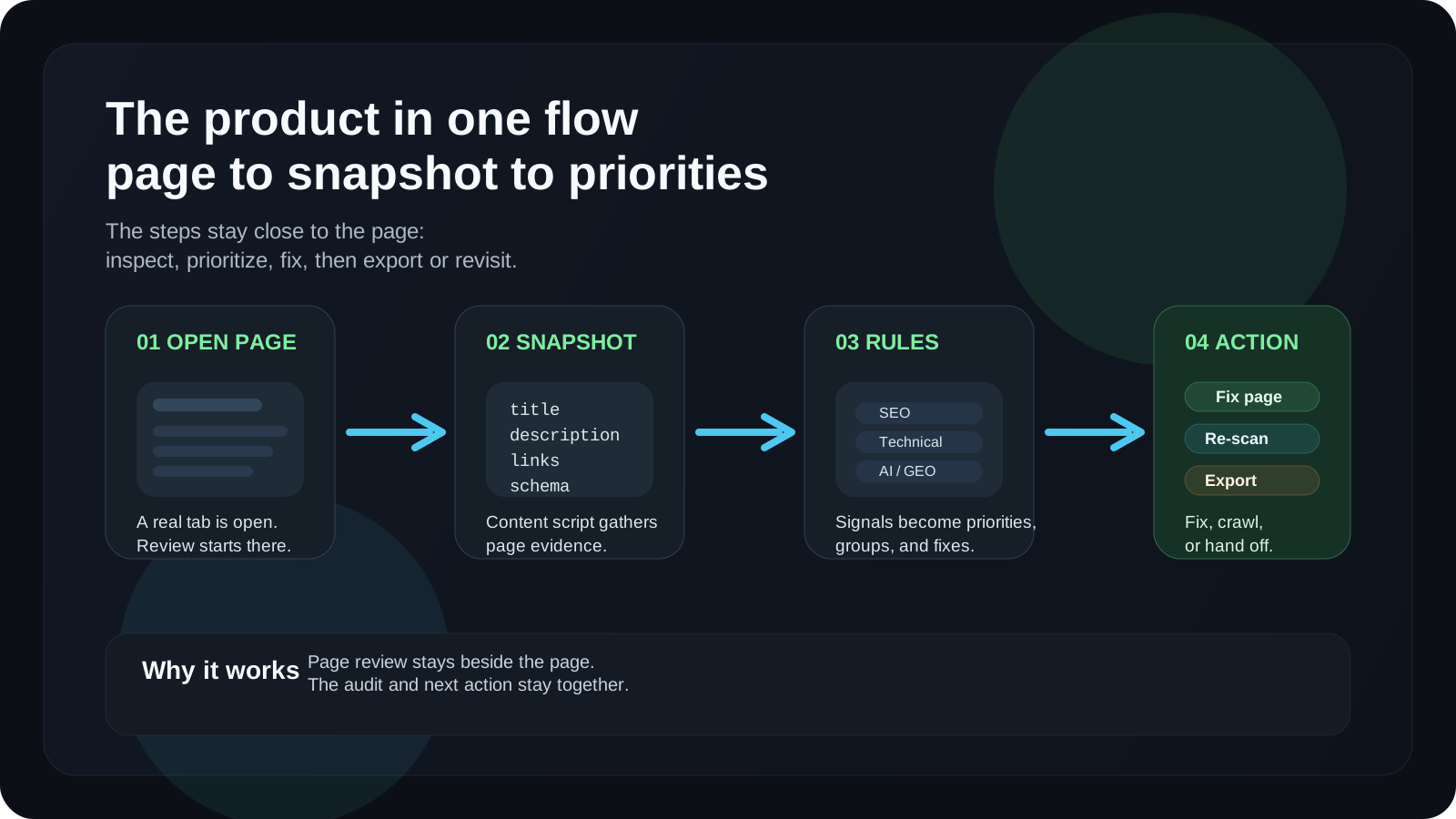
The value is not that each check is impossible to do elsewhere.
The value is that the checks live together, beside the page, at the moment when
they are needed.
## What building Crowra taught me
Building Crowra reinforced a lesson I keep learning across products:
> Narrow workflows produce clearer products.
A broad SEO platform can do a thousand things and still feel hard to use. A
small side-panel inspector can be useful if it understands the exact moment it
exists for.
That does not mean the product should stay small forever.
It means the first version needs a center of gravity.
For Crowra, that center is page review.
Not analytics. Not rankings. Not dashboards. Not team reporting.
A practical audit of the page in front of you.
## FAQ
### What is Crowra?
Crowra is a Chrome side-panel extension for auditing the active page for SEO,
technical health, structured data, links, accessibility, and AI / GEO readiness.
### Is Crowra an SEO Chrome extension?
Yes. Crowra is an SEO Chrome extension, but it also covers technical checks,
schema markup, broken links, accessibility signals, reports, history, and AI /
GEO readiness signals.
### What does AI / GEO readiness mean in Crowra?
In Crowra, AI / GEO readiness means reviewing signals such as AI-bot access,
`llms.txt`, content density, E-E-A-T hints, schema-backed entities, and page
clarity. It does not guarantee inclusion in AI-generated answers.
### Does Crowra crawl a whole site automatically?
No. The main audit runs on the active page. Same-site crawling starts only when
the user triggers it from the Links tab.
### Does Crowra require an account?
No. Crowra is designed as a local-first Chrome extension. Settings, onboarding,
custom extractor rules, and scan history are stored locally in Chrome.
### Who is Crowra for?
Crowra is for developers, SEOs, marketers, publishers, technical writers, and
product teams who need a fast review before publishing, migrating, updating, or
cleaning up a page for search and AI discovery.
---
Related reading:
- [Server vs Client Components in Next.js: the rules I actually use](/blog/nextjs-server-vs-client-components-article)
- [What actually makes a frontend feel fast in 2026](/blog/what-actually-makes-a-frontend-feel-fast)
- [How I designed one-tap offline place saving for Apple Watch and iPhone](/blog/how-i-designed-one-tap-offline-place-saving-for-apple-watch-and-iphone)
- [Crowra — SEO and AI readiness inspector for Chrome](https://www.crowra.pean.dev/)
---
## How I designed a sync architecture for a real Expo app with NestJS and PostgreSQL
URL: https://www.pean.dev/blog/expo-nestjs-postgresql-sync-architecture
Published: 2026-04-24
Description: A practical breakdown of the sync architecture I use for a real Expo app: capturing GPS places on mobile, sending reliable writes through NestJS, storing them in PostgreSQL, and rendering them later in a Next.js web platform.
Most mobile app architecture diagrams are too clean.
They show the phone, the API, the database, and maybe a web dashboard. A few
arrows connect everything together. The system looks calm.
Real mobile products are not calm.
A user opens the app with weak signal. The GPS point arrives before the network
does. The app is closed halfway through a request. The same action is retried.
The web platform needs to show the latest data without turning every screen into
a loading state. And somewhere between all of that, the backend still has to
decide what is valid, what belongs to the user, and what should happen if the
same write arrives twice.
That is the part I care about most.
I have already written about the product side of [one-tap offline place saving
for Apple Watch and iPhone](/blog/how-i-designed-one-tap-offline-place-saving-for-apple-watch-and-iphone).
This article is the engineering side: how I think about a sync architecture for
a real Expo app with a NestJS API, PostgreSQL as the source of truth, Swift where
native iOS behavior matters, and a Next.js web platform on top.
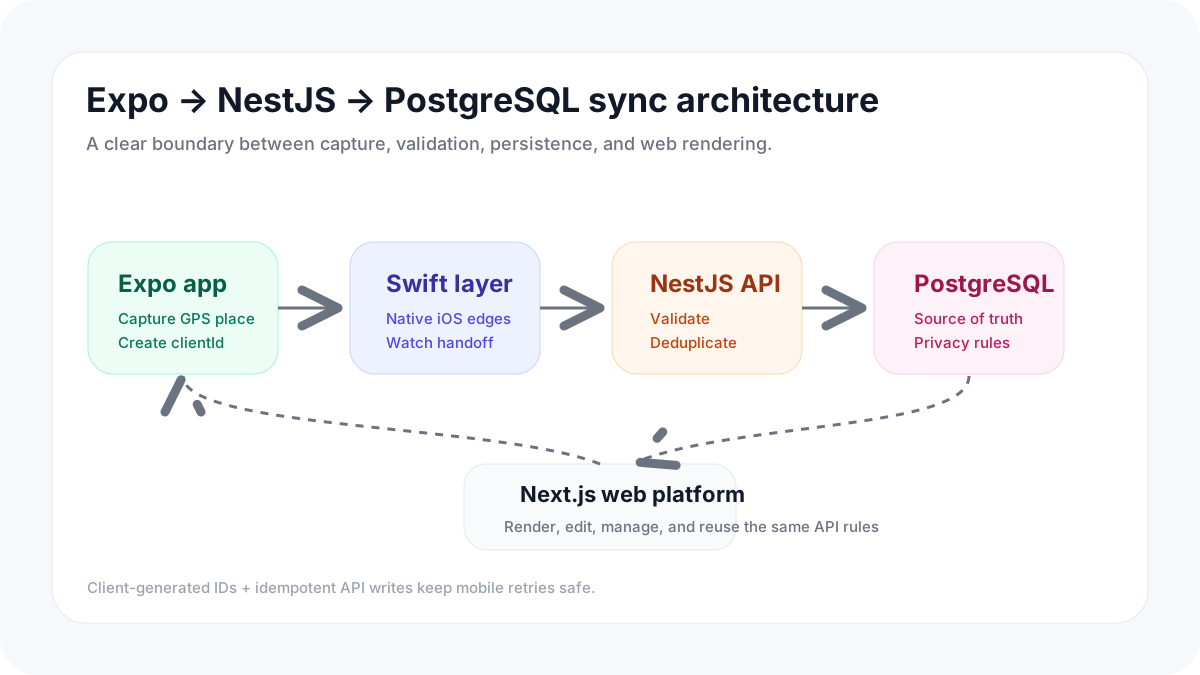
## The product requirement that shaped the architecture
The product sounds simple:
> Save a private place now, organize it later.
But that one sentence creates a lot of technical pressure.
A place-saving app cannot behave like a normal web form. When someone saves a
GPS point, the important part is not a beautiful confirmation screen. The
important part is trust.
The user needs to feel that the place was captured even if:
- the network is unstable
- the app is backgrounded
- the GPS accuracy is still improving
- the Apple Watch sends a minimal payload first
- the user edits the place later from the phone
- the web platform renders the place from a different device
That means the architecture has to separate two jobs:
1. **Capture** — store the user's intent as quickly and safely as possible.
2. **Reconcile** — turn that intent into consistent server-side data.
Once I started thinking in those two layers, the stack made more sense.
Expo handles the mobile interface. Swift helps with native iOS and watch-related
edges where JavaScript is not the right layer. NestJS gives the API a clear
boundary. PostgreSQL becomes the durable source of truth. Next.js gives the user
a larger web surface for browsing, editing, and managing places.
The architecture is not about making every layer clever.
It is about giving every layer a clear job.
## The stack
The core stack looks like this:
- **Expo / React Native** for the iPhone app
- **Swift** for native iOS pieces where the JS layer should not own everything
- **NestJS** for the API and application boundary
- **PostgreSQL** for durable relational data
- **Next.js** for the web platform
- **Object storage** for media, if photos or generated assets are involved
That is a boring stack in the best possible way.
The mobile app should be great at interaction. The API should be great at
validation and ownership. The database should be great at consistency. The web
platform should be great at rendering and management.
A sync architecture gets painful when these responsibilities blur.
If the mobile app tries to become the source of truth, every device conflict
becomes harder. If the backend only accepts perfect final objects, the capture
flow becomes fragile. If the web platform owns too much mutation logic, the
system slowly gets two APIs: the official backend and the accidental one hidden
inside frontend code.
I try to avoid that.
## The shape of a synced place
For a GPS place, the first server-side model does not need to be complicated.
The important thing is to preserve the event that happened:
```ts
type CreatePlaceRequest = {
clientId: string;
name?: string;
note?: string;
latitude: number;
longitude: number;
accuracy?: number;
capturedAt: string;
source: 'iphone' | 'apple_watch' | 'web';
};
```
The small but important field here is `clientId`.
The backend has its own database ID, but the client also needs a stable ID before
the server responds. Without that, retries become awkward. Optimistic UI becomes
awkward. Queueing becomes awkward. And if the request succeeds but the response
never reaches the client, the app has no reliable way to know whether the place
already exists.
So I treat `clientId` as part of the sync contract.
The client generates it once. The server stores it once. If the same write
arrives again, the API can return the existing place instead of creating a
duplicate.
That is the beginning of idempotency.
## Why idempotency matters more than people think
Mobile writes are messy.
A request can fail in at least three different ways:
- it never reached the server
- it reached the server but failed during validation or persistence
- it succeeded, but the client never received the response
From the user's point of view, all three can look the same.
That is why retrying the same action must be safe.
For place creation, the rule is simple:
> The same user and the same client-generated ID should create one place, not
> many.
In PostgreSQL, that usually means a unique constraint:
```sql
create unique index places_owner_client_id_unique
on places (owner_id, client_id);
```
Then the NestJS service can treat duplicate delivery as a normal condition, not
an exceptional one.
```ts
async createPlace(userId: string, input: CreatePlaceDto) {
const existing = await this.placeRepository.findByClientId(
userId,
input.clientId,
);
if (existing) {
return existing;
}
return this.placeRepository.create({
ownerId: userId,
clientId: input.clientId,
latitude: input.latitude,
longitude: input.longitude,
accuracy: input.accuracy,
capturedAt: new Date(input.capturedAt),
source: input.source,
name: input.name ?? null,
note: input.note ?? null,
});
}
```
This is not fancy architecture. It is the kind of boring rule that prevents
annoying product bugs.
The app can retry confidently. The backend can defend itself. The user does not
get five identical places because they saved something in the forest with bad
signal.
## The outbox pattern on mobile
For a real mobile app, I do not want every screen to think directly in HTTP
requests.
The UI should say:
> A place was created.
Then a sync layer should decide:
- can this be sent now?
- should it be queued?
- has this exact write already been sent?
- should it be retried?
- should the user see a pending state?
That is the mental model behind an outbox.
The local app keeps a small list of unsynced writes:
```ts
type PendingSyncAction = {
id: string;
type: 'create_place' | 'update_place' | 'delete_place';
payload: unknown;
createdAt: string;
attemptCount: number;
lastAttemptAt?: string;
};
```
The UI does not need to wait for the network before it can show the new place.
But it should still be honest. A place can be visible locally while still having
a small pending state until the backend confirms it.
That distinction matters.
Optimistic UI is good when it makes the product feel fast. It becomes dangerous
when it lies about durability.
I wrote about this from a frontend perspective in
[what actually makes a frontend feel fast in 2026](/blog/what-actually-makes-a-frontend-feel-fast).
For sync-heavy mobile apps, the same principle applies: speed is not only about
rendering quickly. It is about giving the user clear feedback at the right level
of certainty.
"Saved locally" and "synced to the server" are not the same state.
The UI should not pretend they are.
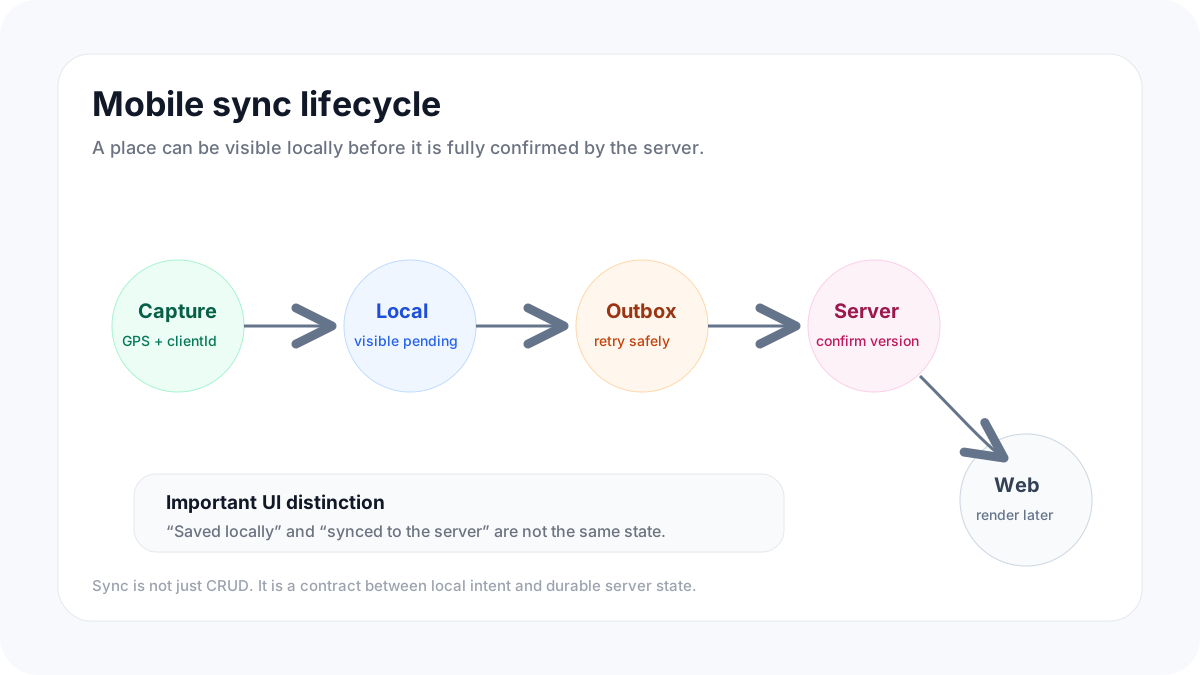
## NestJS as the sync boundary
I like NestJS for this kind of backend because it encourages a clean separation
between transport, validation, services, and persistence.
For sync endpoints, that separation is useful.
A controller should not decide ownership rules. It should not know how to resolve
duplicates. It should not know every detail of PostgreSQL. Its job is to receive
the request, attach the authenticated user, and pass a validated command into the
application layer.
```ts
@Controller('places')
export class PlacesController {
constructor(private readonly placesService: PlacesService) {}
@Post()
createPlace(
@CurrentUser() user: AuthenticatedUser,
@Body() body: CreatePlaceDto,
) {
return this.placesService.createPlace(user.id, body);
}
}
```
The service owns the product rule:
```ts
@Injectable()
export class PlacesService {
async createPlace(userId: string, input: CreatePlaceDto) {
this.validateCoordinates(input.latitude, input.longitude);
const existing = await this.placesRepository.findByClientId(
userId,
input.clientId,
);
if (existing) {
return existing;
}
return this.placesRepository.createForOwner(userId, input);
}
private validateCoordinates(latitude: number, longitude: number) {
if (latitude < -90 || latitude > 90) {
throw new BadRequestException('Invalid latitude');
}
if (longitude < -180 || longitude > 180) {
throw new BadRequestException('Invalid longitude');
}
}
}
```
The repository owns persistence:
```ts
@Injectable()
export class PlacesRepository {
async findByClientId(ownerId: string, clientId: string) {
// ORM or query builder implementation
}
async createForOwner(ownerId: string, input: CreatePlaceDto) {
// Insert into PostgreSQL
}
}
```
This looks basic, but basic is good here.
Sync code tends to grow. First it is only place creation. Then it is updates.
Then it is media. Then sharing. Then groups. Then subscription limits. Then
conflict handling. If everything starts inside a controller, the API becomes
difficult to reason about very quickly.
A clean NestJS boundary gives the system somewhere to put rules.
## PostgreSQL as the source of truth
For this kind of product, PostgreSQL should not be treated like a passive JSON
dump.
It should protect the core invariants:
- a place belongs to one owner
- a client-generated ID is unique per owner
- coordinates are valid
- deleted records are handled intentionally
- shared access is represented explicitly
- timestamps are stored consistently
- subscription limits can be checked against durable state
A simplified table might look like this:
```sql
create table places (
id uuid primary key default gen_random_uuid(),
owner_id uuid not null references users(id),
client_id text not null,
name text,
note text,
latitude double precision not null,
longitude double precision not null,
accuracy double precision,
source text not null,
captured_at timestamptz not null,
created_at timestamptz not null default now(),
updated_at timestamptz not null default now(),
deleted_at timestamptz,
constraint places_latitude_check
check (latitude >= -90 and latitude <= 90),
constraint places_longitude_check
check (longitude >= -180 and longitude <= 180)
);
create unique index places_owner_client_id_unique
on places (owner_id, client_id);
create index places_owner_updated_at_idx
on places (owner_id, updated_at desc);
create index places_owner_created_at_idx
on places (owner_id, created_at desc);
```
I like this shape because it keeps the data boring.
Coordinates are coordinates. Ownership is ownership. Sync identity is explicit.
Soft deletion is visible. The backend can build more complex product behavior on
top without losing the simple truth underneath.
If geospatial querying becomes important later, the model can evolve. But the
first job is not to impress the database. The first job is to keep user data
safe, queryable, and consistent.
## Why the web platform should not bypass the sync model
The Next.js web platform is not just a marketing site. For a mobile-first
product, the web app often becomes the place where users manage data more
comfortably.
That creates a temptation:
> The web app is already close to the backend, so maybe it can use different
> mutation rules.
I try not to do that.
If the iPhone app, Apple Watch flow, and web platform all create or update
places, they should go through the same domain rules. The web UI can be richer,
but it should not invent a second version of the product logic.
This is where my approach to Next.js overlaps with the rules I use for
[Server vs Client Components in Next.js](/blog/nextjs-server-vs-client-components-article).
The server can assemble the page, fetch the user's places, protect access, and
render a useful first view. Small client components can own the actual
interaction: editing a name, moving a marker, opening a media modal, changing a
category, or triggering a save.
The important part is that the mutation still goes through the same API contract.
The web platform should feel more comfortable than mobile, not less consistent
than mobile.
## Handling updates without creating a conflict machine
Create is the easiest sync action.
Update is harder because two devices can edit the same record. For many apps,
the right first version is not a complex CRDT or real-time collaboration system.
It is a smaller set of rules that match the product.
For a private place-saving app, most updates are not collaborative. A user might
change the name, note, category, photo, or exact marker position. Those edits are
usually personal and sequential.
So I would start with simple server-owned conflict rules:
- the server stores `updatedAt`
- the client sends the last known server version
- the backend rejects or marks suspicious stale updates
- the UI asks the user to refresh or reapply the change when needed
A minimal request might look like this:
```ts
type UpdatePlaceRequest = {
name?: string;
note?: string;
latitude?: number;
longitude?: number;
expectedUpdatedAt: string;
};
```
Then the service can check whether the client edited an old version:
```ts
if (place.updatedAt.toISOString() !== input.expectedUpdatedAt) {
throw new ConflictException('Place was changed on another device');
}
```
This is intentionally simple.
Most products do not need perfect automatic merging on day one. They need a
clear conflict story that does not silently overwrite important data.
Start with correctness. Add smarter merging only where the product actually
needs it.
## Media should sync separately from place creation
Photos change the architecture.
A GPS point is small. A photo is not. A place can be captured immediately, but a
photo upload might take longer, fail more often, or need a separate storage
pipeline.
That is why I prefer treating media as a separate sync concern.
The flow can look like this:
1. Create the place with coordinates and minimal metadata.
2. Ask the API for an upload target.
3. Upload the file to object storage.
4. Confirm the media object with the backend.
5. Attach it to the place.
That keeps the core capture flow reliable.
The user should not lose a saved place just because a photo upload failed. Media
can retry later. The place itself should already exist.
This is the same product idea again:
> Capture first. Enrich later.
I wrote about that product split in the post about
[one-tap offline place saving](/blog/how-i-designed-one-tap-offline-place-saving-for-apple-watch-and-iphone),
but the engineering version is just as important. The system should not make
optional context block the core data.
## Privacy changes the backend shape
Pean is not a public map product. The default assumption is private places.
That changes the backend model.
A place is not just a row with coordinates. It is a private object with access
rules. The API should always answer:
- who owns this place?
- who can read it?
- who can edit it?
- was this place shared directly or through a group?
- should this appear in another user's map?
- should media follow the same visibility rules?
That is why I would rather keep sharing explicit than magical.
A simplified sharing model might have separate tables for direct sharing and
group-based access instead of hiding everything inside a JSON column. The exact
schema can change, but the rule should stay stable:
> Location privacy is a core product rule, not a UI preference.
This is also why a product like this is different from a generic maps app. I
wrote more about that in
[why Google Maps is not enough for saving personal places](/blog/save-personal-places-not-google-maps).
The backend has to respect the same idea. Private by default should be visible
in the data model, the API, and the UI.
## A sync endpoint is not just CRUD
A common mistake is treating sync as normal CRUD with worse network conditions.
It is more than that.
A sync endpoint needs to think about:
- idempotency
- retries
- partial failure
- local IDs
- stale data
- deleted records
- server timestamps
- ownership
- rate limits
- subscription limits
- schema changes over time
For example, a regular CRUD endpoint might say:
```txt
POST /places
PATCH /places/:id
DELETE /places/:id
```
That is fine as a transport shape, but the internal service still needs sync
semantics.
For a mobile app, "create place" is not just "insert row." It is:
- validate the user's plan and limits
- check ownership
- accept a client-generated identity
- deduplicate retries
- preserve the capture timestamp
- return a server-confirmed version
- make the result visible to other clients
That is why I think of sync as an application layer, not a route naming style.
CRUD describes the HTTP surface.
Sync describes the behavior.
## What I would monitor from day one
Sync bugs can be hard to see from the frontend because the UI often recovers
silently.
That is useful for the user, but dangerous for the developer.
I would want to track:
- how many pending actions exist on the client
- how often sync retries happen
- how many writes are deduplicated by `clientId`
- how many requests fail validation
- how many conflicts happen on updates
- how often media upload succeeds after the place is already created
- how long it takes from local capture to server confirmation
These metrics tell you where the system feels fragile.
A high retry count might mean the API is fine but mobile connectivity is bad. A
high deduplication count might mean the retry layer is working. A high conflict
count might mean the web and mobile editing model needs better UX.
Without those signals, sync architecture becomes guesswork.
## The architecture in one flow
If I reduce the system to one happy path, it looks like this:
1. The user saves a place on iPhone or Apple Watch.
2. The mobile app creates a local place with a `clientId`.
3. The place appears immediately with a pending sync state.
4. The sync layer sends the write to the NestJS API.
5. The API validates ownership, coordinates, limits, and idempotency.
6. PostgreSQL stores the durable server version.
7. The mobile app receives the confirmed place.
8. The Next.js web platform renders the same place from the server.
9. Later edits use the same domain rules instead of a separate web-only path.
The flow is simple because each layer stays honest.
The phone captures. The API decides. PostgreSQL remembers. The web platform
renders and manages.
## What I would avoid next time
The biggest sync mistake is trying to make the first version too magical.
I would avoid:
- building a complex conflict resolution system before real conflicts exist
- blocking place creation on media upload
- making the web platform bypass the API rules
- treating local pending state as the same thing as server confirmation
- allowing mobile retries without idempotency
- hiding ownership and privacy rules inside UI-only logic
- building the backend as generic CRUD and hoping sync works later
The architecture should be strong, but not over-engineered.
A good first version has boring guarantees:
- the user does not lose the place
- duplicate requests do not create duplicate places
- private data stays private
- the server remains the source of truth
- the UI explains pending and synced states clearly
- the web platform uses the same rules as mobile
That is already a lot.
## Final thought
A reliable sync architecture is not about making every device perfectly
real-time.
It is about preserving user intent.
When someone saves a place, the system should understand what happened and carry
that action safely from the device to the backend to the web platform. The user
should not have to understand the network, retries, background execution,
database constraints, or API boundaries.
They should tap save and trust the product.
For me, that is the real architecture goal.
Not just moving data from Expo to NestJS to PostgreSQL.
Making the product feel dependable at the exact moment it matters.
---
## Server vs Client Components in Next.js: the rules I actually use
URL: https://www.pean.dev/blog/nextjs-server-vs-client-components-article
Published: 2026-04-19
Description: After building with the App Router for a while, I stopped thinking in terms of 'server good, client bad'. These are the practical rules I use to decide where each component should live.
When I first moved to the Next.js App Router, I treated Server Components like a
new rule I had to obey.
Keep everything on the server. Add `'use client'` only when absolutely
necessary. Minimize JavaScript. Ship less. Hydrate less.
That part is correct.
But after building real screens with filters, forms, search, modals, navigation,
and optimistic updates, I realized the mental model was incomplete. The hard
part is not knowing that Server Components are the default. The hard part is
knowing **where the boundary should be**.
That boundary decides whether a page feels fast or clumsy, whether your data
loading stays simple or turns into glue code, and whether your components remain
composable six months later.
So these are the rules I actually use.
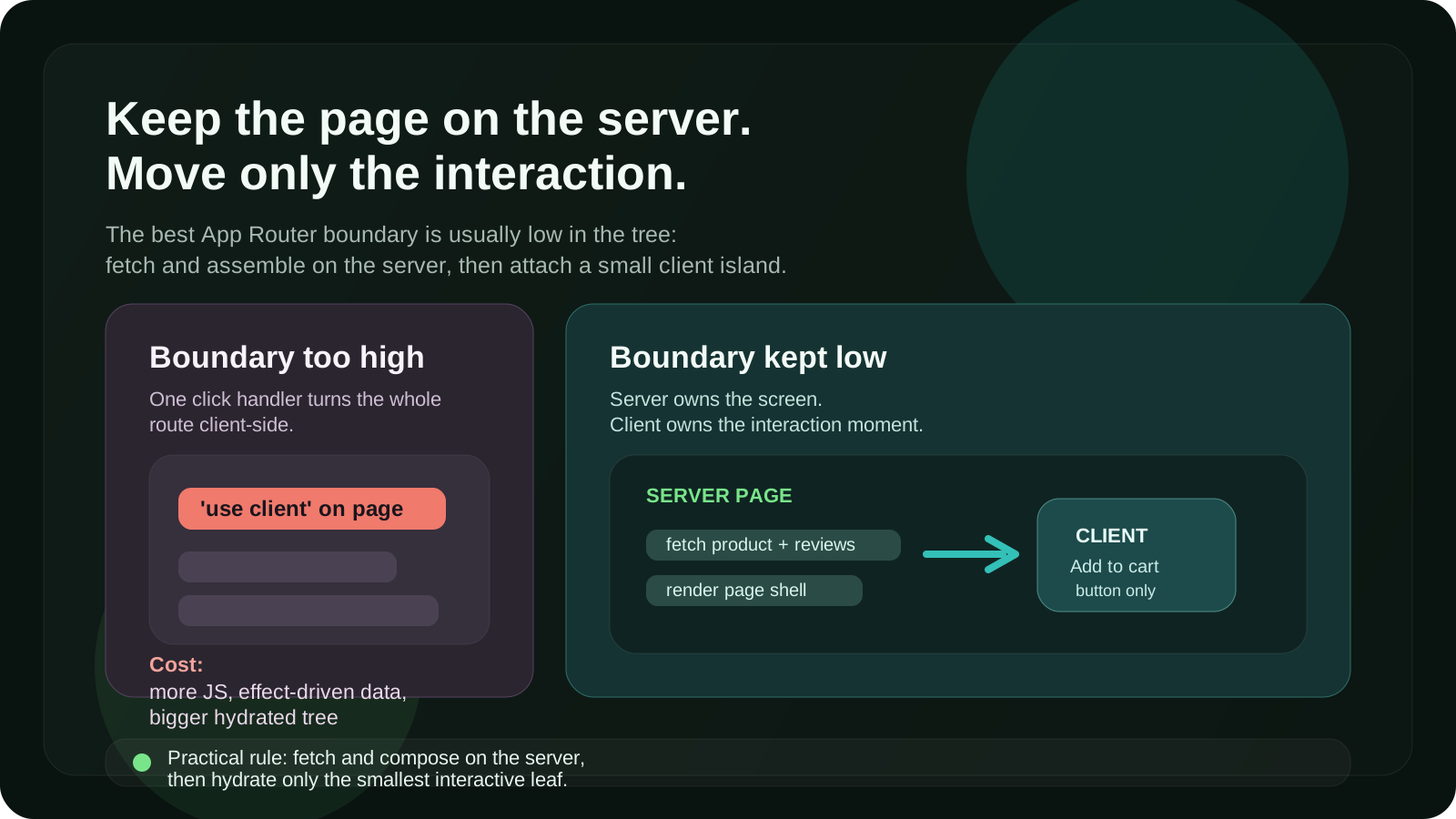
## The rule that changed how I build
I no longer ask:
> Should this page use Server Components or Client Components?
I ask:
> What is the smallest interactive island I can get away with?
That one question is usually enough.
A lot of App Router mistakes come from making the boundary too high in the tree.
You add `'use client'` to a page or a large layout because one button needs a
click handler. Then half the route becomes client-side by accident. Data loading
gets pushed into effects. Large libraries end up in the browser bundle. And the
page that should have streamed nicely becomes a giant hydrated block.
My default is simple:
- **Fetch and assemble on the server**
- **Add interactivity in small client leaves**
- **Keep the boundary low**
That is the biggest win I have gotten from the App Router.
## Rule 1: Start on the server unless the browser is required
I start every new component as a Server Component.
Not because it is trendy, but because it keeps the first version honest. If the
component does not need state, effects, event handlers, refs, or browser APIs,
there is usually no reason to pay the client cost for it.
This is what I keep on the server by default:
- data fetching
- access checks
- token or secret-dependent logic
- page shells
- layout composition
- content rendering
- expensive formatting or mapping logic
- large dependencies the user does not need in the browser
This approach gives you a cleaner tree almost for free. It also prevents the
common mistake where a presentational block becomes client-side only because it
was placed next to an interactive widget.
A product card, article body, sidebar section, dashboard table wrapper, pricing
page, or read-only settings summary usually starts on the server for me. Then I
attach small client parts only where interaction begins.
## Rule 2: Use `'use client'` for capability, not convenience
There are only a few real reasons I move a component to the client:
- it uses `useState`, `useReducer`, `useEffect`, or `useRef`
- it needs event handlers like `onClick` or `onChange`
- it depends on browser APIs such as `window`, `localStorage`, or media queries
- it wraps a third-party interactive library
- it needs immediate in-browser feedback before a round trip completes
That sounds obvious, but the important detail is this: I do **not** use
`'use client'` just because passing props feels annoying.
That is usually a smell.
If I find myself moving a whole section to the client to avoid thinking about
composition, I stop and split it instead.
A good example is a searchable page.
The page itself can stay on the server. The initial data can be fetched on the
server. The heading, metadata, filters shell, results shell, and empty state can
all stay on the server. Only the interactive search input, filter toggles, or a
small client controller may need to run in the browser.
That keeps the route fast on first load and still lets the interaction feel
native.
## Rule 3: Keep the client boundary as low as possible
This is the rule I break the least.
If only one child needs interactivity, only that child gets `'use client'`.
Not the parent. Not the whole section. Definitely not the page unless there is a
very good reason.
Bad:
```tsx
'use client'
export default function ProductPage() {
return (
)
}
```
Better:
```tsx
export default async function ProductPage() {
const product = await getProduct()
return (
)
}
```
```tsx
'use client'
export function AddToCartButton({ productId }: { productId: string }) {
return
}
```
This pattern solves multiple problems at once:
- less JavaScript reaches the browser
- more of the route can render and stream earlier
- data loading stays server-first
- the client component becomes easier to reuse and test
When I review App Router code, the question I ask most often is:
> Does this parent really need to be client-side, or are we just being lazy?
That one catches a lot.
## Rule 4: Prefer server data flow over client fetch waterfalls
One of the easiest ways to make a Next.js app feel worse is to fetch important
page data in `useEffect`.
You render a shell. Then the browser loads JavaScript. Then hydration finishes.
Then the effect runs. Then the fetch starts. Then the page updates.
That is a lot of waiting for data that the server could have loaded earlier.
Whenever the data is needed to render the route, I fetch it on the server first.
Then I pass the result down into client components as props.
That keeps the first paint meaningful and removes a surprising amount of loading
state noise.
I still fetch on the client when the data is truly client-driven:
- live search suggestions while typing
- hover or focus-driven previews
- UI state that changes too frequently to bounce through the server each time
- background refresh after the initial render
But for the main route content, server-first wins most of the time.
## Rule 5: Use client components for interaction, not ownership of the whole screen
A useful distinction:
- **Server Components own the screen structure**
- **Client Components own interaction moments**
That mental split makes large pages easier to reason about.
For example, on a dashboard page I want the server to own:
- the route shell
- the fetched records
- the summary numbers
- the default sort and filters from the URL
- permissions and feature gating
Then I let client components own:
- dropdown open state
- local input state
- inline edit mode
- modal visibility
- drag and drop
- instant optimistic feedback
The mistake is letting the interaction layer become the page owner. Once that
happens, everything tends to get pulled toward browser-only patterns even when it
should not.
## Rule 6: Suspense is part of architecture, not just a loading spinner
The App Router becomes much more interesting once you stop thinking about
Suspense as a visual detail.
A good Suspense boundary is an architectural boundary. It lets the server send a
useful shell early while slower parts continue rendering. That changes how the
page feels even when total backend work stays the same.
So I try to place boundaries around meaningful chunks:
- the analytics panel separate from the main summary
- related items separate from product details
- comments separate from the article body
- slow charts separate from quick textual stats
This is where server/client decisions connect directly to UX. A thin client
island inside a well-placed Suspense boundary is usually much better than a huge
interactive tree that blocks the whole route.
If part of the page can arrive later without harming understanding, I isolate it.
That is usually worth more than micro-optimizing a few lines of component code.
## Rule 7: Use optimistic UI deliberately, not everywhere
Optimistic UI is one of those ideas that sounds universally good until you add it
to every form and toggle.
I only use it when the user benefits from immediate feedback and the rollback
story is manageable.
Good candidates:
- liking or saving something
- adding an item to a lightweight list
- toggling a preference
- reordering small collections
Bad candidates:
- flows with complicated server validation
- destructive operations with many downstream effects
- anything where reconciliation would be confusing to the user
The existence of Server Functions makes this easier than older client-only form
patterns, but the product decision still matters. Fast feedback is good. False
certainty is not.
## Rule 8: Watch out for hidden client creep
The biggest App Router regressions I see are not dramatic architectural failures.
They are small convenience choices that quietly move too much code to the client.
Usually it starts like this:
- a utility imports a browser-only package
- a shared component gains one small click handler
- a top-level wrapper gets `'use client'`
- a provider is mounted too high
- data that could come from the server gets re-fetched in the browser
None of those look huge on their own. Together they turn a crisp server-first
route into a blurry hybrid with all the costs of both models.
When something feels off in an App Router codebase, I inspect the boundaries
before I inspect the algorithm.
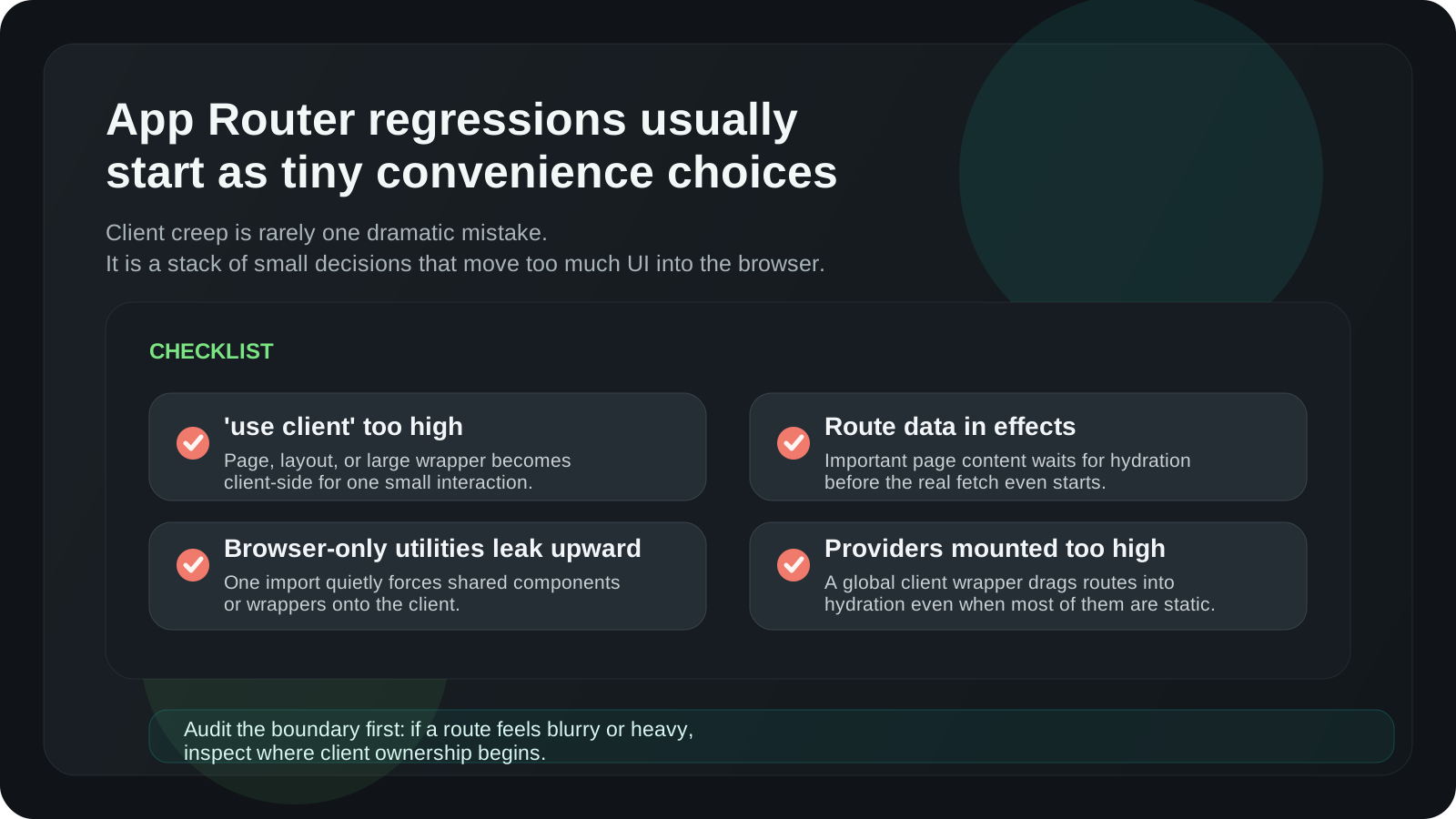
## The practical exceptions
There are absolutely pages where I go client-heavy on purpose.
Sometimes the screen behaves more like an application surface than a document:
- complex visual editors
- drag-heavy kanban boards
- highly interactive maps
- advanced offline-first flows
- real-time collaborative surfaces
In those cases, fighting for a server-heavy tree can make the code worse, not
better.
So the point is not to be ideological.
The point is to be intentional.
If a route is basically an interactive app once it loads, I accept that and design
for it. But I want that to be a conscious choice based on the experience, not an
accident caused by placing `'use client'` too high.
## The rules in one list
If I had to reduce the whole thing to a checklist, it would be this:
1. Start on the server.
2. Move to the client only when the browser is genuinely required.
3. Keep the `'use client'` boundary as low as possible.
4. Fetch route-defining data on the server.
5. Let the server own structure and the client own interaction.
6. Use Suspense to separate meaningful chunks.
7. Add optimistic UI only where rollback is simple.
8. Audit for hidden client creep.
That is the framework I keep coming back to.
Not because it is academically pure, but because it leads to codebases that stay
faster, simpler, and easier to change.
## Final thought
The most useful shift for me was realizing that Server and Client Components are
not two competing styles.
They are a composition tool.
The server is excellent at assembling the page, fetching data, protecting
sensitive logic, and sending useful HTML early. The client is excellent at
interactions, local state, and immediate feedback.
Good App Router architecture is mostly about respecting that split.
Once I stopped asking "which side should this page live on?" and started asking
"where does interaction actually begin?" the decisions got much easier.
And in practice, that is the rule that has saved me the most time.
---
## How I designed one-tap offline place saving for Apple Watch and iPhone
URL: https://www.pean.dev/blog/how-i-designed-one-tap-offline-place-saving-for-apple-watch-and-iphone
Published: 2026-04-10
Description: Pean was never meant to be just another map app. I wanted a faster way to save private places exactly when they matter — from your wrist, without signal, and without friction. Here's the UX and product thinking behind it.
When people think about map apps, they usually think about search, directions,
and navigation.
That is not the problem I wanted to solve.
The real problem was much smaller and much more specific:
**what is the fastest, most reliable way to save a place the moment it
matters?**
Not a public business. Not a destination with a review page. Not something you
can just search again later.
A real personal place:
- a fishing spot
- a mushroom patch
- a berry location
- a hidden trail marker
- a useful landmark
- a place you discover once and do not want to lose
That question is what eventually shaped Pean.
And the more I thought about it, the clearer one thing became:
**if saving a place takes too much attention, the product fails right at the
moment it matters most.**
That is why Apple Watch became central to the product so early.
Not as a “nice extra feature.” Not as a marketing bullet. As a core part of the
whole workflow.
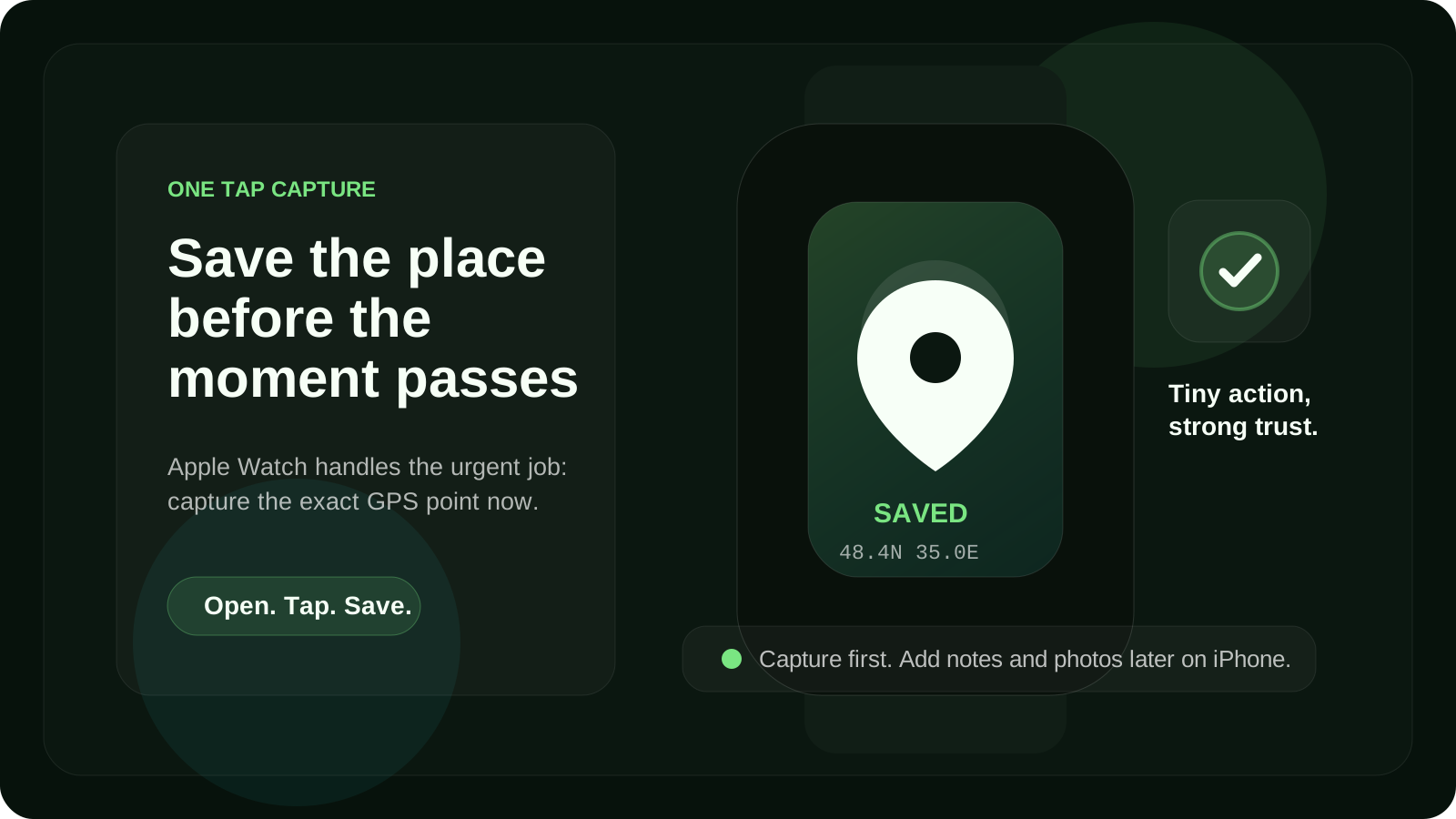
## The problem starts in the wrong conditions
The best moment to save a place is usually not when you are sitting comfortably
with full signal, both hands free, and time to organize everything properly.
It is usually the opposite.
You are moving. Your hands are busy. The weather is not ideal. The signal is
weak. You want the exact point now, not a vague memory later.
That matters more than it sounds.
A lot of apps technically let you save a location. But in real outdoor
situations, “technically possible” is not the same as “actually usable.”
That is where many place-saving flows break down.
They assume you are ready to:
- unlock your phone
- open the app
- wait for the screen to settle
- tap through a flow
- maybe fill in details immediately
- hope the connection holds
For many types of places, that is already too much friction.
If you are trying to save a private fishing spot, a hidden viewpoint, or a
mushroom place you just found, the ideal action is much simpler:
**capture first, organize later.**
That became one of the main product rules behind Pean.
## Why Apple Watch mattered so much
Once I looked at the problem honestly, Apple Watch stopped looking like a side
feature.
It started looking like the fastest interface for the job.
If the goal is to save a place on a map in one tap, the wrist is often more
natural than the phone.
You do not need a long interaction. You do not need a heavy screen. You do not
need full editing tools. You need confidence that the place is captured.
That is the real role of Apple Watch in Pean.
It is not there to replicate the entire iPhone app. It is there to do one thing
extremely well:
**save the GPS point immediately when the place appears in front of you.**
That sounds obvious in hindsight, but it changes the shape of the product
completely.
Instead of asking, “How much functionality can I fit on the watch?” the better
question became:
**What is the minimum interaction that still feels trustworthy?**
That question is much more useful.
Because watch products become awkward very quickly when they try to do too much.
Tiny screens punish complexity. Slow flows feel even slower. Every extra
decision adds friction.
For Pean, the watch experience had to stay brutally simple.
Open. Tap. Save. Trust that it is there.
That is the product.
## Save first, enrich later
This is probably the most important design principle in the whole system.
A place is most fragile at the moment of discovery.
That is when it is easiest to lose.
The exact coordinates matter right then. The rest can come later.
That means the workflow should happen in two layers.
### Layer 1: capture
At the moment of discovery, the app should save:
- the GPS point
- the timestamp
- enough minimal state to trust that the place exists
That is the urgent job.
### Layer 2: context
Later, when you are back on your phone, you can add:
- a photo
- a note
- a category
- more meaning around the saved place
That is the calmer job.
This split matters because most place-saving products blur these two moments
together.
They make the user do “capture” and “organization” inside one flow.
But those are not the same task.
In Pean, I wanted the product to respect the real sequence:
1. discover something worth remembering
2. save the exact place immediately
3. organize it properly later
Once you accept that sequence, a lot of design decisions become easier.
## Why offline was not optional
If a place-saving app only works when connectivity is perfect, it is hard to
trust in exactly the moments when it matters most.
That is especially true for outdoor place saving.
Fishing spots, berry places, mushroom patches, landmarks, quiet return points,
and hidden trails often exist in areas where signal is unreliable. Even when the
network exists, you do not want your confidence to depend on whether it stays
stable for the next few seconds.
That is why offline support could not be treated like an enhancement. It had to
be part of the core product idea.
For me, offline place saving is not just a technical checkbox. It is a trust
feature.
If a user taps save and thinks:
**“Did it really save, or do I need to try again later?”**
the flow is already broken.
So the rule became simple:
- saving must work even without signal
- the place should be queued locally
- sync should happen later without drama
- the user should not have to think about the handoff
This changes the emotional quality of the product.
A place-saving app becomes much more useful when it behaves like a notebook in
your pocket, not like a fragile network form.
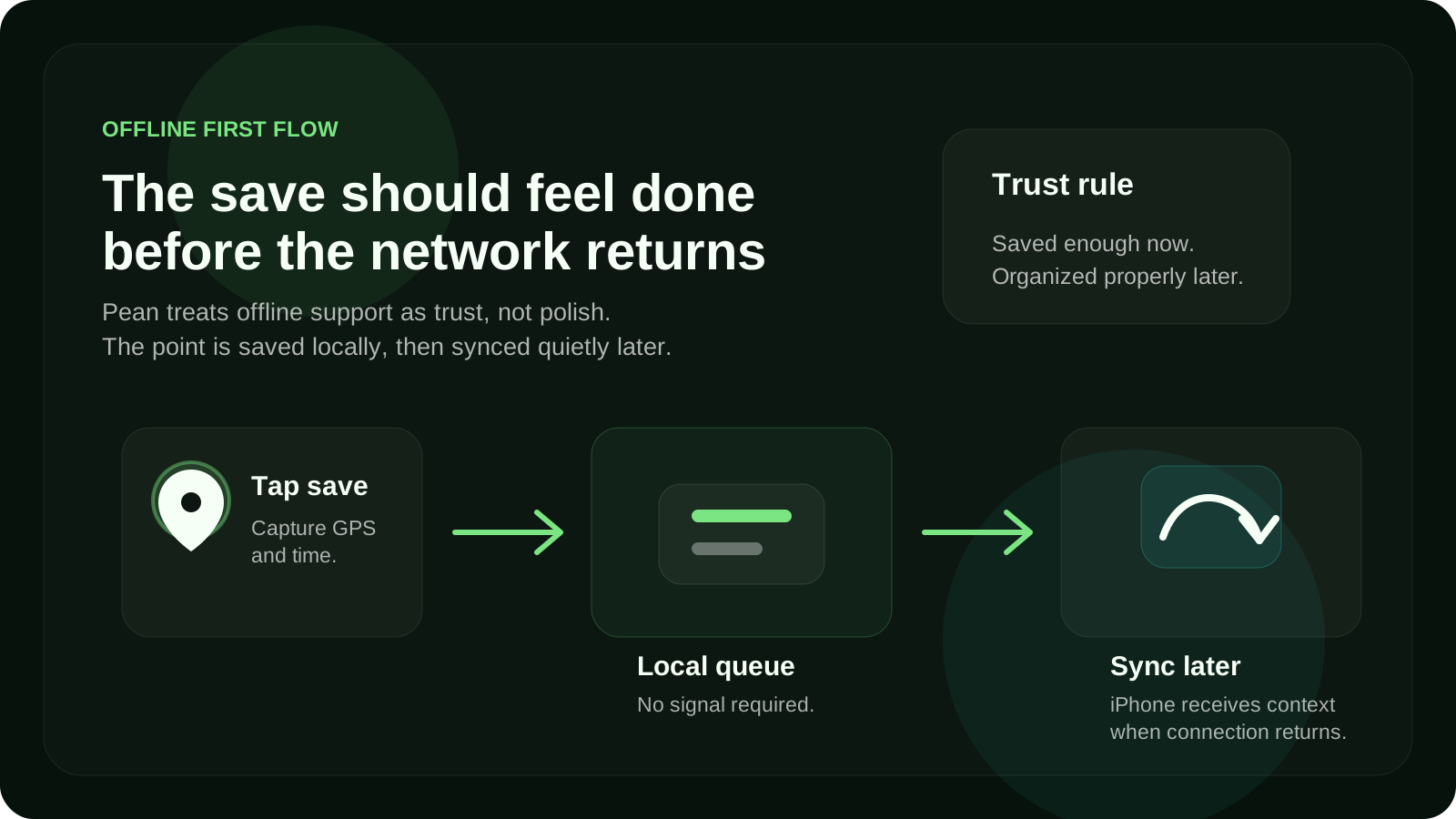
## What the watch should not do
One of the easiest mistakes in product design is adding more just because the
platform allows it.
I think Apple Watch products get better when they are shaped by restraint.
For Pean, that meant the watch should **not** try to be the main place
management interface.
It should not become the place where you browse everything, edit everything,
sort everything, and manage a deep content structure.
That is what the iPhone is for.
The watch is strongest at the capture moment. The iPhone is stronger for context
and management. The web is stronger for browsing and reviewing your saved map
over time.
That division makes the overall system clearer.
### Apple Watch is for:
- immediate GPS capture
- speed
- confidence
- low-friction saving outdoors
### iPhone is for:
- photo, note, and category
- reviewing saved places
- editing details
- turning a raw saved point into something meaningful
### Web map is for:
- browsing your saved places on a larger screen
- filtering and exploring your map memory
- seeing your history more clearly over time
A lot of product clarity comes from giving each surface a focused role.
Not every device needs to do everything.
## Architecture starts with failure, not success
One thing I find useful in product work is this:
do not design the architecture around the ideal case. Design it around the
moment when things go wrong.
For a place-saving app, the wrong moments are obvious:
- the signal drops
- the sync is delayed
- the user is moving quickly
- the watch interaction has to stay short
- the save needs to feel confirmed immediately
That is why the flow has to be built around resilience.
The capture payload should stay small. The save action should be clear. The
local queue should be dependable. The sync model should not make the user
babysit the process.
Even without going into implementation details, this product shape naturally
pushes you toward a more robust architecture.
The moment you say:
**“The save must work even in bad conditions”**
you stop designing a normal happy-path app.
You start designing for confidence.
And that changes everything:
- UX states
- confirmation feedback
- local storage decisions
- sync behavior
- error recovery
- what counts as “saved enough”
That is one of the reasons I like working on products like this. A narrow use
case often forces much better thinking than a broad one.
## Privacy changes the whole framing too
Another reason Apple Watch and one-tap capture fit Pean so well is that the
product is not about public map discovery.
It is about personal places.
That sounds subtle, but it changes the entire framing.
A saved fishing spot is not the same type of object as a cafe pin. A mushroom
patch is not the same as a public destination. A hidden viewpoint is not
something you necessarily want to broadcast.
That is why Pean makes more sense to me as a **private place-saving app** rather
than a general map app.
Privacy is not just a legal layer here. It is part of the value.
The more personal the place is, the more important it becomes that the product
respects ownership, selectivity, and control.
That also reinforces the watch flow.
If the job is:
- save my place
- keep it mine
- let me organize it later
- share only when I choose
then the product can stay focused.
It does not need to compete with every navigation feature in the world. It only
needs to solve one workflow exceptionally well.
## Why not just use Google Maps or Apple Maps?
This is the obvious question, and it is a fair one.
General map apps are very good at:
- finding places
- navigating to places
- working with known destinations
- handling public place workflows
But saving a personal place is a different job.
The problem is not “How do I get somewhere?” The problem is:
**How do I quickly save something I just discovered, keep it private, and trust
that I can return to it later?**
That is a narrower workflow. But it is a real one.
And once you optimize for that job, the product starts to look different:
- faster capture
- less friction
- private by default
- better support for personal spots
- stronger offline behavior
- clearer separation between saving and organizing
That is why Pean is not really trying to replace map apps as a whole.
It is trying to do one specific thing better.
## What this taught me about product design
The biggest lesson here is not about Apple Watch specifically.
It is about where product clarity comes from.
A product gets clearer when you stop asking, “What features should we add?” and
start asking, “What exact moment are we trying to support?”
For Pean, the moment was always the same:
you find a place worth keeping, and you need to save it before it disappears
from memory.
Everything else came from that.
- Apple Watch mattered because it reduced friction
- offline mattered because trust mattered
- iPhone mattered because context mattered
- privacy mattered because the places were personal
- the web mattered because long-term map memory mattered
That is the kind of product logic I believe in most.
Not feature accumulation. Not broad positioning first. A sharp job, supported
well.
## Where this goes next
I still think this idea can be pushed much further.
There is a lot more to explore around:
- how offline sync changes user trust
- how categories make saved places more useful over time
- how selective sharing should work for close friends and small groups
- what a personal map becomes after months or years of saving places
But the foundation stays the same.
Pean only makes sense if saving a place feels instant, dependable, and private.
That is why Apple Watch became a core part of the product.
Not because it was flashy. Because it matched the moment.
## FAQ
### Why use Apple Watch to save places on a map?
Because Apple Watch can reduce friction at the moment of discovery. If the goal
is to save a GPS point quickly, tapping your wrist can be faster and more
natural than opening a full phone workflow.
### Can a place-saving app work offline?
Yes. A strong place-saving app should support offline saving or offline-first
behavior, especially for outdoor use cases where signal can be weak or missing.
### What is the best way to save private places?
The best approach is to save the exact location immediately, keep it private by
default, and add context like notes, photos, and categories later.
### Why is offline place saving important?
Because many valuable places are discovered in imperfect real-world conditions.
If saving only works with a stable connection, users cannot trust the product in
the moments that matter most.
### Is a dedicated place-saving app better than a general map app?
It depends on the job. General map apps are excellent for navigation and public
destinations. A dedicated place-saving app is better when the goal is to save
personal spots quickly, keep them organized, and control who sees them.
---
Related reading:
- [How Pean started: a private map app for saving places, fishing spots, and personal discoveries](/blog/how-the-idea-for-pean-started)
- [How to save places on a map](https://www.pean.me/en/blog/how-to-save-places-on-a-map)
- [Best Google Maps alternatives for saving places](https://www.pean.me/en/blog/google-maps-alternatives)
---
## Why Google Maps is not enough for saving personal places
URL: https://www.pean.dev/blog/save-personal-places-not-google-maps
Published: 2026-04-07
Description: I tried using Google Maps to save personal locations — fishing spots, hidden viewpoints, random discoveries. It didn't work the way I needed. Here's why and what I built instead.
Saving locations should be simple. It’s not.
At some point I realized I had dozens of places I wanted to keep: fishing spots,
viewpoints, random places I discovered while traveling. Not restaurants. Not
businesses. Just **points that mattered to me**.
So naturally, I tried using Google Maps.
It didn’t work.
## What I expected
I thought I’d be able to:
- Save a spot instantly (like a bookmark)
- Organize places in a clean way
- Keep them private
- Share a few of them with specific people
Sounds basic.
## What actually happens in Google Maps
Google Maps is built around **places**, not **personal points**.
That difference matters more than it seems.
### 1. It’s optimized for businesses, not your own spots
When you save something in Google Maps, you're usually saving:
- a restaurant
- a cafe
- a public place
But what if it’s:
- a fishing location in the middle of nowhere
- a mushroom spot in the forest
- a random roadside view
You end up dropping a pin, but it feels like a hack — not a first-class feature.
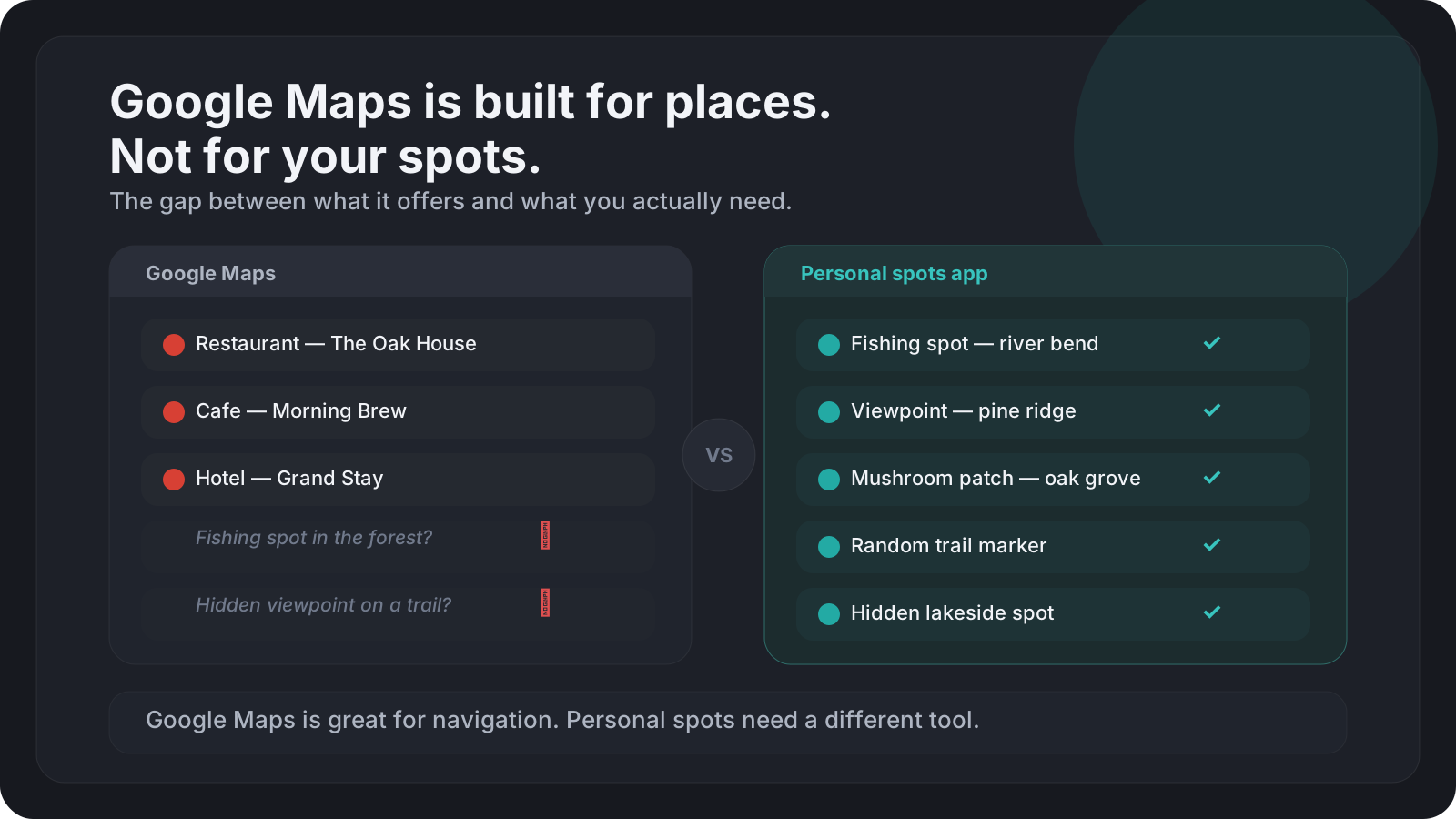
## Lists don’t scale
Google Maps gives you “Saved” lists.
At first it feels fine. Then:
- Everything becomes a long flat list
- No real structure
- No fast way to navigate your own spots
- No context (why did I save this?)
After ~20–30 places it starts breaking down.
## Privacy is basically all or nothing
This is the biggest problem.
You can either:
- keep everything private
- or share a full list
But what if you want:
- share **just one** fishing spot
- with **one person**
- without exposing everything else?
You can’t.
The usual workaround:
- copy coordinates
- send them manually
- lose all context
## Sharing is not built for real life
Real use cases look like this:
- “I’ll send you that exact spot where I caught fish last week”
- “Don’t share this with others”
- “This place only works in spring”
Google Maps sharing doesn’t support that kind of nuance.
It’s generic.
## What I actually needed
After using it for a while, I realized I wanted something very different:
- Save a location in **one tap**
- Work with **any point**, not just known places
- Be **private by default**
- Share **selectively**
- Keep context (notes, meaning, memory)
Basically — something built for **personal discovery**, not navigation.
## What I built instead
That’s how I ended up building :contentReference[oaicite:0]{index=0}.
Not a maps app. Not a navigation tool.
Just a simple way to:
- save places that matter
- keep them private
- share only what you want
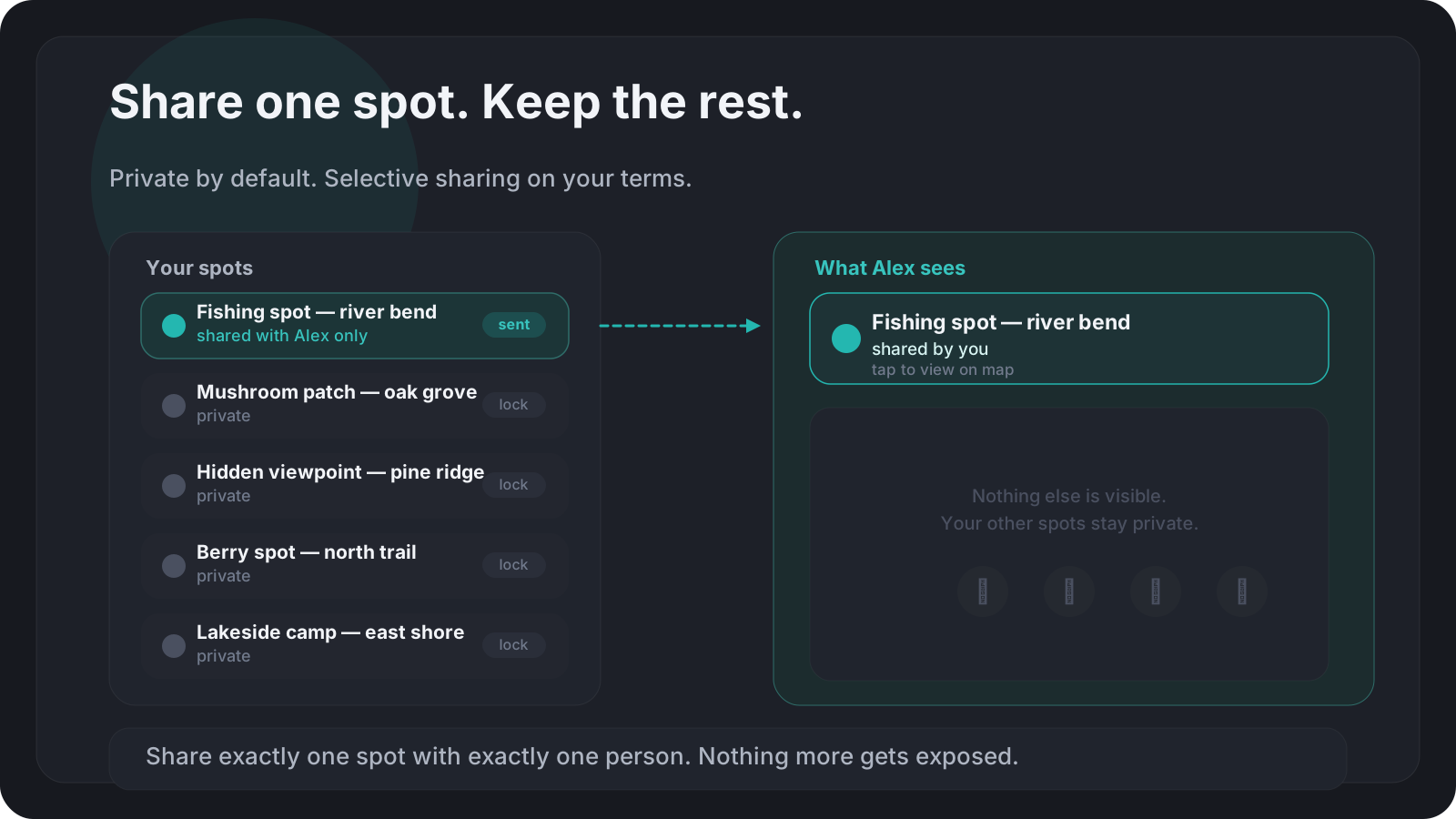
One small but important detail: everything is **yours by default**.
No accidental sharing. No exposure.
## The shift that changed everything
The key realization was this:
> Maps apps are built for finding places. I needed something for **keeping
> them**.
That’s a completely different problem.
And once you see it that way, a lot of UX decisions suddenly make sense.
## Final thoughts
Google Maps is incredibly good at what it does.
But saving personal locations is not its core use case.
If you only save restaurants — it works.
If you care about your own places — it starts falling apart.
That gap is bigger than it looks.
And it’s probably why I ended up building my own tool.
---
## How Pean started: a private map app for saving places, fishing spots, and personal discoveries
URL: https://www.pean.dev/blog/how-the-idea-for-pean-started
Published: 2026-04-05
Description: Pean is a private map app for saving places, organizing fishing spots and personal discoveries, and sharing locations with friends on your terms. This is the story behind the product.
**Pean is a private map app for saving places that matter.** It helps people save places on a map, keep private spots organized, share locations with friends when they want to, and return to personal discoveries later.
It is especially useful for people who want a **personal map app** for outdoor scenarios: fishing spots, mushroom places, berry locations, hidden trails, herbs, landmarks, and other saved places that are meaningful mainly to them.
This article is still the story of how the idea started, but it also answers a more practical question: **what is Pean, who is it for, and why does it exist when products like Google Maps already exist?**
If you want to see the product itself, start here:
- [Pean homepage](https://www.pean.me/en)
- [Pean web map](https://www.pean.me/map)
- [More Product Lab posts on pean.dev](/blog)
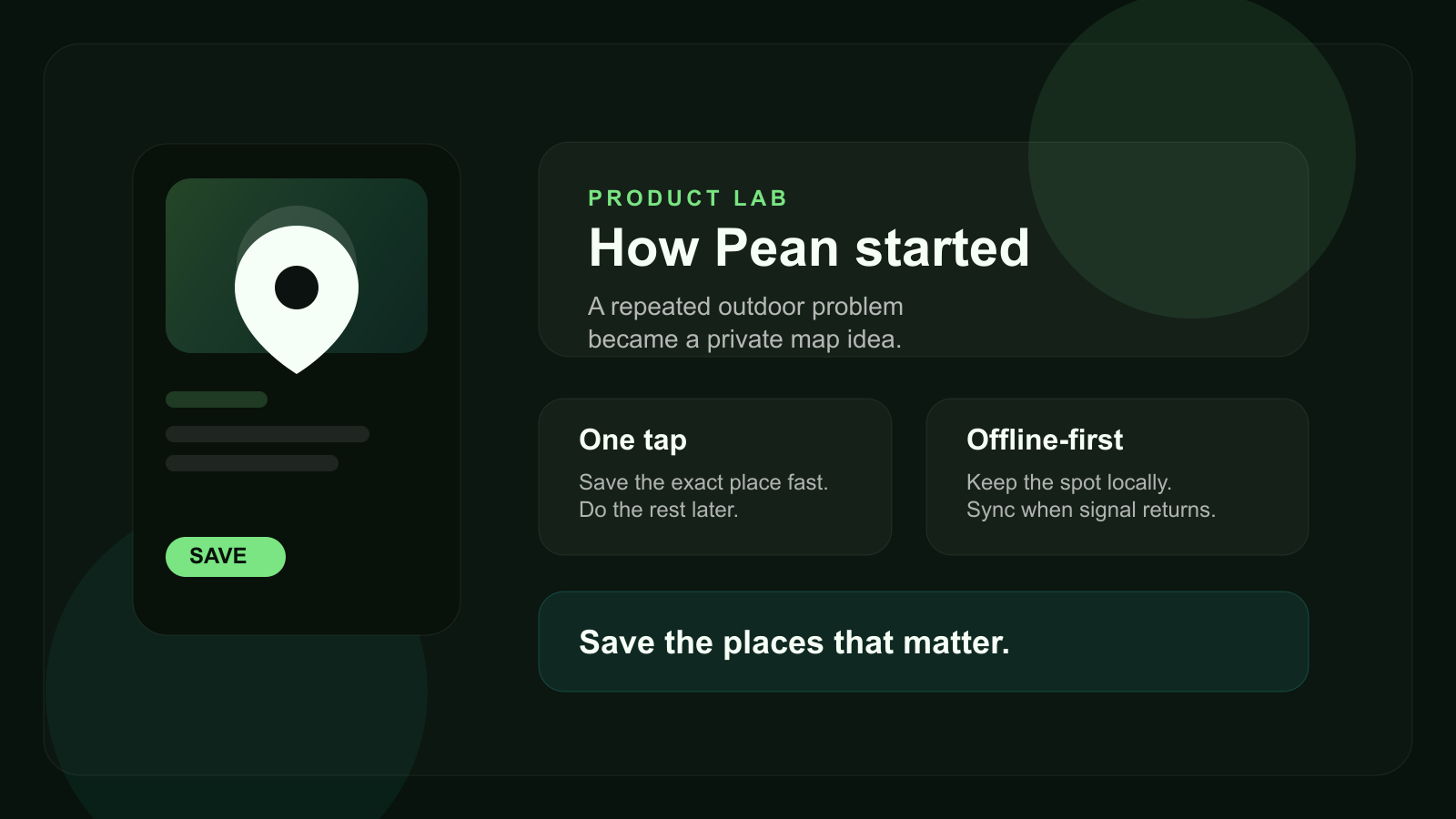
## What is Pean?
Pean is a **private map app** built for saving personal places, organizing them by category, and coming back to them later.
The simplest way to describe it is this:
- save places on a map in one tap
- keep private places private by default
- organize saved places with notes, categories, and media
- share locations with friends or small groups on your terms
- keep working even when mobile signal is unreliable
That makes Pean different from a general map or navigation app. It is not about finding every place in the world. It is about building a **personal map of places that matter to you**.
## Who is Pean for?
Pean is useful for people who repeatedly discover places they want to keep:
- anglers who want to save fishing spots
- hikers who want to keep trail markers and return points
- travelers who want private travel locations
- mushroom and berry pickers who want to organize discoveries on a map
- anyone who wants to save personal spots without mixing them into public maps
In short, it is for people who need an **app to save places on a map** without turning those places into public bookmarks.
## The problem that started the product
Pean did not start with the idea of building yet another map app. It started with a more practical question: **how do you avoid losing a place that matters to you?**
Not a business listing you can search again later. Not a public point of interest. A real personal spot:
- a fishing place
- a mushroom patch
- a berry location
- a quiet turn on a trail
- a useful landmark
- a place you know you want to revisit
The problem is that these moments usually happen in imperfect real-world conditions:
- your hands are busy
- the weather is not ideal
- there is no signal
- you do not want to open a complex app
- you need the exact point, not a vague memory
That is why the core product question became much clearer:
**How do you save places fast, keep them private, and still trust that they will be there when you need them later?**
## Why Pean instead of Google Maps?
This is one of the most important SEO and product questions, so it is worth answering directly.
[Google Maps](https://maps.google.com/) is excellent for search, public places, route planning, and navigation. But it is not primarily built as a **private places app** for personal spots, fishing spots, or small-group location sharing.
Pean is different because it focuses on a narrower but very real job:
- save places on a map that matter to you personally
- keep those places private by default
- organize saved places by category and context
- share locations with friends selectively
- return to your own spots instead of searching public listings again
So the correct framing is not “Pean replaces Google Maps.”
The better framing is:
**Google Maps helps you find places in the public world. Pean helps you keep places in your personal world.**
## From WildSpot to Pean
Inside the codebase and earlier product thinking, the name **WildSpot** appears. That name fit the earliest shape of the product because the first use cases were strongly tied to outdoor discovery: places you find in the wild and want to remember.
Over time, the concept became broader.
The early scenarios still mattered:
- save fishing spots
- save mushroom places
- save berry locations
- save herbs, landmarks, and return points
But the deeper use case was not limited to one niche. The real product was becoming a **personal map app for meaningful places**. That broader direction is why the public brand became **Pean**.
## Why the idea only worked if saving was fast
The product would not make sense if saving a place felt slow.
If the flow requires too many taps, too much attention, or a stable connection, the place is already easy to lose. That is why Pean had to be designed around speed first:
1. discover a place
2. save the exact location immediately
3. add context later if needed
This is also where the “one tap” logic became central. Pean is not just an app to organize saved places. It is an app built around the exact moment when a place needs to be captured before it disappears from memory.
## Why Apple Watch became important
One of the strongest product ideas behind Pean is that Apple Watch is not treated as a side feature. It is treated as one of the fastest ways to save places on a map.
That matters because in real outdoor situations, reaching for a phone can be friction. Reaching for your wrist is often faster.
According to the current public positioning on [pean.me](https://www.pean.me/en), the watch flow is intentionally simple: save the GPS point quickly, queue it locally if needed, and sync later.
That choice says a lot about the product. Pean was shaped around the real capture moment, not around a generic feature list.
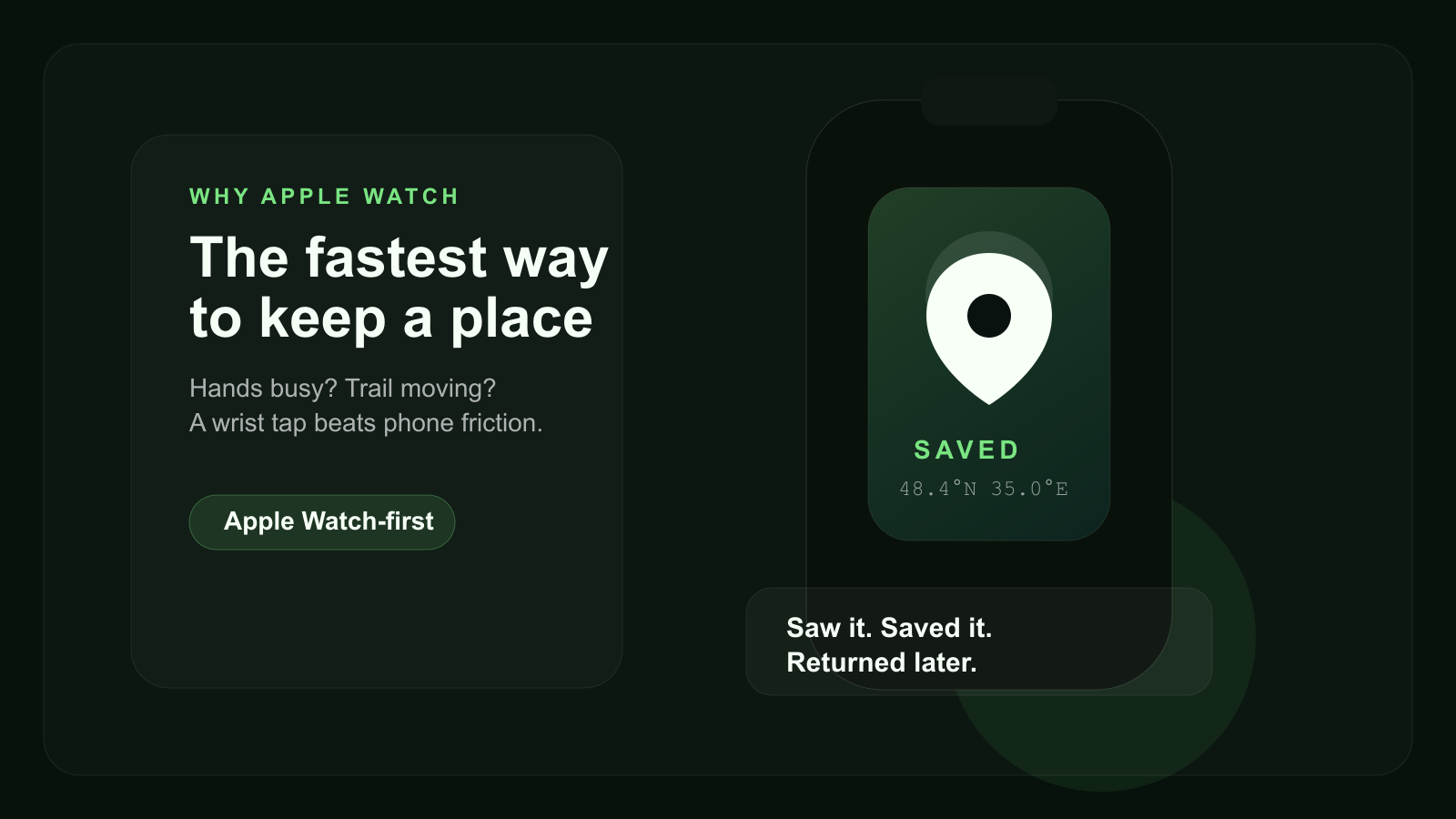
## Offline and privacy were not secondary features
Two things had to be part of the core product from the beginning: **offline-first behavior** and **privacy by default**.
That is because the most valuable saved places are often the least connected:
- forest paths
- quiet travel locations
- fishing spots
- seasonal mushroom areas
- places outside strong mobile coverage
If a product fails there, it becomes hard to trust.
Privacy matters for a similar reason. Many places are valuable precisely because they are personal. Some are useful. Some are seasonal. Some are shared only with close friends. Some should stay yours.
That is why Pean makes more sense as:
- a private map app
- a tool for organizing saved places
- a way to share locations with friends selectively
instead of a public social map.
## Real use cases for Pean
If someone searches for an **app to save places on a map**, they usually want a concrete scenario, not an abstract category.
These are some of the clearest use cases for Pean today:
- **Save fishing spots** and keep them organized by season, note, or category.
- **Keep private travel locations** that are meaningful to you but not meant for public lists.
- **Share locations with friends** in a closed group instead of posting them publicly.
- **Organize saved places** like landmarks, herbs, berry locations, and return points.
- **Build a personal map app workflow** around discovering, saving, and revisiting places.
That mix of private saving, categorization, and selective sharing is what gives the product its own space.
## What Pean already offers today
The story is useful, but it matters just as much to explain what the product actually gives users now.
Today, the Pean direction already includes:
- Apple Watch capture
- iPhone spot management with photo, note, and category
- a web map for browsing saved places
- categories such as fish, mushrooms, berries, hunting, herbs, landmarks, and other
- private spots and selective sharing
- offline-first saving with sync later
You can see the current product framing here:
- [Pean homepage](https://www.pean.me/en)
- [Web map](https://www.pean.me/map)
- [About the maker on pean.dev](/)
## The deeper product idea
The longer Pean exists, the clearer its category becomes.
It is not just a notes app with coordinates.
It is not just another map.
It is not only an outdoor utility.
It is a **private memory map**: a product for saving places, organizing discoveries, and coming back to them later.
That is why the story matters. The product did not start from a trend. It started from a repeated behavior that existing tools handled poorly.
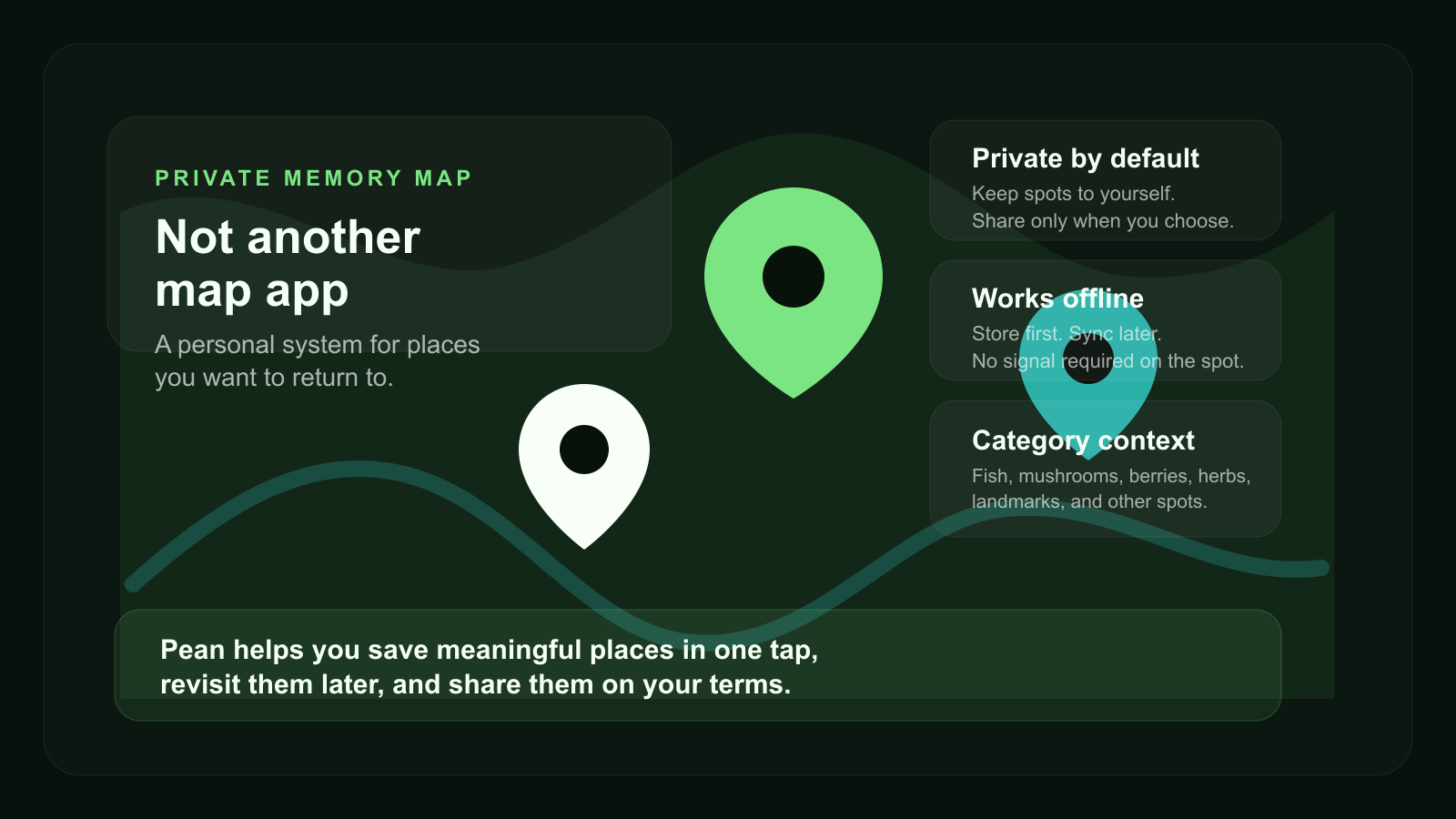
## FAQ
### What is Pean?
Pean is a private map app for saving meaningful places, organizing personal spots, and sharing locations with friends on your terms.
### Can I save private places on a map with Pean?
Yes. Pean is built around private places by default, so saved spots can stay personal until you decide to share them.
### Can I share locations with friends privately?
Yes. Pean supports selective sharing and group access, so you can share places with trusted people instead of posting them publicly.
### Is Pean an alternative to Google Maps for personal spots?
Yes, in the sense that it covers a different job. Google Maps is for search and navigation. Pean is for saving personal spots, organizing discoveries, and returning to meaningful places.
### Can I use Pean to organize fishing spots?
Yes. Fishing spots are one of the clearest use cases, together with mushroom places, berry spots, herbs, landmarks, and other personal discoveries.
## What comes next
This is the first article in the **Product Lab** series on pean.dev. The next posts can go deeper into:
- the earliest MVP shape
- why categories mattered from the beginning
- how offline sync changes trust
- how group map sharing fits the product
- how Apple Watch influenced architecture and UX priorities
If you want to follow both the product and the build process, start with [the blog index](/blog) and [Pean itself](https://www.pean.me/en).
---
## What actually makes a frontend feel fast in 2026
URL: https://www.pean.dev/blog/what-actually-makes-a-frontend-feel-fast
Published: 2026-04-04
Description: Fast-feeling frontends are built with streaming, optimistic UI, layout stability, careful media loading, and metrics that reflect interaction quality instead of just raw network speed.
Most frontend performance discussions still start with network speed. That matters, but it is not what users feel first.
A frontend feels fast when it acknowledges intent immediately, keeps the layout stable, reveals useful content early, and avoids making the user wait for the whole page to become "done" before anything responds.
That is why modern performance work is less about shaving one more millisecond off a request and more about controlling *when* the user gets feedback, *how much* of the UI becomes usable early, and *whether* the browser has to keep redoing expensive work.
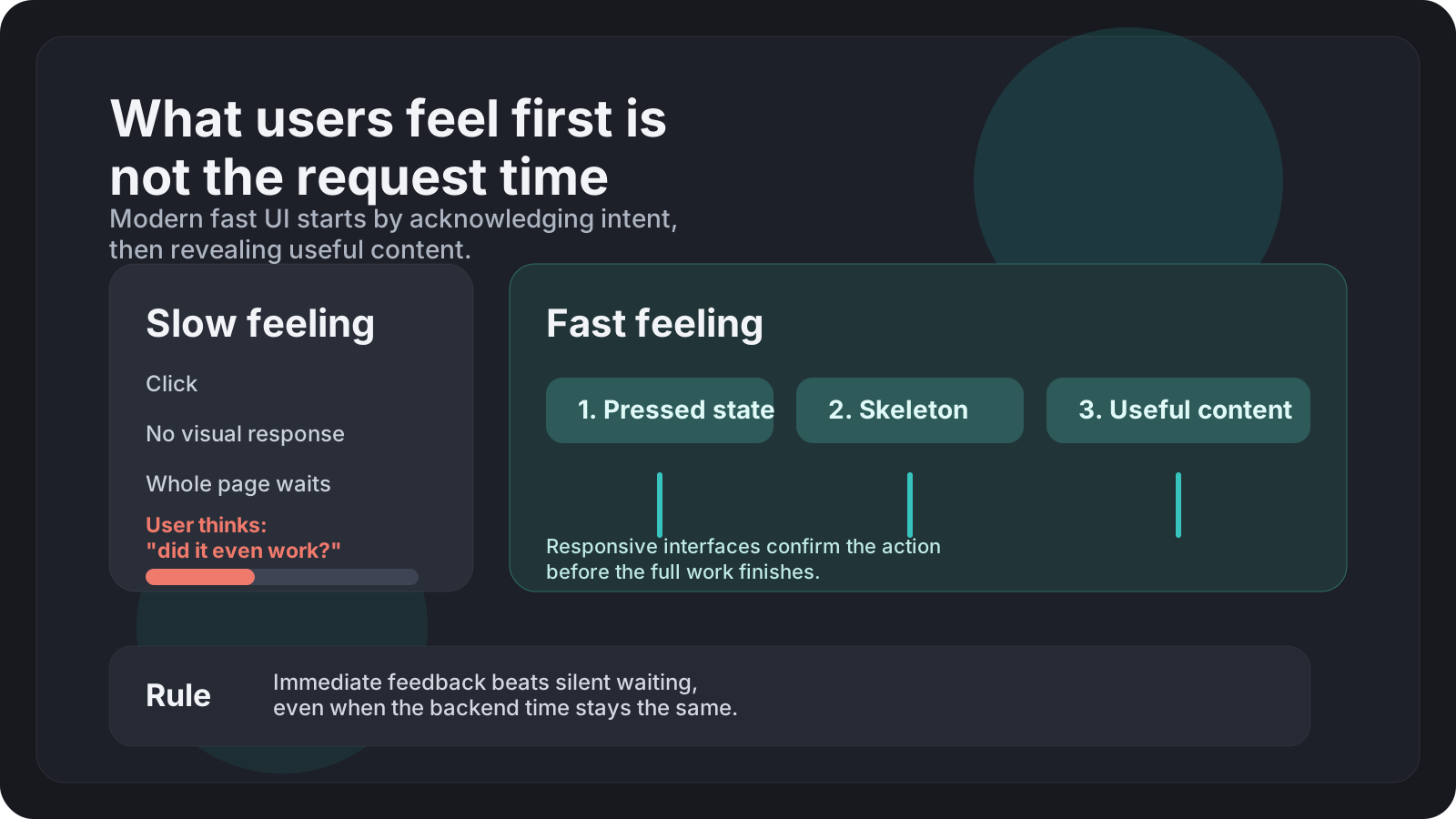
## 1. Speed starts with acknowledgement
If a click lands and nothing reacts, the interface already feels slow even if the request finishes quickly. The first job of a modern frontend is to acknowledge intent inside the same interaction frame.
That acknowledgement can be:
- a pressed state on a button
- a route transition that starts immediately
- a skeleton for a content area
- an optimistic update in a list
- a progress hint that confirms work has started
This is why `INP` matters so much more than teams used to think. Users do not experience a page as a static document anymore. They experience it as a stream of interactions. A fast site with bad interaction latency still feels broken.
In React, this often means separating urgent work from non-urgent rendering. For example, keep the tap or click responsive first, then let heavier UI reconcile in a transition:
```tsx
import { startTransition, useState } from 'react';
function SearchBox() {
const [query, setQuery] = useState('');
const [results, setResults] = useState([]);
const handleChange = async (value: string) => {
setQuery(value);
const nextResults = await fetchResults(value);
startTransition(() => {
setResults(nextResults);
});
};
return handleChange(e.target.value)} />;
}
```
The important part is not React-specific. The important part is architectural: urgent feedback should not wait for expensive rendering.
## 2. Streaming beats waiting for "the whole page"
Older apps treated a page as complete only when all data had arrived. Modern apps should stop doing that.
A better model is:
1. send the shell fast
2. reveal primary content as soon as possible
3. stream secondary content later
4. hydrate only where interactivity is needed
This is where Server Components, streaming SSR, and suspense boundaries help. They are not magic performance buttons, but they let you structure work so that users see useful UI earlier.
The win is not only on the network. Streaming also reduces the psychological cost of waiting because the page starts progressing immediately.
```tsx
export default function DashboardPage() {
return (
<>
}>
}>
);
}
```
The shell, navigation, and structure can appear immediately. Revenue and activity do not need to block each other. That alone changes how fast the page feels.
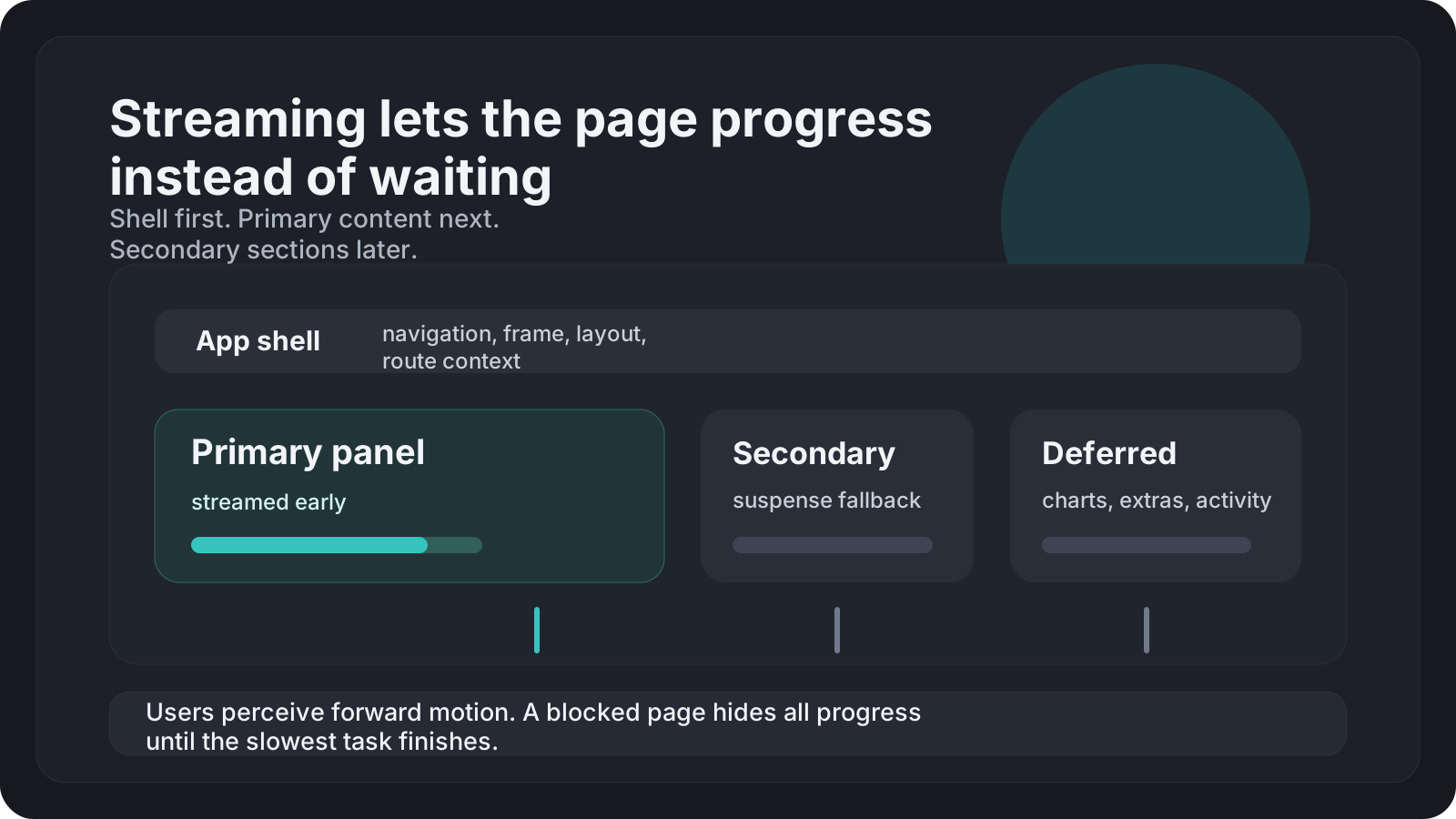
## 3. Optimistic UI is often more important than raw request time
If a mutation takes 500ms but the UI updates instantly and then confirms, the action often feels fast enough. If the same mutation takes 250ms but the UI stays frozen and uncertain, it feels worse.
That is why modern products lean on optimistic patterns for:
- likes and reactions
- checkbox toggles
- list reordering
- chat/message sending
- inline editing
The rule is simple: use optimistic updates when the success rate is high and the rollback story is clear.
```tsx
const [optimisticItems, addOptimisticItem] = useOptimistic(items, (state, draft) => [
draft,
...state,
]);
async function submit(text: string) {
const optimistic = { id: crypto.randomUUID(), text, pending: true };
addOptimisticItem(optimistic);
try {
await createComment(text);
} catch {
// rollback or refetch
}
}
```
This is one of the biggest differences between an app that is technically fast and an app that *feels* fast. The network is no longer the only timeline users perceive.
## 4. Layout stability is performance
Late content that shifts the screen destroys the feeling of speed. The browser may have loaded the pixels quickly, but if text jumps, buttons move, or images resize after render, users interpret the interface as unstable and therefore slow.
This is exactly why `CLS` still matters. Modern frontends need to reserve space early and render media with known dimensions.
Good defaults:
- always provide image width and height or an aspect ratio
- reserve space for ads, embeds, and charts
- avoid swapping fonts in ways that reflow large text blocks
- keep skeletons close to the final layout, not generic grey boxes
```css
.cardMedia {
aspect-ratio: 16 / 9;
background: #17191f;
overflow: hidden;
}
.cardMedia img {
width: 100%;
height: 100%;
object-fit: cover;
}
```
This looks simple, but it prevents a surprising amount of jank. A stable interface reads as a fast interface.
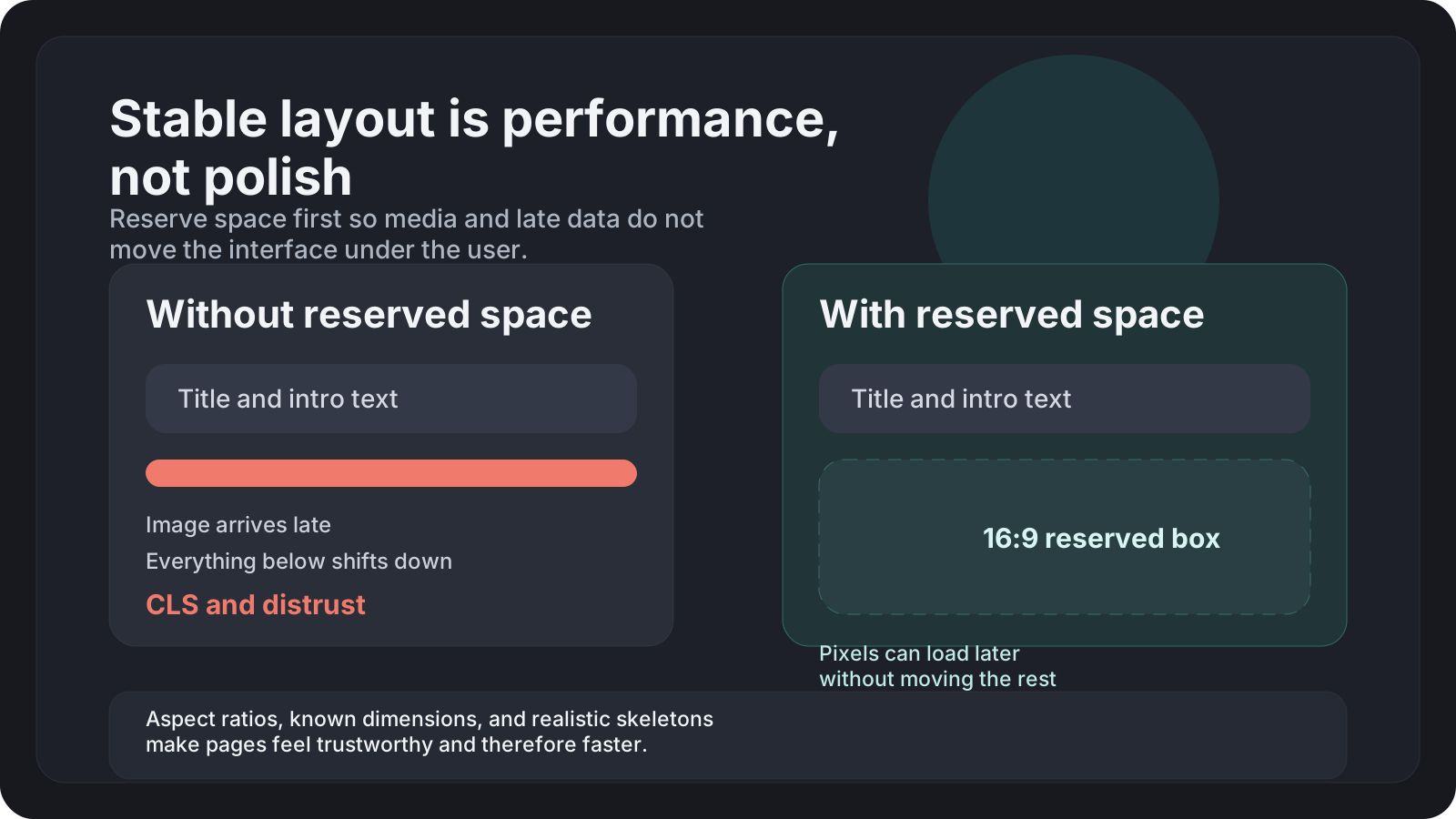
## 5. Media strategy matters more than teams admit
Modern pages are often bottlenecked by media behavior, not JavaScript alone.
A frontend feels fast when:
- above-the-fold media is prioritized intentionally
- below-the-fold media is lazy without hurting scroll smoothness
- decoding happens predictably
- image sizes match the real rendered size
- video thumbnails are cheap and stable
The bad version is common: a page ships "optimized images" but still downloads assets far larger than needed, triggers decode work at the wrong moment, and causes the browser to fight both painting and layout at once.
For article pages in particular, media should support reading rhythm, not interrupt it.
## 6. Prefetch helps, but only when it is selective
Prefetch can make navigation feel instant, but aggressive prefetching is not free.
It costs:
- bandwidth
- memory
- cache pressure
- CPU work to parse and evaluate future code
Modern apps should prefetch based on probability, not hope. Good candidates:
- links in or near the viewport
- likely next-step routes
- hover-triggered intent
- recently visited sections that are likely to be revisited
Bad candidates:
- every link in a large feed
- deep routes users rarely open
- data-heavy pages with short cache lifetimes
The goal is not "prefetch more". The goal is "make the next likely action feel instant without making the current page heavier."
## 7. The browser main thread is still the real bottleneck
Many teams now understand bundle size. Fewer teams think clearly about main-thread pressure after the bundle arrives.
A frontend feels slow when the browser is busy with:
- large synchronous renders
- too many layout reads and writes
- expensive effects on mount
- oversized hydration boundaries
- animation work that competes with interaction
This is why partial hydration, island architecture, Server Components, and better scheduling matter. They reduce how much JavaScript has to compete for the main thread during the moments users are actually touching the page.
At the component level, the rule is still boring and useful:
- avoid rendering what is not visible
- avoid recomputing what has not changed
- defer non-urgent work
- keep interaction paths short
## 8. Measure what users can feel
If I had to pick the metrics that map most directly to user perception on modern frontends, I would watch:
- `INP` for interaction responsiveness
- `LCP` for primary content visibility
- `CLS` for layout stability
- route transition latency for app navigation
- mutation confirmation time for interactive flows
The critical detail is that lab scores alone are not enough. A frontend can score well and still feel awkward if transitions are blocked, loading states are vague, or layout shifts happen in the exact moments users are trying to act.
Real user monitoring is the only way to see that.
## 9. My rule of thumb
A frontend feels fast when the user can answer three questions immediately:
1. Did the interface register my action?
2. Can I already do the next thing?
3. Is this screen stable enough to trust?
Streaming, optimistic UI, transitions, image strategy, and scheduling are all tools for improving those three answers.
That is the modern shift. Performance is no longer only about delivering bytes faster. It is about structuring feedback, rendering, and stability so the browser always has something confident and useful to show next.
---
## CSS animations without Framer Motion: what I learned
URL: https://www.pean.dev/blog/css-animations-without-framer-motion
Published: 2026-04-03
Description: I removed Framer Motion from my personal site and replaced everything with native CSS. Here's how I did it, what was hard, and what I got in return.
Framer Motion is great. I used it for a year on my personal site and it worked
perfectly — smooth animations, declarative API, stagger effects with almost no
code. But at some point I opened Lighthouse and saw that the library alone was
adding **~40KB** to the bundle. For a personal site with a few page transitions
and entrance animations, that felt like too much.
So I decided to remove it entirely and rewrite everything with native CSS.
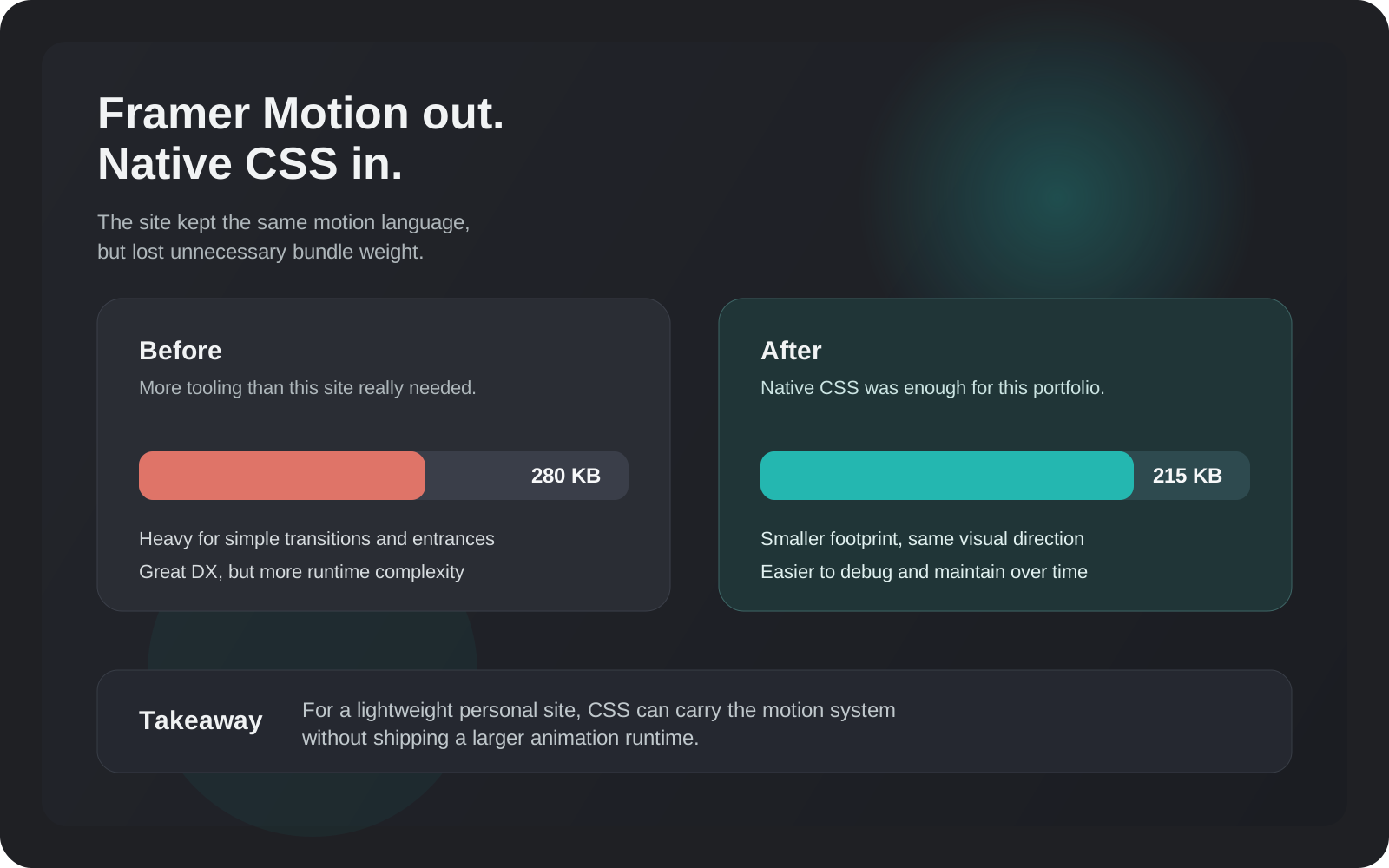
## What I was replacing
The animations on the site were:
- **Page transition** — `AnimatePresence` + `motion.main` with `opacity` and `y`
on enter/exit
- **Section entrance** — `motion.section` with `initial/animate/exit` and a
configurable `delay` prop
- **Text animation** — custom `AnimateText` component that split text into words
and animated each one
- **Stagger lists** — `motion.ul` with `staggerChildren` in `variants`
- **Scroll-linked parallax** — `useScroll` + `useTransform` on the greeting
block
All of that had to go.
## Page transitions
The hardest thing to replicate natively is page _exit_ animations. Framer Motion
gives you `AnimatePresence` which keeps the old page mounted until its exit
animation finishes. CSS has no equivalent.
I made a pragmatic call: keep enter animations, drop exit animations. On a
personal site nobody notices the exit. Here's what the enter looks like:
```css
@keyframes pageEnter {
from {
opacity: 0;
transform: translateY(12px);
}
to {
opacity: 1;
transform: translateY(0);
}
}
.main {
animation: pageEnter 0.4s ease both;
}
```
To re-trigger the animation on route change I pass `key={pathname}` to the
wrapper component. React remounts the element, the animation fires again.
## Stagger without a parent component
Framer Motion's `staggerChildren` works by having a parent `motion` component
that delays each child. In pure CSS you can do the same with `:nth-child`:
```css
.item:nth-child(1) {
animation-delay: 0.1s;
}
.item:nth-child(2) {
animation-delay: 0.2s;
}
.item:nth-child(3) {
animation-delay: 0.3s;
}
```
But that only works if you know how many items there are. When the list is
dynamic I pass an `index` prop down and set `animationDelay` inline:
```tsx
```
Not as elegant, but it works for any length list.
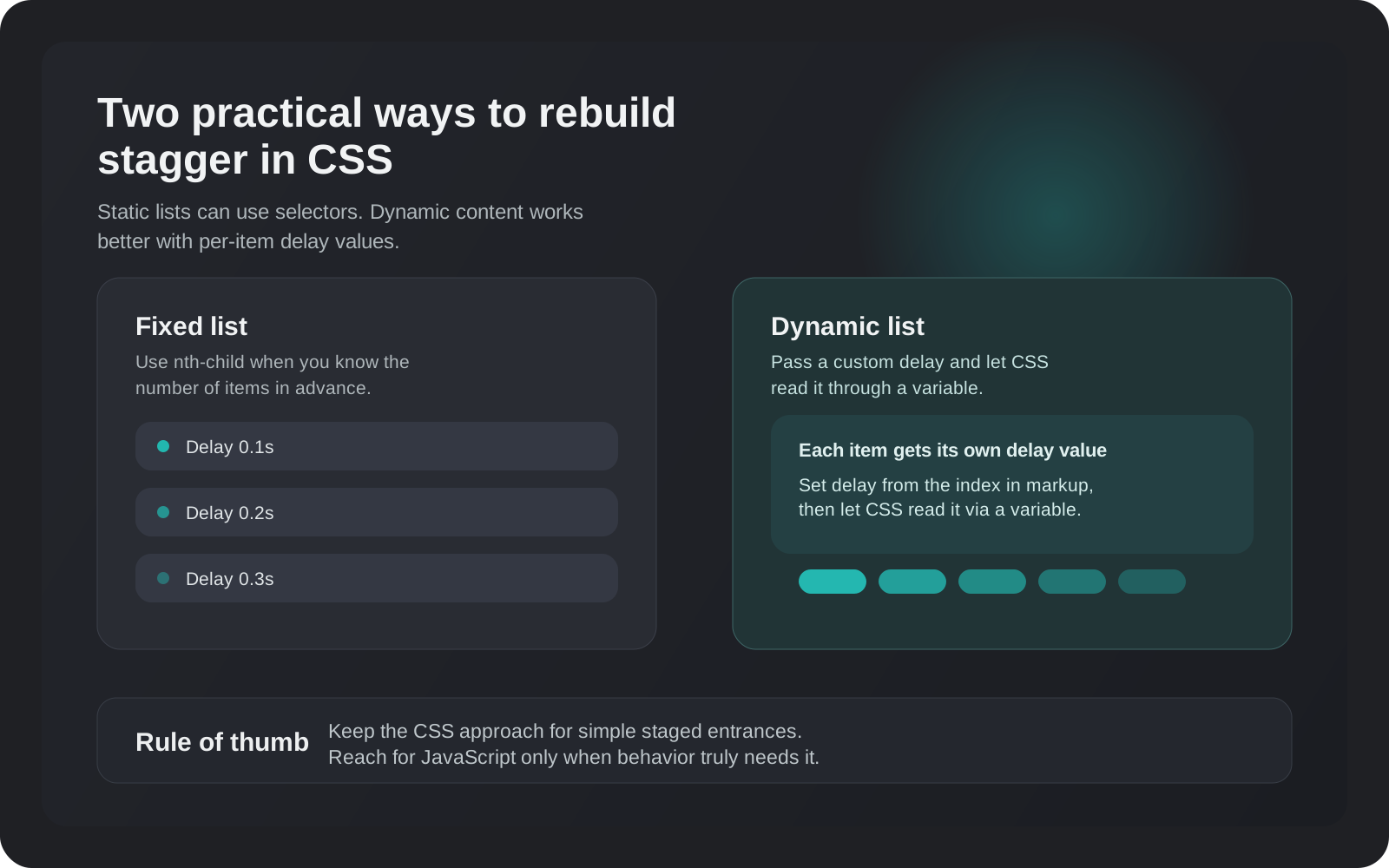
## Text animation with CSS custom properties
The `AnimateText` component split text into `` elements per word and
animated each with a stagger. I kept the same idea but moved the delay into a
CSS custom property:
```tsx
words.map((word, i) => (
{word}
));
```
```css
.word {
display: inline-block;
animation: textSlideUp var(--duration, 0.5s) ease both;
animation-delay: var(--delay, 0s);
}
```
CSS custom properties flow through the cascade so you can set them inline and
read them in any nested selector. Very clean.
## Scroll-linked parallax
This one I had to do in JavaScript anyway since CSS scroll timelines don't have
broad enough browser support yet. I replaced `useScroll` + `useTransform` with a
plain scroll listener:
```ts
useEffect(() => {
const handleScroll = () => {
const progress =
window.scrollY / (document.body.scrollHeight - window.innerHeight);
el.style.transform = `translateY(${progress * 200}px)`;
};
window.addEventListener('scroll', handleScroll, { passive: true });
return () => window.removeEventListener('scroll', handleScroll);
}, []);
```
The key detail: `{ passive: true }`. Without it the browser can't optimize
scrolling because it has to wait for your handler to potentially call
`preventDefault()`. With it, scroll is butter smooth.
## Results
The bundle went from ~280KB to ~215KB for the main page. Not revolutionary, but
the site feels noticeably snappier on slow connections. More importantly — there
are fewer moving parts. When something breaks I know exactly where to look.
Would I recommend this approach for a product with complex animations? No.
Framer Motion earns its weight when you have shared layout animations, drag
interactions, or physics-based spring effects. But for a portfolio site with
simple entrances and transitions, native CSS is more than enough.
---