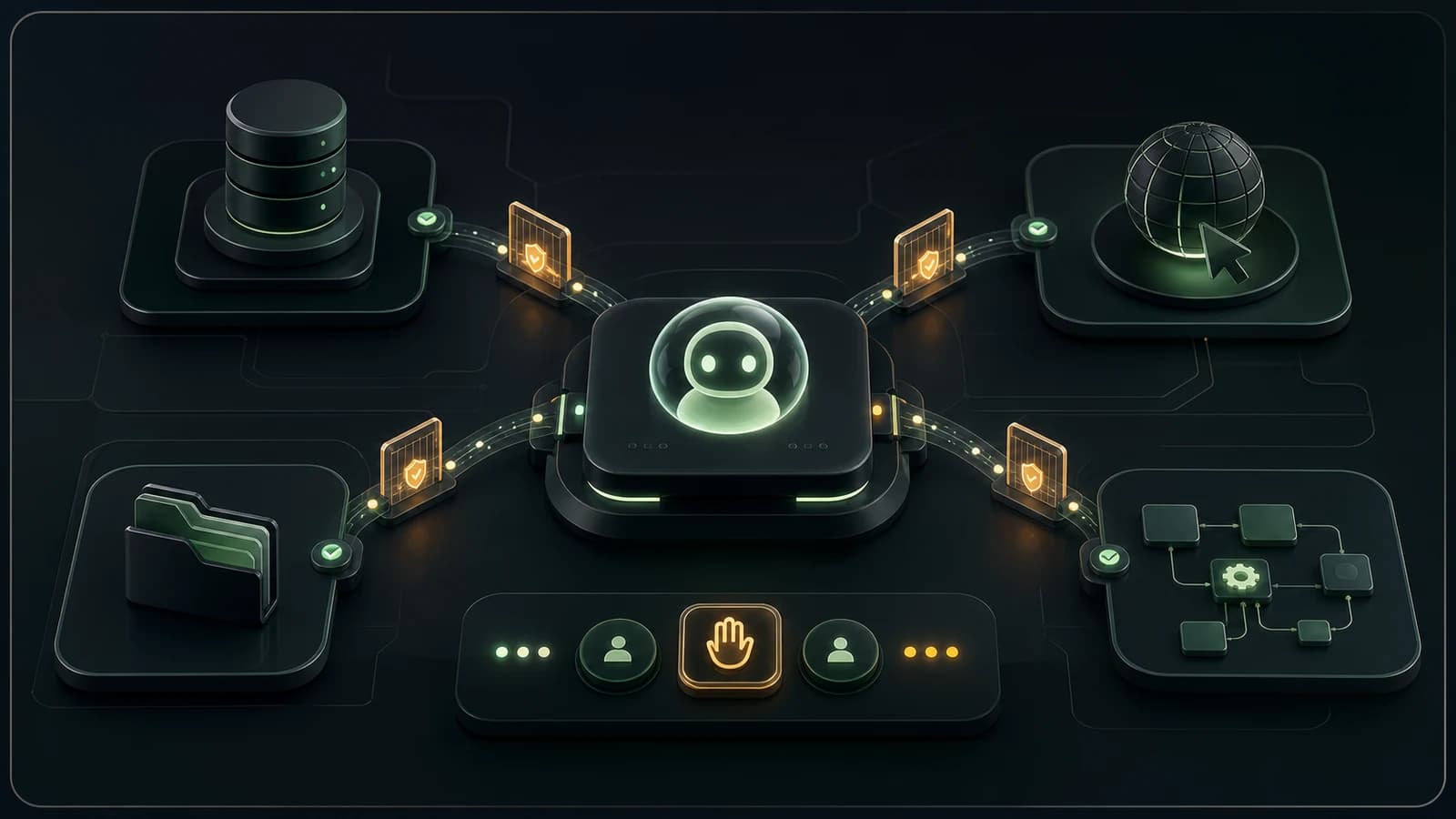
There is a funny moment that happens with almost every new technical layer.
At first, nobody knows what it is.
Then suddenly everyone talks about it like it explains the future.
MCP is in that phase now.
If you spend time around AI products, coding agents, developer tools, or agentic workflows, you have probably seen it everywhere. MCP servers. MCP clients. MCP tools. MCP marketplaces. MCP for databases. MCP for browsers. MCP for internal systems. MCP as the missing piece that will finally let AI agents do real work.
Some of that excitement is justified.
Model Context Protocol gives AI applications a more standard way to connect to external systems: files, databases, APIs, search tools, business software, workflows, and other sources of context. Anthropic introduced it as an open standard for connecting AI assistants to the systems where data lives, and OpenAI's Apps SDK also builds on MCP for ChatGPT apps.
That matters.
But I do not think MCP is the product.
It is infrastructure.
Useful infrastructure, yes. Important infrastructure, probably. But still infrastructure.
The product question is different:
what should the agent be allowed to know, decide, and do for the user?
That is the question I care about more.
The old AI feature was mostly a box
A lot of early AI features had the same shape.
There was an input.
There was a prompt.
There was an answer.
Maybe the answer was a summary. Maybe it rewrote text. Maybe it generated a checklist. Maybe it answered a question from a document.
That kind of feature can be useful, but it is still mostly a box. The user puts something in. The model replies. The product displays the reply.
The newer version is different.
Now the agent can reach outside the box.
It can read a file. Search a codebase. Query a database. Open a browser. Create a ticket. Update a CRM record. Draft a pull request. Look at a calendar. Call another internal service. Combine several steps into one workflow.
That is a real shift.
It is also where the stakes change.
When an AI answer is wrong, the user can ignore it.
When an AI action is wrong, the system may already have changed something.
That difference is where product design starts to matter.
More tools do not automatically make a better agent
The tempting idea is simple:
If the agent can access more tools, it will become more useful.
Sometimes that is true.
An AI coding agent is more useful when it can read the repo, run tests, inspect errors, and understand the local project. A support assistant is more useful when it can see the ticket history and product docs. A research agent is more useful when it can search, cite sources, and keep notes.
But the sentence is still incomplete.
More tools help only when the agent knows when to use them, what not to touch, and how to recover when something is uncertain.
Without that, tool access becomes noise.
The agent sees too much. It calls the wrong thing. It mixes stale data with live data. It performs an action before the user has approved it. It sounds more capable while becoming harder to trust.
That is why I do not think "we added MCP" is a product milestone by itself.
It is closer to saying:
We added a door.
Good. Where does it lead? Who has the key? What happens when someone walks through it? Can they delete anything? Can they spend money? Can they email a customer? Can they read private data? Can we see what they did afterward?
Those are the product questions.
MCP solves one kind of mess
Before MCP, connecting AI tools to external systems was often a pile of one-off integrations.
One app had its own way to connect GitHub. Another had its own database connector. Another had a custom browser tool. Another had a plugin system. Every tool needed its own shape, every client needed its own integration, and the same work repeated again and again.
MCP helps with that.
The official docs describe MCP as an open standard for connecting AI applications to external systems. In plain language: it gives AI clients and external tools a common way to talk.
That is a good thing.
Standards reduce glue work. They make integrations more reusable. They make it easier to expose a tool once and connect it to different AI applications. They give developers a shared mental model instead of another custom connector for every product.
I like that.
But MCP does not answer the harder product questions for you.
It does not decide whether your agent should be allowed to update production data.
It does not decide when a user confirmation is required.
It does not decide how much context is too much.
It does not decide which actions should be reversible.
It does not decide how the interface should explain what happened.
It gives you a way to connect the agent to things.
You still have to decide what kind of relationship the agent should have with those things.
Tool access needs a job, not just a capability
When I think about giving an agent access to a tool, I try to start with the job.
Not the technology.
Not the protocol.
Not "would it be cool if the agent could call this?"
The job.
For example:
- help a developer understand why a test is failing;
- help a user find the right moment in a long video;
- help a support person prepare a reply with the right account context;
- help a founder compare several landing pages before a launch;
- help an operator spot broken links before publishing a site;
- help a team turn a messy request into a scoped implementation plan.
Once the job is clear, tool access becomes easier to reason about.
The agent does not need every possible tool.
It needs the tools that help complete that job without creating unnecessary risk.
For a coding workflow, reading files and running tests may be reasonable. Pushing to main without review probably is not.
For a support workflow, reading customer history may be useful. Sending a refund without confirmation may be too much.
For a browser workflow, reading the current page may be enough. Submitting a form, accepting permissions, or purchasing something should be a separate boundary.
The point is not to make agents weak.
The point is to make them legible.
The user should understand what the agent can do, what it cannot do, and where the user is still in control.
Context is not the same as permission
One mistake I see in AI product thinking is treating all access as the same thing.
It is not.
There is a big difference between:
- reading a document;
- searching a database;
- seeing metadata;
- drafting a change;
- writing to a system;
- deleting something;
- sending a message;
- spending money;
- changing permissions;
- publishing content.
Those are not just different API calls.
They are different levels of trust.
An agent may need read access to understand a situation. That does not mean it should have write access. It may need to draft an update. That does not mean it should apply the update. It may need to inspect a customer's account. That does not mean it should change billing.
This sounds obvious when written out.
It becomes less obvious when a product team says:
Let's connect the agent to our internal tools.
That sentence hides everything important.
Which internal tools? Which data? Which actions? Which users? Which environments? Which logs? Which approval steps? Which failure modes?
The product is not "connected to internal tools."
The product is the boundary around that connection.
The best agent flows have a pause in the right place
I do not think every agent action needs a confirmation.
That would make the product painful.
If the agent has to ask before every harmless read operation, the user will stop using it. If it needs approval to summarize a document the user just uploaded, the workflow becomes silly.
But high-impact actions need a pause.
Not a fake pause. Not a tiny "Are you sure?" modal that everyone clicks through.
A meaningful pause.
Something like:
I found the issue. I can update these three files and run the tests.
Or:
I drafted the customer reply from the ticket history. Review it before sending.
Or:
I can create this Linear issue with the following scope and acceptance criteria.
Or:
This action will change production data. I need your approval before I continue.
That pause does a few things.
It gives the user a chance to correct the agent's understanding.
It makes the agent show its work before acting.
It turns a black-box operation into a shared decision.
And it creates a natural place to explain risk.
That is good product design.
It is also good safety design.
Audit trails are part of the interface
When an AI agent can use tools, logs stop being only a backend concern.
They become part of the user experience.
The user should be able to answer:
- what did the agent read?
- what did it call?
- what did it change?
- what did it decide not to do?
- what failed?
- what needs my review?
- where did this answer come from?
This does not mean showing raw JSON to everyone.
Most users do not want that.
But the product should expose enough traceability that the agent does not feel like a ghost moving through the system.
In developer tools, that might mean showing commands, files touched, test output, and diffs.
In support tools, it might mean showing the sources used for a reply.
In research tools, it might mean showing citations and search history.
In browser extensions, it might mean showing what page data was inspected and what stayed local.
The exact interface depends on the product.
The principle is the same:
if the agent can act, the user needs a way to inspect the action.
Without that, trust becomes vibes.
And vibes are not enough when software starts changing real things.
A real example from coding agents
Coding agents make this easier to see because the workflow is concrete.
When I use an AI coding agent, I am comfortable giving it a lot of read access inside the repo. It can search files, inspect call sites, read tests, and understand how a feature is wired.
I am also comfortable letting it run checks.
Types, linting, tests, local builds, maybe a browser preview if the task touches UI.
That kind of tool access is useful because the job is clear: understand the codebase and verify a change.
But I still want boundaries.
I want to review the diff.
I want to decide whether an abstraction belongs in the codebase.
I want to approve commits and pushes.
I want anything touching auth, data access, migrations, payments, or destructive operations to be treated differently from a copy change.
The agent can do a lot.
It should not own the decision.
That is the balance I keep coming back to: let the agent do the work that benefits from speed and context, but keep the expensive decisions visible.
MCP can make the connections cleaner.
It does not remove the need for judgment.
A real example from product workflows
Imagine a small SaaS dashboard with an AI assistant.
The naive version is:
The assistant can access everything in the dashboard and take actions for the user.
That sounds powerful.
It is also too vague to be useful.
A better version is more specific:
The assistant helps users understand account activity, draft follow-up tasks, and prepare changes, but it asks for confirmation before sending messages, changing billing data, deleting records, or updating permissions.
Now the product has shape.
You can design the tool list around it.
Read account activity. Search docs. Draft a note. Create a task. Suggest a setting change. Show a confirmation before applying it.
The user can understand that.
The team can test that.
The logs can reflect that.
The permissions model can support that.
This is where AI product work becomes interesting. Not at "add agent." Not at "add MCP server." At the moment when you decide what the agent is actually allowed to do on behalf of a person.
The UI matters more than people think
A lot of agent discussion is backend-heavy.
Protocols. Servers. Tools. Schemas. Transports. Auth. Hosting.
All of that matters.
But the user meets the agent through the interface.
If the interface makes the agent look more certain than it is, the product becomes risky.
If the interface hides the sources, the user cannot verify.
If the interface hides pending actions, the user does not know what is about to happen.
If the interface does not separate "drafted" from "sent", people will misunderstand the state.
If the interface buries permissions in settings nobody reads, tool access becomes invisible.
That is why I like agent interfaces that show state clearly:
- reading;
- thinking;
- planning;
- asking for approval;
- running a tool;
- waiting;
- failed;
- completed;
- needs review.
Those states sound boring.
They are not.
They are how the user keeps their footing.
The more capable the agent becomes, the more important those small state cues become.
The dangerous version feels effortless
There is a version of AI product design that tries to remove every bit of friction.
One prompt.
The agent does everything.
No steps. No confirmation. No exposed reasoning. No visible sources. No boundaries. No audit trail. Just a smooth answer or a completed task.
That can feel impressive in a demo.
It can also be the wrong shape for real work.
Some friction is useful.
Reviewing a diff is friction.
Confirming a payment is friction.
Approving an email before it is sent is friction.
Choosing which data source the agent should use is friction.
Reading a warning before a production change is friction.
But that friction exists because the action matters.
The trick is not to remove all friction.
The trick is to put friction where it protects the user, and remove it where it only slows them down.
That is the difference between a powerful agent and a reckless one.
What I would decide before building
Before building an AI agent feature with MCP or any other tool-access layer, I would answer a few questions in plain language.
Not architecture language.
Product language.
What job is the agent helping with?
What data does it need to read?
What data should it never see?
Which actions can it perform automatically?
Which actions require confirmation?
Which actions should only be drafted?
Can the user undo the action?
What should be logged?
What should be shown to the user?
What happens when the tool call fails?
What happens when the agent is unsure?
What happens when the user asks for something outside the allowed boundary?
Those answers should shape the MCP server, the tool definitions, the prompts, the UI, the permissions model, and the tests.
If those answers are unclear, adding a protocol will not make the product clearer.
It may only make the unclear product more capable of doing the wrong thing.
Where MCP fits in my mental model
I do think MCP matters.
I would not ignore it.
If I were building an AI product that needed to connect to external tools, internal systems, user files, business data, or cross-app workflows, I would want to understand MCP properly. I would want to know where it fits, where it is overkill, and where a simple direct integration is still enough.
But I would keep it in the right layer.
MCP is the connection layer.
The product is the workflow.
The trust comes from boundaries.
The usefulness comes from context.
The quality comes from choosing the right job.
The safety comes from permissions, confirmations, and logs.
The user experience comes from making all of that understandable.
That is the part I do not want to lose in the excitement.
It is easy to talk about agents like the main problem is giving them more power.
I think the better problem is giving them the right amount of power, in the right moment, with the user still able to see and steer what is happening.
That is less flashy than "connect everything."
It is also much closer to a product people can trust.
Conclusion
MCP is useful because it gives AI applications a more standard way to reach tools, data, and workflows.
That is real progress.
But the protocol is not the product.
The product is what you decide to expose. What you decide to hide. What you ask the user to confirm. What you log. What you make reversible. What context you provide. What actions you refuse to automate.
An AI agent with tool access is not just a smarter chatbot.
It is a user acting through software with a second layer of interpretation in the middle.
That deserves careful design.
Not fear.
Not hype.
Care.
Because once the agent can do things, the most important question is no longer:
Can it?
The question is:
Should it, right now, for this user, with this context?
That is where the real product work begins.
FAQ
Is MCP only for developers?
No. Developers build MCP servers and clients, but the product impact is broader. MCP can affect how AI assistants connect to business tools, documents, databases, internal workflows, and customer-facing applications.
Does every AI product need MCP?
No. If a product only needs one narrow integration, a direct API connection may be simpler. MCP becomes more interesting when the product needs reusable tool access across multiple AI clients, workflows, or external systems.
Is tool access safe if it goes through MCP?
Not automatically. A standard protocol can make integration cleaner, but safety still depends on permissions, authentication, tool design, confirmations, logging, and what actions the product allows the agent to perform.
What is the first product decision to make?
Decide the job before deciding the tools. Once the job is clear, it becomes much easier to decide what the agent should read, what it can draft, what it can change, and where the user must approve the next step.
Discussion
Responses
No approved responses yet.