There is a familiar moment in every product team.
Someone writes, “Can we add this small feature?” Twenty minutes later, the “small feature” has three UI states, two awkward edge cases, a new database field, an integration, analytics, an email, and one very uncomfortable question about what happens when the user clicks the button twice.
For a long time, the distance between that moment and something real was mostly implementation work. Find the right files. Reload the context. Look up the thing you half remember. Build the skeleton. Break the skeleton. Fix the skeleton. Explain all of it in a pull request.
Now, an AI can cover a surprising amount of that ground. It can map an unfamiliar codebase, draft a plan, build a first pass of a screen, find every call site for a type change, write tests, explain a strange log, and even argue with your approach if you ask it to.
That changes the pace of work.
But here is the important correction: AI-driven development is not about AI building the product instead of the team.
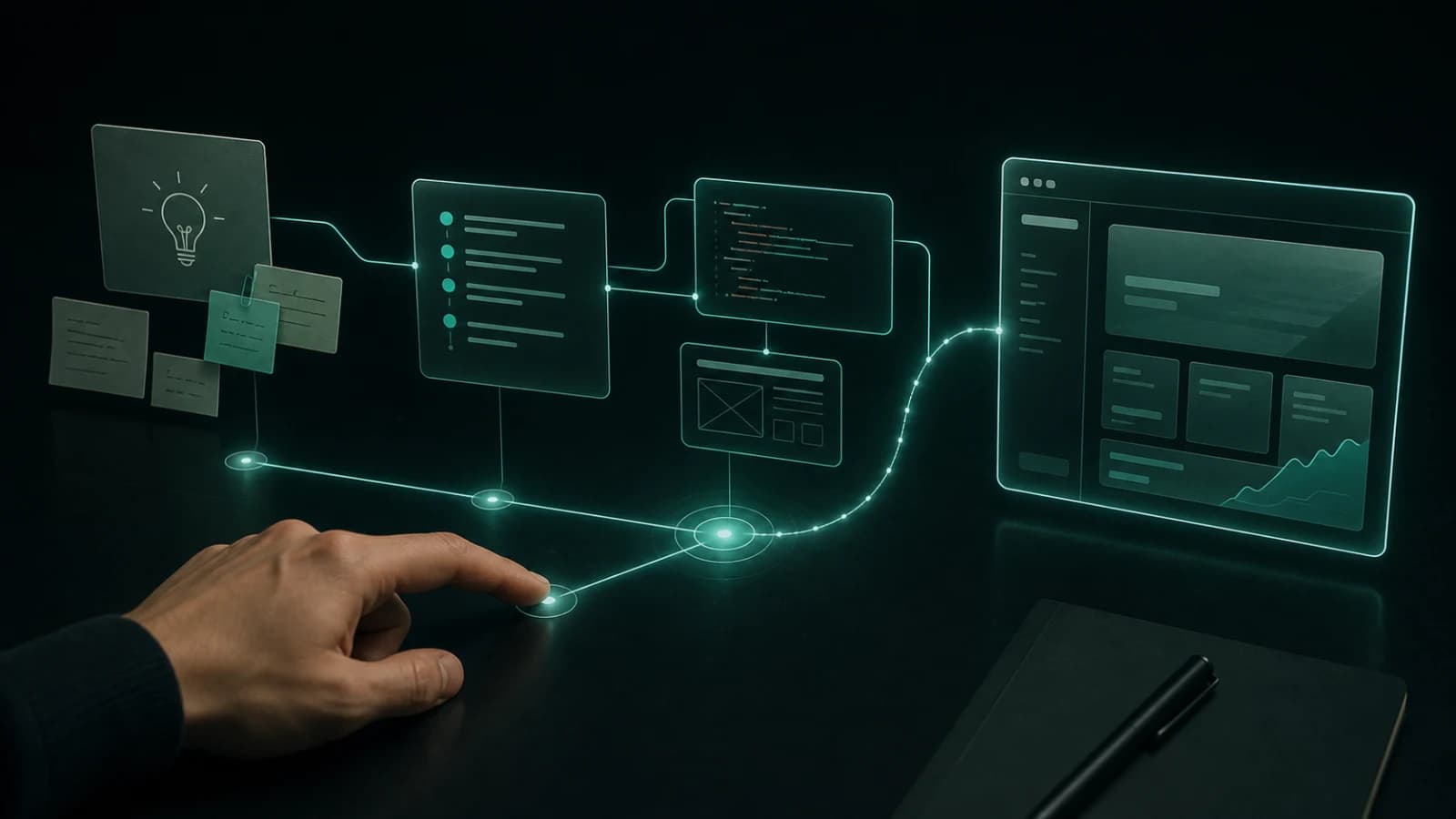
It is about making the path from a thought to a useful test much shorter. A person sets the direction and the bar. AI removes some of the mechanical drag. The team sees something real earlier, checks its assumptions sooner, and corrects course before getting emotionally attached to the wrong solution.
Code has become cheaper.
Being wrong about what to build has not.
It is not autocomplete with a bigger ego
AI-assisted development is the familiar version: an assistant explains an error, finishes a function, writes a test, or produces the regular expression nobody wants to be personally responsible for.
AI-driven development is broader. AI becomes part of the whole loop:
- turning a fuzzy idea into a clearer problem;
- recovering codebase context faster than opening ten tabs in an editor;
- comparing implementation options and surfacing risks;
- building a small end-to-end slice instead of isolated snippets;
- handling repeatable work such as types, tests, docs, migrations, and refactors;
- running checks and helping investigate where a solution disagrees with reality;
- shortening the feedback loop after a release.
In other words, it is not just another item in the toolbox. It changes the rhythm of making software.
I have written separately about how I use AI coding agents on real projects: where they genuinely save time and where I still keep a very close eye on the work. This is the wider view. What happens when AI is not only touching a line of code, but entering every stage of how a product gets made?
The old rhythm was easy to recognise: think for a long time, build for a long time, then show a big result.
The healthier rhythm now is: clarify quickly, build a small but complete scenario, check whether it is telling the truth, then make the next decision with better information.
Not because speed is a new religion.
Because the earlier you see the real product, the less likely you are to spend a week producing a beautiful answer to a question nobody asked.
The biggest change happens before the first line of code
It is tempting to look at AI and think only about code generation. Fair enough: seeing a usable component appear in a minute is hard not to enjoy.
But the most valuable part often starts before code.
Imagine a backlog item that says: “Add repeat order.”
An AI can help turn that into better questions:
- Who is likely to repeat an order, and at what moment?
- What happens when an item is no longer available or its price has changed?
- Does the user see a pre-filled cart, or does the system try to charge them automatically?
- What counts as success: a click, a filled cart, or a paid order?
- Which data already exists, and which data would we need to add?
- What deliberately stays out of version one?
That does not replace product thinking. It forces it into the open.
Instead of “please add a button,” a team can make a real agreement:
A customer should be able to repeat a previous order quickly, but before payment they must see current pricing, unavailable items, and have a chance to edit the cart.
That is the kind of brief an AI can become genuinely useful with. It is no longer guessing what you meant.
Give it a vague task, though, and it will give you vagueness back — confidently, neatly formatted, and with very respectable variable names.
Progress is becoming a learning loop, not a growing diff
It used to be easy to measure movement by what you could see: tickets closed, screens built, lines changed.
Once a first version can appear almost instantly, that becomes a weak metric. It rewards more surface area, not more value.
A better unit of progress looks like this:
- We have a hypothesis about a user or system problem.
- We build the smallest scenario that can test it.
- We look at real behaviour: users, data, failures, latency, cost.
- We make the next decision a little smarter.
AI is excellent at compressing step two. It does not remove steps one, three, or four.
That is the real shift. The advantage does not go to the team that generates interfaces fastest. It goes to the team that learns from reality fastest, and does not mistake the first working version for the answer to every question.
What a healthy AI-driven workflow actually looks like
There is no magic 800-word prompt here. There are just a few habits that make the difference between a genuine speed-up and an expensive lottery.
1. Start with context, not “build this”
A prompt like “add authentication” almost guarantees a demo. It may be a nice demo. It may even have polished animation. But it is still a demo.
Give the model a real frame instead:
This is a Next.js app with email and Google sign-in, an existing design system, and a separate backend. We need registration for a B2B product. New users must confirm their email. Do not add dependencies. First inspect the closest existing flow, then show the plan, files involved, risks, and edge cases. Only write code after that.
Nothing about this is magic. It is just reality.
An AI does not know your old trade-offs, the constraint your mobile team depends on, or why that slightly scary file in lib/ exists. If something matters, it needs to be in the context, not only in your head.
2. Ask for a map before asking for changes
For a non-trivial task, I want the AI to answer four things first:
- where the relevant logic lives now;
- which files and contracts the change will touch;
- what could break;
- what the smallest useful plan is.
That can sound like extra time. In practice, it saves you from reading a huge diff that was heading in the wrong direction from the first decision.
A plan is much easier to challenge than code. And killing a bad assumption before it touches ten files is one of the best kinds of productivity.
3. Cut work into vertical slices, not decorative chunks
“Build us a CRM” is not a task. It is a way to make both the team and the model miserable.
Take one complete scenario instead. A manager creates a contact, the system validates the email, the contact appears in the list, and a retry cannot create a duplicate.
That slice can travel from UI to database, be covered by a test, and be shown to someone. It has boundaries, data, behaviour, and an outcome.
This is where AI is especially useful: it can connect the frontend, API, types, data model, and checks quickly. Ask it to “do everything,” though, and it will just as eagerly spread logic across the whole project.
A small, living slice is almost always more useful than an ambitious chunk that exists only as a list of tickets.
4. Let the AI build, then let it annoy you
One of the best AI roles is an endlessly patient, slightly annoying opponent.
After a first solution, ask it to:
- find hidden states and failure paths;
- explain what happens on a slow connection or a double click;
- suggest a cheaper or simpler version;
- check whether the same logic already exists somewhere else;
- role-play the user who does everything in the wrong order;
- write negative tests, not only the happy path.
Do not treat the answer as truth. Treat it as a way to see your own blind spots before production finds them for you at 3am.
5. Build speed on checks, not trust
When code is generated faster, bugs are generated faster too. No surprise there.
That is why types, tests, linters, CI, migration checks, and a manual pass through the critical path are not bureaucracy. They are the seatbelt that lets you go faster.
Let the AI run checks, read failures, and fix the obvious issues before review. But a person still needs to decide what deserves testing. A model can happily test the easy part and miss the part of the flow the user came for in the first place.
What I would hand to AI — and what I would not
There is no mystical “safe / unsafe” line. There is a cost-of-being-wrong line.
I am happy to give AI work where coverage, speed, and consistency matter most:
- codebase archaeology and dependency tracing;
- mechanical refactors;
- the first pass of a well-specified feature;
- matching changes across types, DTOs, clients, forms, and API contracts;
- first drafts of tests, documentation, and release notes;
- log analysis, suspicious-pattern hunting, and checklists;
- tedious changes across dozens of files where humans are likely to miss one.
These are the decisions I still keep close:
- the product “why” and priorities;
- architecture, data models, and choices we will live with for years;
- permissions, authentication, payments, and personal data;
- migrations against real data;
- critical integrations and trust-sensitive failure paths;
- the boundary of a feature: what we are deliberately not building yet.
This is not distrust for the sake of a nice slogan. Those decisions have history, consequences, and a price the model will not pay alongside you.
AI can prepare very good options.
The responsibility for choosing one is still human.
Vibe coding is great. Just do not confuse it with the finish line
Vibe coding brought a healthy sense of play back to development. You describe an idea in plain language, and an hour later there is something to click, show a colleague, or put in front of a test user. For prototypes, internal tools, demos, and early validation, that is genuinely fun.
The problem starts when the prototype quietly becomes production.
“It works on my machine” does not mean:
- it is safe;
- it survives a bad connection;
- the next person understands how to maintain it;
- data does not duplicate when someone clicks twice;
- it can be changed in three months without an archaeological expedition.
So the rule I like is simple:
Vibe code for discovery. Engineer for consequences.
Let AI help you find the shape of an idea and give it a first life. Before you ship it, though, make sure the foundation exists: data integrity, access control, failure states, performance, clarity, and a sane way to change the thing later.
Context is becoming part of engineering
In the old model, context often lived in people’s heads, old Slack threads, and the phrase “you know how we do things here.”
AI makes the weakness of that setup painfully obvious.
If a project rule is nowhere to be found, an agent cannot infer it reliably. It will fill the gap with the most plausible answer. And “plausible” is not the same as “correct for this product.”
That is why a good AI-driven team collects more than code. It builds usable context:
- short architecture and style rules;
- domain terms that should not be interpreted by guesswork;
- examples of good implementations for similar flows;
- security boundaries and data that must not go to external services;
- commands to verify changes and clear definitions of done;
- the history of important decisions: not only what happened, but why.
This is not documentation for documentation’s sake. It means a new teammate, future you, or an AI agent does not need to start every task with an archaeological dig.
And yes, good context is usually more valuable than another “genius prompt.”
Roles are not disappearing. They are becoming more honest
For developers, AI removes some mechanical typing and makes the valuable parts of the job more visible: seeing dependencies, feeling where a system is fragile, explaining complexity simply, and protecting quality over time.
For designers, it can accelerate alternative flows, content, states, and small prototypes. It does not replace taste, empathy, or knowing what a person on the other side of the screen will actually feel.
For product people, it is a chance to stop polishing a specification in a vacuum for weeks, build a living scenario in a day, listen to a reaction, and move past abstract arguments.
For founders, it creates a way to test more bets for less money. It also creates a temptation to throw ten “AI features” at the market, none of which makes a user’s life easier.
Across every role, one skill becomes more valuable: being able to state an intent clearly.
Not “build a dashboard.”
“Help an operations manager see where today’s process has stopped, and what to do next, in under thirty seconds.”
When an instruction can be executed very quickly, a vague instruction becomes more expensive than ever.
The most dangerous illusion: fast output equals progress
AI is very good at making us feel productive.
In one evening, there can be four screens, three integrations, a stack of commits, and a beautiful pull request. It is extremely tempting to say, “we are flying.”
Sometimes you are.
Sometimes you are just moving in the wrong direction at an impressive speed.
So before a large change, I would make three questions non-negotiable:
- What specific user or system behaviour are we trying to change?
- What is the smallest piece of evidence that would prove the change worked?
- What becomes expensive if we are wrong?
Those questions do not slow a team down. They remove fake speed — the kind that ends with an urgent rollback, an apology to users, and half a day spent finding the weird side effect nobody meant to create.
It is not “AI will replace developers.” Development is getting closer to the product.
I am not very interested in the question of whether AI will “replace” developers. It is too flat.
The more interesting thing is that code is no longer such an expensive, slow bottleneck. That exposes the work that was always hard: understanding people, choosing the right problem, building a system that holds up, spotting risk before it becomes an incident, and owning the result.
AI does not remove the need to think.
It removes some of the excuses for thinking too little.
Used well, this does not make development less engineering-heavy. It makes it more product-aware, more honest, and hopefully a little more fun.
AI can drive the pace.
We still choose the direction.
FAQ
What is the difference between AI-driven development and AI-assisted development?
AI-assisted development is point help: explaining code, writing a function, or generating a test. AI-driven development puts AI into the full workflow, from clarifying the problem and planning through implementation, verification, documentation, and learning after release. It accelerates the process without taking responsibility for the decisions.
Does AI-driven development mean teams can skip specifications?
No. The faster an AI can execute an instruction, the more important it is to make that instruction clear. You do not need a 40-page document, but you do need the user, desired behaviour, constraints, success criteria, and risks. Without that, AI will generate something plausible quickly, not necessarily something needed.
Where does AI create the most value in software development?
It is often strongest in large-codebase research, mechanical refactors, first passes of well-specified features, coordinated frontend and backend changes, tests, documentation, and running checks. It works best when a task has clear boundaries and a short feedback loop.
What should not be delegated to AI without human review?
Architecture, access control, authentication, payments, personal data, migrations, critical integrations, and big product decisions all deserve close human review. AI can help generate options and implementation, but people need to own the final decision and verification because the cost of being wrong is high.
Discussion
Responses
No approved responses yet.