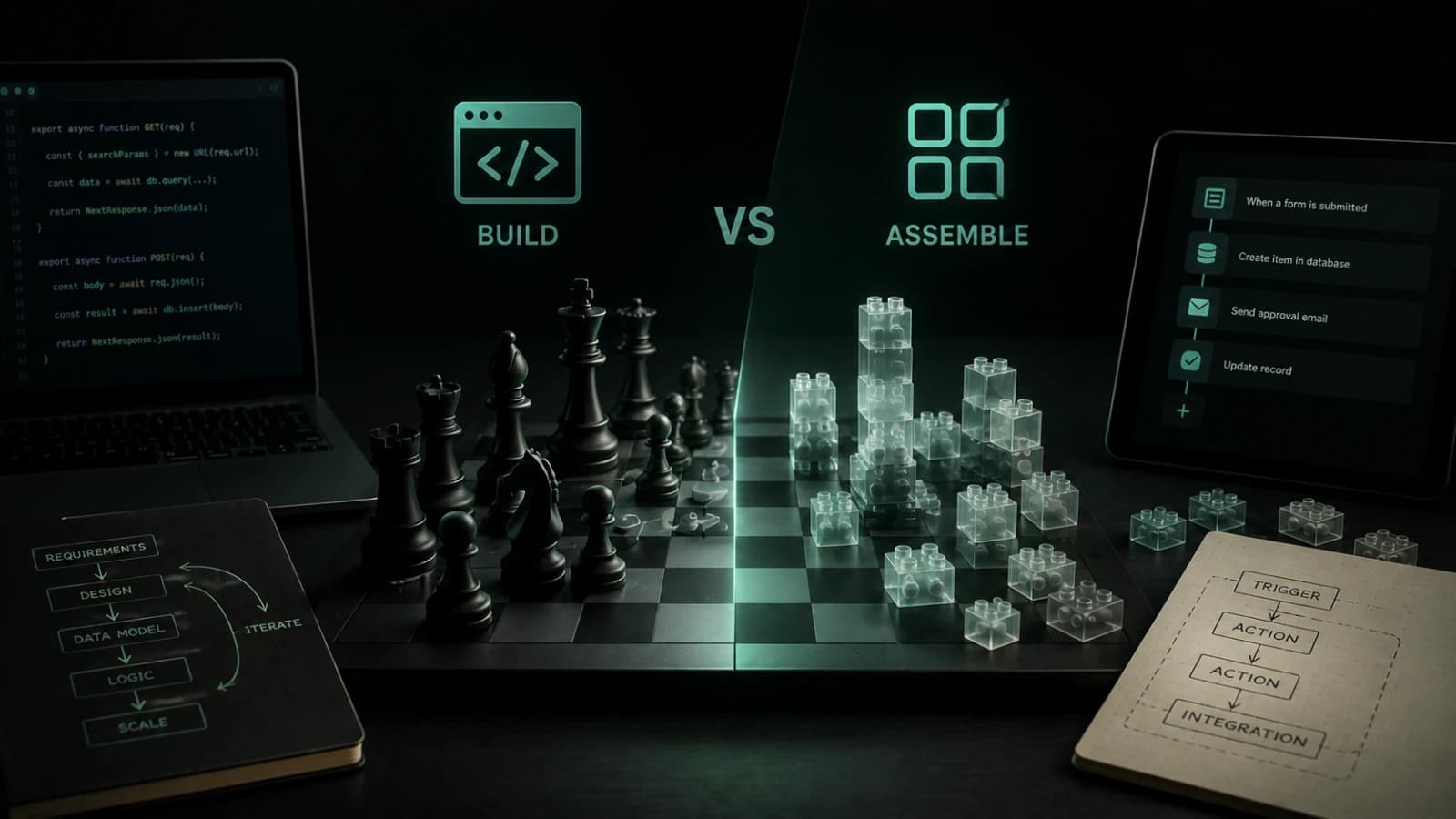
No-code tools are useful. I want to start there because the conversation often gets framed in the wrong way.
Custom development is not automatically better. No-code is not automatically weak. A spreadsheet, a form builder, a simple Airtable base, or a few automation steps can be the smartest possible first version of a product. I have seen early ideas move faster because the team did not start by over-engineering the system.
But I have also seen the other side.
A no-code setup starts as a shortcut. Then it becomes the source of truth. Then it becomes the admin panel, workflow engine, database, notification system, and customer experience at the same time. At that point, the problem is no longer whether the team can keep assembling tools together. The problem is whether the product has become important enough to deserve its own system.
That is the real decision behind custom web app development.
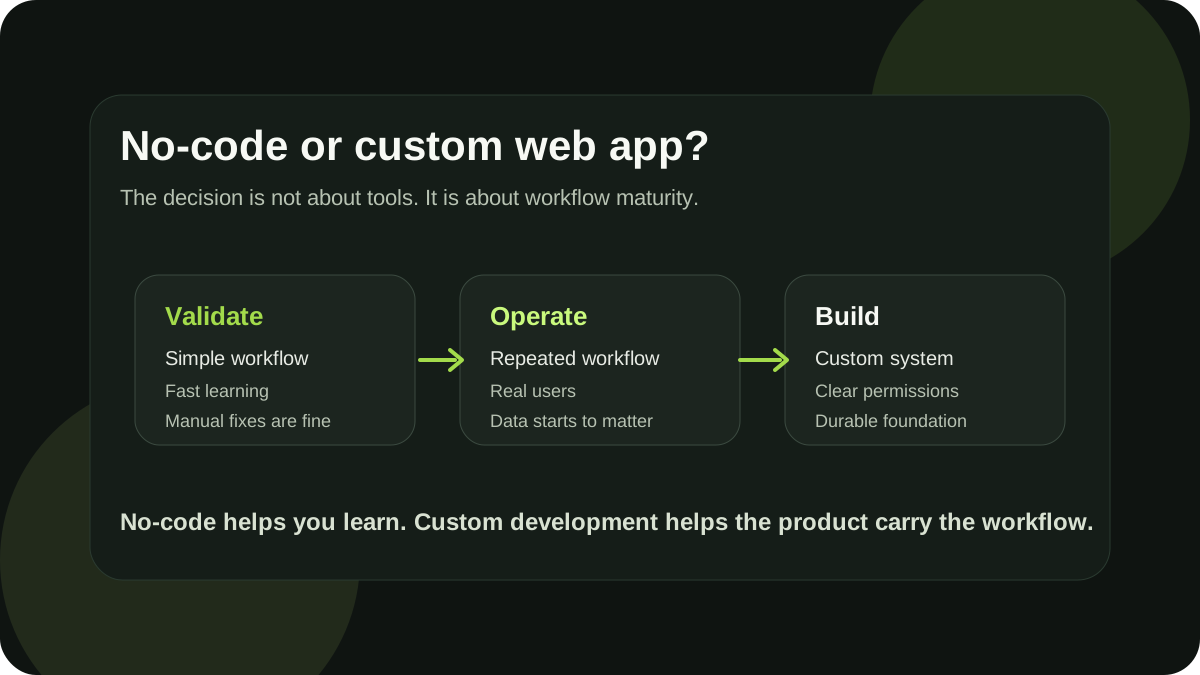
The wrong question: should we use code or no-code?
The first mistake is treating this as a technology debate.
A better question is:
What is the product trying to prove, and how much structure does it need to prove it?
If the goal is to test demand, collect interest, run a manual workflow, or learn how users behave, no-code can be a very good choice. You do not need a custom application to validate every idea. Sometimes a landing page, a form, a payment link, and a manual back office are enough.
But if the product depends on a specific workflow, repeated usage, clean data, user accounts, permissions, integrations, or a polished customer experience, the decision changes.
Then you are not only building a prototype. You are designing a system.
When no-code is the right choice
No-code is usually a good fit when the product is still mostly a learning tool.
That can mean:
- you need to validate whether people care about the problem
- you are building an internal prototype
- the workflow is simple and mostly linear
- the data model is small
- there are only one or two user roles
- automation is helpful, but not business-critical
- the team can still manually fix edge cases
- speed matters more than long-term structure
For example, if a founder wants to test a new booking idea, they may not need a custom booking platform on day one. A form, a calendar tool, email notifications, and a spreadsheet can be enough to understand whether users want the service.
That is not a compromise. That is good product discipline.
The same applies to internal tools. If a team needs a quick dashboard for a temporary process, no-code can be more practical than spending weeks building a custom interface.
The important thing is to be honest about what the no-code version is for. It is often excellent for validation, operations, and learning. It becomes risky when the team starts treating a fragile prototype as a long-term product foundation.
Where no-code starts to break down
No-code usually starts to bend before it breaks.
At first, the warning signs are small. A few duplicated fields. A few naming conventions that only one person understands. A Zapier or Make scenario that everyone is afraid to touch. A database table that now has twenty columns because it has slowly absorbed every edge case.
Then the product grows.
Users need accounts. Some data should be private. Some actions should be available only to admins. A client should see one version of a page while the internal team sees another. The product needs exports, filters, history, notifications, file uploads, or more reliable integrations.
This is usually the moment when no-code stops feeling like speed and starts feeling like friction.
Common signs include:
- the team is building workarounds instead of features
- small changes take too long because everything is connected indirectly
- data is duplicated across several tools
- permissions are hard to express cleanly
- the user experience feels like a stack of tools, not one product
- performance becomes unpredictable
- integrations fail silently or create messy states
- the team cannot easily test changes before shipping them
- only one person understands how the system really works
None of these signs mean the original no-code decision was wrong. They often mean the opposite: the idea has grown far enough to need a more durable shape.
The moment assembly becomes infrastructure
There is a point where a no-code system becomes more than a prototype.
It becomes infrastructure.
That can happen with a spreadsheet. It can happen with Airtable. It can happen with Notion, Bubble, Webflow, Zapier, Make, Google Apps Script, or a collection of small tools that were never meant to behave like one product.
The problem is not that these tools are bad. The problem is that the business logic is now spread across too many places.
A custom web app starts to make sense when the product needs one clear place for its core workflow, data model, permissions, and user experience.
Not because code is more impressive. Because the product needs fewer hidden dependencies.
A practical decision table
A simple way to think about the decision is to separate validation from operation.
| Situation | No-code is usually enough | Custom development starts to make sense |
|---|---|---|
| Product stage | Testing an idea | Repeating a proven workflow |
| Workflow | Simple and linear | Specific, multi-step, or conditional |
| Users | Few users, mostly manual support | Real accounts, roles, and permissions |
| Data | Small, flexible, easy to edit | Structured, relational, or sensitive |
| Integrations | Nice to have | Central to the product |
| UX | Good enough for learning | Part of the product value |
| Maintenance | One person can manage it | Team needs confidence and stability |
| Goal | Validate demand | Build a product foundation |
The line is not always obvious. But if a team is already using a no-code setup every week, customers depend on it, and the workflow keeps getting more complex, it is worth asking whether the product has outgrown the prototype.
Custom does not have to mean big
One fear I often hear is that custom development means rebuilding everything.
It should not.
A good custom web app does not need to be the final version of the product. It should be the smallest durable version of the workflow that already matters. I wrote about this more directly in How to Scope a Custom MVP Before Hiring a Developer.
The first custom version should usually focus on:
- the main user journey
- the core data model
- the parts of the workflow that break most often
- the permissions that actually matter
- the integrations that are truly central
- the admin actions the team performs repeatedly
- the minimum reporting needed to operate the product
It should not try to rebuild every automation, dashboard, report, and internal edge case from the no-code version.
That is how custom projects become too large before they become useful.
What to keep manual in the first custom version
Even when a product is ready for custom development, not everything needs to be automated immediately.
Some parts can stay manual for a while:
- advanced admin dashboards
- rare support actions
- complex billing logic
- deep analytics
- custom notification rules
- one-off reports
- onboarding steps that still need human review
- integrations that are not used often
Keeping these parts manual is not a weakness. It protects the first custom version from becoming a rebuild of the entire company process.
The goal is not to remove every manual step. The goal is to remove the fragile parts that block the product from growing.
Example: from spreadsheet to custom web app
Imagine a small team managing client requests in Google Sheets.
At first, the spreadsheet works well. There are columns for client name, status, assigned person, due date, notes, and links. The team adds a few formulas. Then they add a form. Then they add email notifications. Then they add file links, manual status changes, review steps, and weekly reports.
Nothing is obviously broken. But everything is now fragile.
A client request is no longer just a row in a spreadsheet. It has a lifecycle. Someone creates it. Someone reviews it. Someone changes its status. Someone uploads files. Someone needs to see history. Someone else should not see private notes. The team needs reminders, filters, and reliable reporting.
That is not a spreadsheet problem anymore.
That is a workflow product.
A custom web app in this case does not need to be huge. The first version might only include:
- client request creation
- user roles
- status tracking
- file uploads
- internal notes
- basic notifications
- a clean admin view
- export or reporting for the team
That small system can already be more valuable than a much larger no-code setup because it gives the workflow one clear home.
Example: from no-code prototype to real product
A founder might start with a no-code landing page, a form, and manual onboarding. This is often the right move.
The founder learns what users ask for. They see which use cases repeat. They notice which data needs to be saved. They discover which parts of the process are painful. They learn what should not be built.
Then users start asking for accounts. They want to return later. They want saved history, exports, collaboration, reminders, and a cleaner experience.
At that point, the job changes. The founder is no longer validating whether the problem exists. They are trying to turn the repeated workflow into a product.
That is where custom development becomes less about writing code and more about designing the product's operating model.
What a developer should help you clarify
If you are considering custom development, a good developer should not only ask for a feature list.
They should help clarify:
- who the users are
- what the first useful workflow is
- what data needs to be stored
- which roles and permissions are real
- what can stay manual
- what must be reliable from the beginning
- which integrations are critical
- what should not be built yet
- how the product might grow without overbuilding now
This is especially important for early products. The most expensive mistake is not choosing the wrong framework. It is building the wrong scope with too much confidence.
A product-minded developer should reduce ambiguity before adding complexity.
How to migrate without losing what works
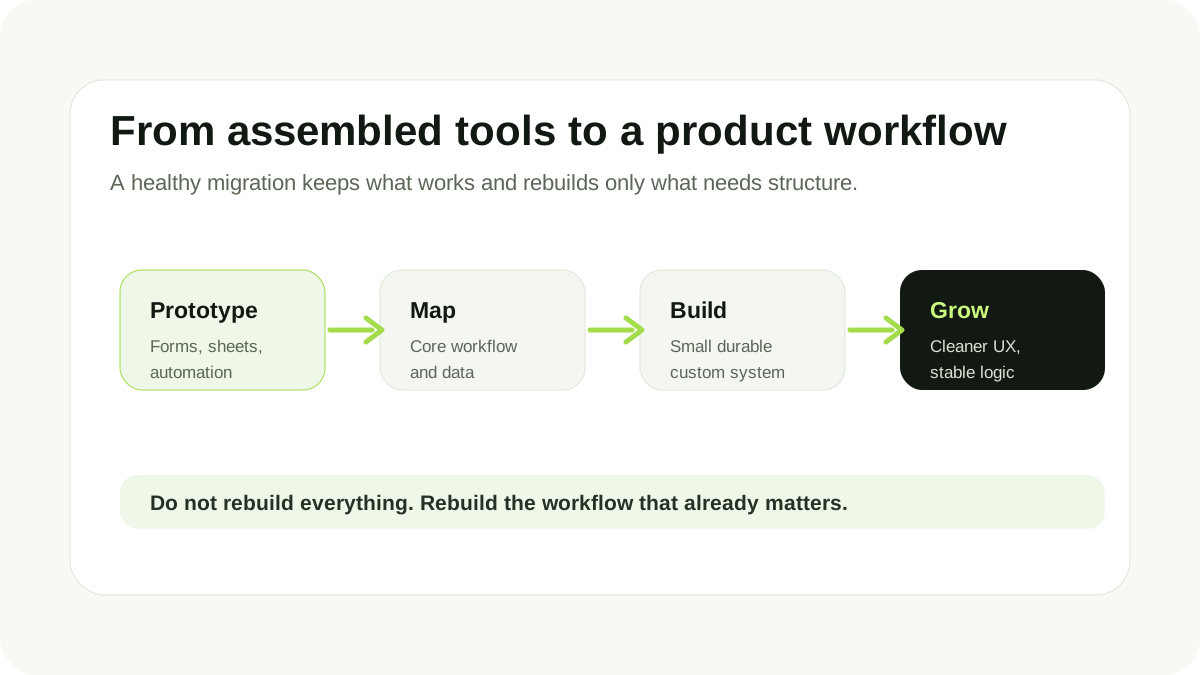
Moving from no-code to a custom web app should not be treated as a dramatic rewrite unless the current system is completely broken.
A better approach is usually:
- Map the existing workflow.
- Identify what users and the internal team already rely on.
- Separate core product logic from temporary operations.
- Design the first custom data model.
- Build the smallest durable version of the core workflow.
- Keep non-critical processes manual or external for now.
- Migrate data carefully.
- Replace the fragile pieces step by step.
This matters because no-code prototypes often contain real product knowledge. They show how the team works, what users ask for, and which edge cases appear in practice.
Do not throw that away. Translate it into a better system.
Questions to ask before hiring a developer
Before hiring someone to build a custom web app, it helps to prepare answers to a few practical questions:
- What is the main workflow we want to support?
- What are users currently doing before and after using the product?
- What part of the current setup breaks most often?
- Which data is essential?
- Which data is sensitive?
- Which user roles do we actually need?
- Which integrations are required for the first version?
- What can remain manual?
- What should we intentionally avoid building now?
- What would make the first custom version successful?
You do not need perfect answers. But if you can describe the workflow clearly, the development conversation becomes much more productive.
The real value of custom development
The value of custom development is not that everything is written from scratch.
The value is that the important parts of the product can be designed around the actual workflow instead of being forced into the shape of existing tools.
That can mean:
- cleaner UX
- more reliable data
- better permissions
- fewer manual fixes
- easier maintenance
- stronger performance
- a system that can evolve with the product
The point is not to replace no-code because it is no-code. The point is to replace workarounds when they start limiting the product.
Final thought
No-code is often the right way to start. It helps teams learn quickly without committing too early. But when a workflow becomes central to the business, when users depend on it, and when the system starts bending under its own workarounds, custom development becomes a strategic decision.
The best next step is not to rebuild everything.
The best next step is to identify the workflow that already works, remove the fragile parts, and build the smallest custom system that can support it properly.
If your no-code setup is starting to feel like a product held together by workarounds, I work on custom web apps, MVPs, browser extensions, and backend systems for teams that need product-minded development without overbuilding the first version.
Discussion
Responses
No approved responses yet.