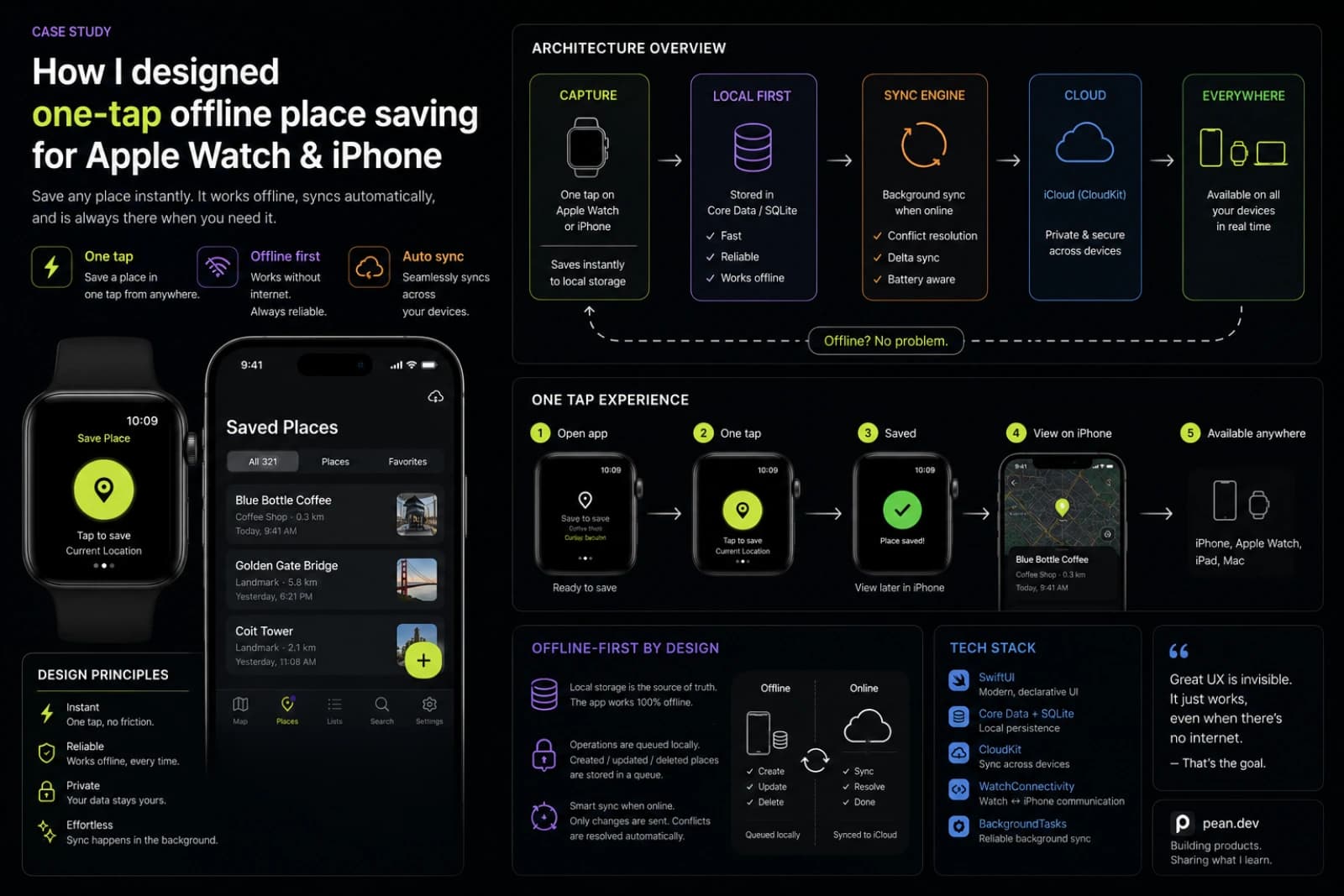
When people think about map apps, they usually think about search, directions, and navigation.
That is not the problem I wanted to solve.
The real problem was much smaller and much more specific:
what is the fastest, most reliable way to save a place the moment it matters?
Not a public business. Not a destination with a review page. Not something you can just search again later.
A real personal place:
- a fishing spot
- a mushroom patch
- a berry location
- a hidden trail marker
- a useful landmark
- a place you discover once and do not want to lose
That question is what eventually shaped Pean.
And the more I thought about it, the clearer one thing became:
if saving a place takes too much attention, the product fails right at the moment it matters most.
That is why Apple Watch became central to the product so early.
Not as a “nice extra feature.” Not as a marketing bullet. As a core part of the whole workflow.
The problem starts in the wrong conditions
The best moment to save a place is usually not when you are sitting comfortably with full signal, both hands free, and time to organize everything properly.
It is usually the opposite.
You are moving. Your hands are busy. The weather is not ideal. The signal is weak. You want the exact point now, not a vague memory later.
That matters more than it sounds.
A lot of apps technically let you save a location. But in real outdoor situations, “technically possible” is not the same as “actually usable.”
That is where many place-saving flows break down.
They assume you are ready to:
- unlock your phone
- open the app
- wait for the screen to settle
- tap through a flow
- maybe fill in details immediately
- hope the connection holds
For many types of places, that is already too much friction.
If you are trying to save a private fishing spot, a hidden viewpoint, or a mushroom place you just found, the ideal action is much simpler:
capture first, organize later.
That became one of the main product rules behind Pean.
Why Apple Watch mattered so much
Once I looked at the problem honestly, Apple Watch stopped looking like a side feature.
It started looking like the fastest interface for the job.
If the goal is to save a place on a map in one tap, the wrist is often more natural than the phone.
You do not need a long interaction. You do not need a heavy screen. You do not need full editing tools. You need confidence that the place is captured.
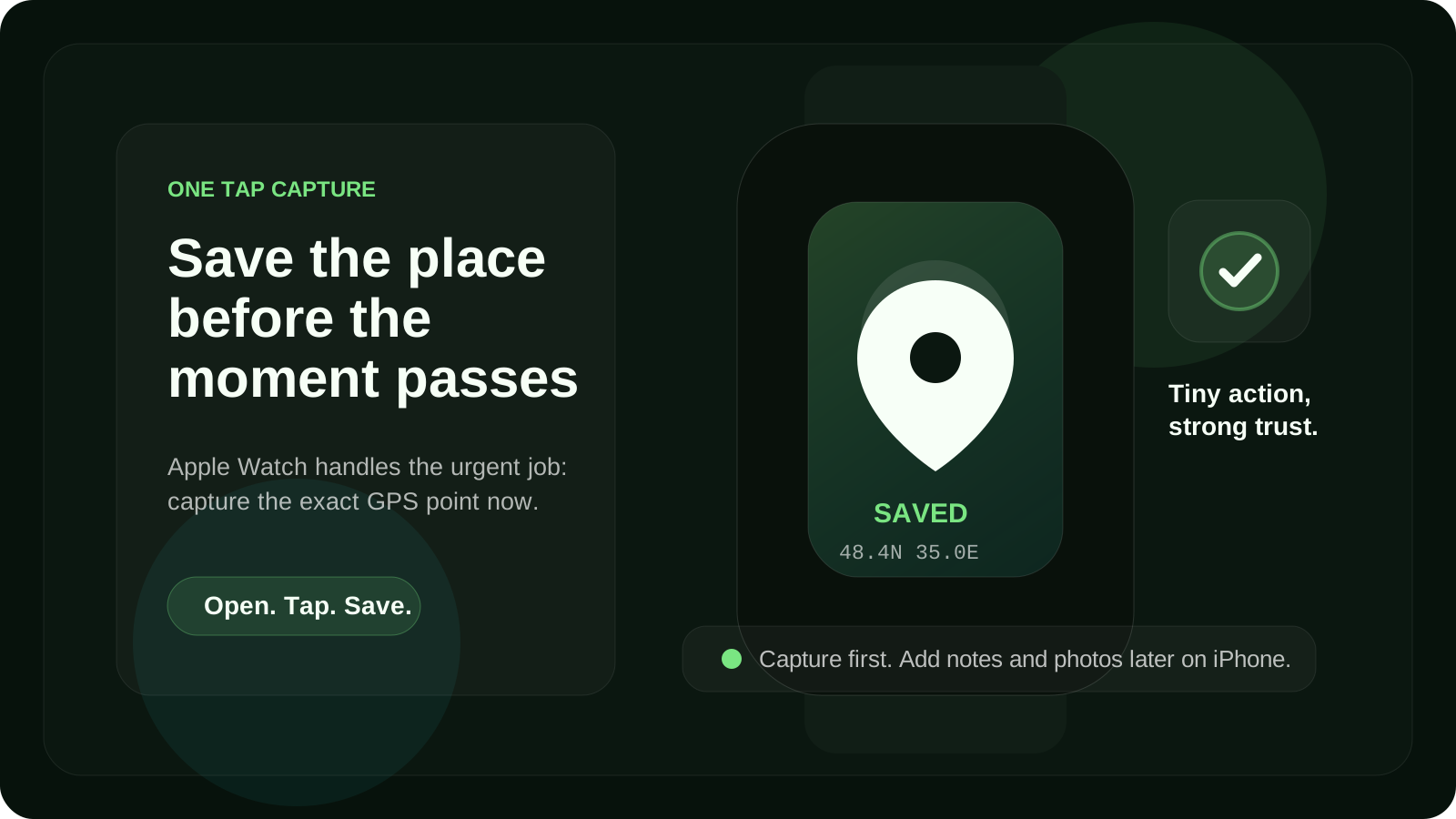
That is the real role of Apple Watch in Pean.
It is not there to replicate the entire iPhone app. It is there to do one thing extremely well:
save the GPS point immediately when the place appears in front of you.
That sounds obvious in hindsight, but it changes the shape of the product completely.
Instead of asking, “How much functionality can I fit on the watch?” the better question became:
What is the minimum interaction that still feels trustworthy?
That question is much more useful.
Because watch products become awkward very quickly when they try to do too much. Tiny screens punish complexity. Slow flows feel even slower. Every extra decision adds friction.
For Pean, the watch experience had to stay brutally simple.
Open. Tap. Save. Trust that it is there.
That is the product.
Save first, enrich later
This is probably the most important design principle in the whole system.
A place is most fragile at the moment of discovery.
That is when it is easiest to lose.
The exact coordinates matter right then. The rest can come later.
That means the workflow should happen in two layers.
Layer 1: capture
At the moment of discovery, the app should save:
- the GPS point
- the timestamp
- enough minimal state to trust that the place exists
That is the urgent job.
Layer 2: context
Later, when you are back on your phone, you can add:
- a photo
- a note
- a category
- more meaning around the saved place
That is the calmer job.
This split matters because most place-saving products blur these two moments together.
They make the user do “capture” and “organization” inside one flow.
But those are not the same task.
In Pean, I wanted the product to respect the real sequence:
- discover something worth remembering
- save the exact place immediately
- organize it properly later
Once you accept that sequence, a lot of design decisions become easier.
Why offline was not optional
If a place-saving app only works when connectivity is perfect, it is hard to trust in exactly the moments when it matters most.
That is especially true for outdoor place saving.
Fishing spots, berry places, mushroom patches, landmarks, quiet return points, and hidden trails often exist in areas where signal is unreliable. Even when the network exists, you do not want your confidence to depend on whether it stays stable for the next few seconds.
That is why offline support could not be treated like an enhancement. It had to be part of the core product idea.
For me, offline place saving is not just a technical checkbox. It is a trust feature.
If a user taps save and thinks:
“Did it really save, or do I need to try again later?”
the flow is already broken.
So the rule became simple:
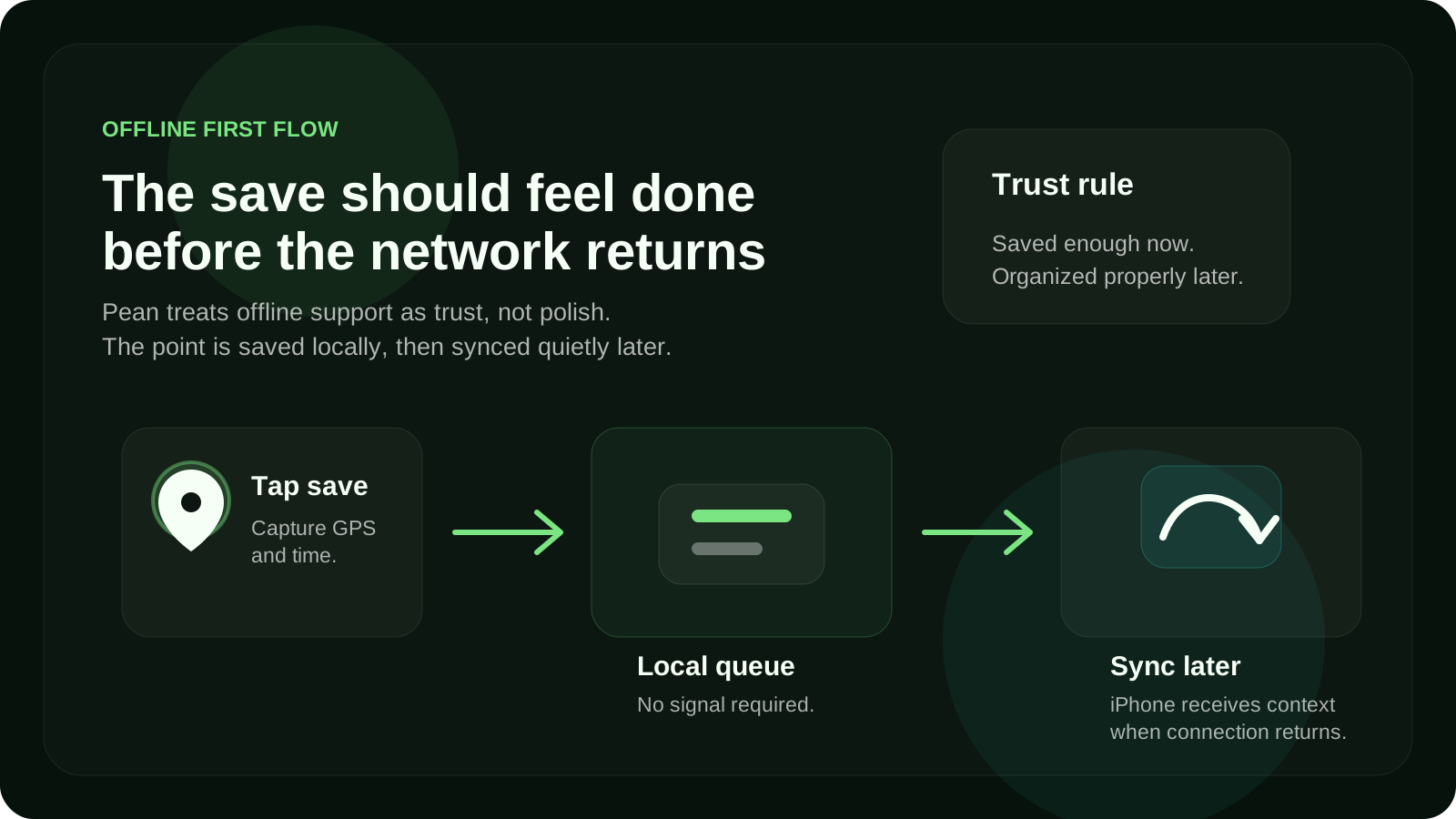
- saving must work even without signal
- the place should be queued locally
- sync should happen later without drama
- the user should not have to think about the handoff
This changes the emotional quality of the product.
A place-saving app becomes much more useful when it behaves like a notebook in your pocket, not like a fragile network form.
What the watch should not do
One of the easiest mistakes in product design is adding more just because the platform allows it.
I think Apple Watch products get better when they are shaped by restraint.
For Pean, that meant the watch should not try to be the main place management interface.
It should not become the place where you browse everything, edit everything, sort everything, and manage a deep content structure.
That is what the iPhone is for.
The watch is strongest at the capture moment. The iPhone is stronger for context and management. The web is stronger for browsing and reviewing your saved map over time.
That division makes the overall system clearer.
Apple Watch is for:
- immediate GPS capture
- speed
- confidence
- low-friction saving outdoors
iPhone is for:
- photo, note, and category
- reviewing saved places
- editing details
- turning a raw saved point into something meaningful
Web map is for:
- browsing your saved places on a larger screen
- filtering and exploring your map memory
- seeing your history more clearly over time
A lot of product clarity comes from giving each surface a focused role.
Not every device needs to do everything.
Architecture starts with failure, not success
One thing I find useful in product work is this:
do not design the architecture around the ideal case. Design it around the moment when things go wrong.
For a place-saving app, the wrong moments are obvious:
- the signal drops
- the sync is delayed
- the user is moving quickly
- the watch interaction has to stay short
- the save needs to feel confirmed immediately
That is why the flow has to be built around resilience.
The capture payload should stay small. The save action should be clear. The local queue should be dependable. The sync model should not make the user babysit the process.
Even without going into implementation details, this product shape naturally pushes you toward a more robust architecture.
The moment you say:
“The save must work even in bad conditions”
you stop designing a normal happy-path app.
You start designing for confidence.
And that changes everything:
- UX states
- confirmation feedback
- local storage decisions
- sync behavior
- error recovery
- what counts as “saved enough”
That is one of the reasons I like working on products like this. A narrow use case often forces much better thinking than a broad one.
Privacy changes the whole framing too
Another reason Apple Watch and one-tap capture fit Pean so well is that the product is not about public map discovery.
It is about personal places.
That sounds subtle, but it changes the entire framing.
A saved fishing spot is not the same type of object as a cafe pin. A mushroom patch is not the same as a public destination. A hidden viewpoint is not something you necessarily want to broadcast.
That is why Pean makes more sense to me as a private place-saving app rather than a general map app.
Privacy is not just a legal layer here. It is part of the value.
The more personal the place is, the more important it becomes that the product respects ownership, selectivity, and control.
That also reinforces the watch flow.
If the job is:
- save my place
- keep it mine
- let me organize it later
- share only when I choose
then the product can stay focused.
It does not need to compete with every navigation feature in the world. It only needs to solve one workflow exceptionally well.
Why not just use Google Maps or Apple Maps?
This is the obvious question, and it is a fair one.
General map apps are very good at:
- finding places
- navigating to places
- working with known destinations
- handling public place workflows
But saving a personal place is a different job.
The problem is not “How do I get somewhere?” The problem is:
How do I quickly save something I just discovered, keep it private, and trust that I can return to it later?
That is a narrower workflow. But it is a real one.
And once you optimize for that job, the product starts to look different:
- faster capture
- less friction
- private by default
- better support for personal spots
- stronger offline behavior
- clearer separation between saving and organizing
That is why Pean is not really trying to replace map apps as a whole.
It is trying to do one specific thing better.
What this taught me about product design
The biggest lesson here is not about Apple Watch specifically.
It is about where product clarity comes from.
A product gets clearer when you stop asking, “What features should we add?” and start asking, “What exact moment are we trying to support?”
For Pean, the moment was always the same:
you find a place worth keeping, and you need to save it before it disappears from memory.
Everything else came from that.
- Apple Watch mattered because it reduced friction
- offline mattered because trust mattered
- iPhone mattered because context mattered
- privacy mattered because the places were personal
- the web mattered because long-term map memory mattered
That is the kind of product logic I believe in most.
Not feature accumulation. Not broad positioning first. A sharp job, supported well.
Where this goes next
I still think this idea can be pushed much further.
There is a lot more to explore around:
- how offline sync changes user trust
- how categories make saved places more useful over time
- how selective sharing should work for close friends and small groups
- what a personal map becomes after months or years of saving places
But the foundation stays the same.
Pean only makes sense if saving a place feels instant, dependable, and private.
That is why Apple Watch became a core part of the product.
Not because it was flashy. Because it matched the moment.
FAQ
Why use Apple Watch to save places on a map?
Because Apple Watch can reduce friction at the moment of discovery. If the goal is to save a GPS point quickly, tapping your wrist can be faster and more natural than opening a full phone workflow.
Can a place-saving app work offline?
Yes. A strong place-saving app should support offline saving or offline-first behavior, especially for outdoor use cases where signal can be weak or missing.
What is the best way to save private places?
The best approach is to save the exact location immediately, keep it private by default, and add context like notes, photos, and categories later.
Why is offline place saving important?
Because many valuable places are discovered in imperfect real-world conditions. If saving only works with a stable connection, users cannot trust the product in the moments that matter most.
Is a dedicated place-saving app better than a general map app?
It depends on the job. General map apps are excellent for navigation and public destinations. A dedicated place-saving app is better when the goal is to save personal spots quickly, keep them organized, and control who sees them.
Related reading:
Discussion
Responses
No approved responses yet.