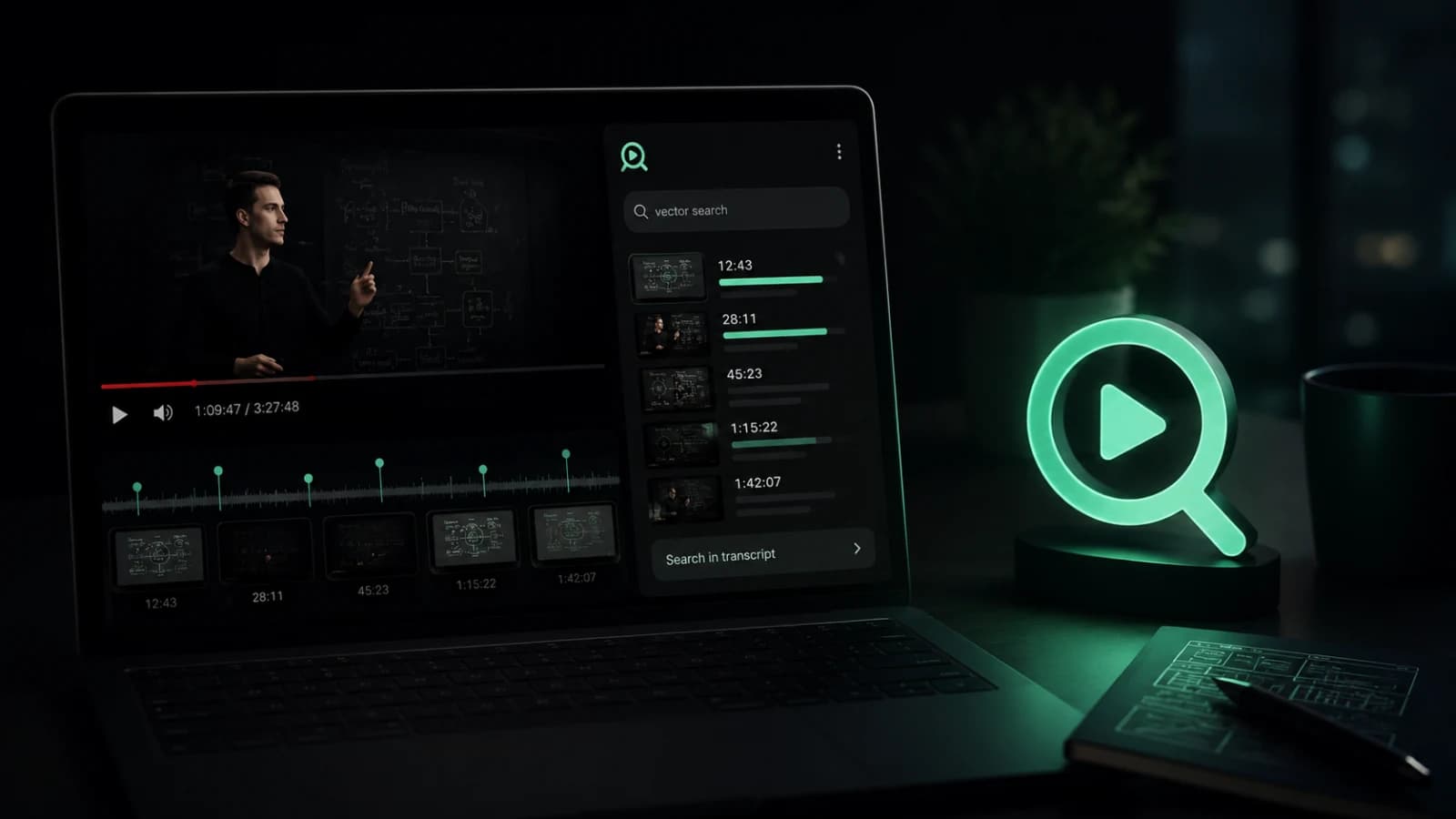
Most AI tools for YouTube start with the same promise: summarize this video.
That is useful sometimes. If I open a 90-minute interview and only want a quick idea of what it covers, a summary helps. But when I use YouTube as a learning tool, a research source, or a technical reference, a generic summary is rarely the real thing I need.
I usually need something much more specific.
I want to find the exact moment where someone explains a concept. I want to search the transcript instead of dragging the timeline. I want to ask a question and see where the answer came from. I want to jump back to the source before trusting the AI response. Sometimes I also want to search the comments, because that is where people add corrections, extra context, links, warnings, and practical experience.
That is why I am building Cuelio as a search-first AI extension for YouTube, not just another AI summarizer.
Cuelio is currently in the final testing stage, so this is not a launch announcement. It is a product and engineering note about the decisions behind it: transcript search, timestamped AI answers, comment search, saved videos, transcript export, and context optimization for better performance and lower early-stage cost.
YouTube is becoming a knowledge base
YouTube is not only entertainment anymore.
For many people it is where they learn software, compare products, watch lectures, follow tutorials, research tools, understand market opinions, and listen to long technical discussions. A single video can contain the answer you need, but the answer might be hidden at minute 38, inside a small explanation, or in a comment under the video.
That changes the product problem.
The issue is not always watching the video. The issue is finding the right piece of information inside it.
That is especially true for:
- students reviewing lectures or tutorials;
- developers looking for one implementation detail;
- researchers collecting arguments or references;
- marketers analyzing audience reactions;
- creators reviewing feedback in comments;
- product people comparing opinions across long videos.
In all of these cases, YouTube behaves less like a video platform and more like a messy knowledge base. But the default interface still makes you consume content mostly linearly.
Cuelio is my attempt to make that knowledge easier to search, question, verify, and return to.
I do not want to build another YouTube summarizer
I have nothing against summaries. They are useful when the user genuinely needs a quick overview.
But I do not think “summarize this video” should be the default answer to every YouTube productivity problem.
A summary compresses the video. That is the point. But compression also removes details, examples, nuance, and sometimes the exact part the user actually needed. If the user is trying to learn, cite, debug, compare, or verify something, the summary is only a starting point.
The more useful workflow is often this:
- search inside the video;
- find the relevant section;
- ask a focused AI question;
- check the answer against the timestamped source;
- jump back to the original moment.
That is the core difference I care about.
Cuelio is not designed as a tool that hides the video behind an AI answer. It is designed as a tool that helps the user reach the right part of the video faster.
The real problem is not watching. It is finding.
Long videos are not always a waste of time. Sometimes they are valuable because they contain depth.
The problem is that the useful part is hard to reach.
If I am watching a technical tutorial, I may already know 80% of the topic. I do not want to sit through the whole video just to find one configuration detail. If I am watching a product review, I may only care about one comparison point. If I am watching a lecture, I may want to revisit the explanation of one term.
This is why transcript search is such an important base layer.
Before AI answers, before summaries, before any advanced workflow, the user needs a fast way to search the content that is already there.
That is where Cuelio starts.
How Cuelio helps search inside a YouTube video
The basic workflow is intentionally simple:
- open a YouTube video;
- search the transcript;
- jump to the exact timestamp;
- ask an AI question if the answer needs context;
- check the source before trusting the response;
- search comments when the discussion around the video matters too.
That flow matters because it keeps the user close to the original material.
A lot of AI interfaces create a separate layer between the user and the source. They answer confidently, but the user still has to wonder where the answer came from. For YouTube, I think that is the wrong experience.
A good AI YouTube extension should not only answer. It should help the user verify.
Transcript search should feel like search, not scrolling
YouTube transcripts are useful, but they are not always comfortable to work with.
The user may need to scan a long transcript, search for a phrase, understand where it appears, and then move from text back to video. That sounds simple, but the experience can become slow if it is treated like a secondary feature.
In Cuelio, transcript search is one of the main interactions.
The goal is to make it feel like searching inside the video itself:
- type a keyword or phrase;
- see matching transcript parts;
- understand the surrounding context;
- click the timestamp;
- continue watching from the exact moment.
This is also why I like the phrase search-first. It describes the real user behavior better than “summary-first”.
Most people do not open a long video because they want a smaller version of the whole thing. They open it because they believe the answer is somewhere inside.
AI answers need sources and timestamps
AI answers are only useful if the user can trust them.
For Cuelio, that means answers should stay connected to the transcript and to the video timeline. If the extension answers a question about the video, the user should be able to see which parts of the transcript supported that answer and jump to the related timestamp.
That is important for two reasons.
First, it reduces the feeling that the AI response came from nowhere. The answer is not just a generated paragraph. It is tied to source material.
Second, it keeps the video as the primary source. Cuelio should help users understand the video faster, not replace the video with an unverifiable answer.
This is especially important for educational and technical content. If a developer asks about a command, a student asks about a concept, or a marketer asks about a claim, the exact context matters.
A timestamp is not just a navigation feature. It is part of the trust model.
Comments are part of the knowledge layer
YouTube comments are messy, but they are often useful.
For tutorials, reviews, product comparisons, and educational videos, comments can contain:
- corrections from other viewers;
- links to related resources;
- warnings about outdated information;
- practical examples;
- answers from the creator;
- alternative opinions;
- follow-up questions.
The problem is that comments are hard to search manually. Scrolling through them is slow, and YouTube’s default interface is not designed for focused research.
That is why comment search belongs in Cuelio’s workflow.
It is not the same as full AI comment analytics, and I do not want to overpromise that as the main current feature. The first practical value is simpler: help the user find relevant comments without endless scrolling.
For some videos, the transcript explains the content. The comments explain how people reacted to it.
Both can matter.
Saved videos and transcript export are small but important workflow features
Not every useful feature has to be AI.
Saved videos and transcript export are simple, but they support the real workflow around research and learning.
If a user finds a useful video, they may want to return to it later. If they are collecting notes, they may want to export the transcript. If they are comparing multiple videos, they may want to keep the source material organized.
These features are not flashy, but they make the product feel less like a one-time tool and more like part of a working process.
That is something I try to keep in mind when building small products. The best feature is not always the most impressive one. Sometimes it is the one that removes the next small friction point.
Why context optimization matters in an AI YouTube extension
Long YouTube videos can contain a lot of transcript text.
The lazy approach would be to send the entire transcript to an AI model every time the user asks a question. Sometimes that may work in a prototype, but it is not a great product decision for an early extension.
It can be slower. It can be more expensive. It can make responses less focused. And if the product is still trying to prove its first workflow, unnecessary AI cost can become a real constraint too early.
So context optimization is an important part of how I think about Cuelio.
The goal is not to send more context. The goal is to send the right context.
For a question about a specific part of the video, the extension should first identify relevant transcript segments, then use those segments to generate an answer that still points back to the original timestamps. That gives the user a better experience and gives the product a more realistic cost structure.
This is one of the places where AI product engineering becomes more interesting than just connecting an API.
You have to think about:
- what the user is really asking;
- which transcript parts are likely relevant;
- how much context is enough;
- how to keep the answer grounded;
- how to reduce unnecessary model calls;
- how to make the workflow fast enough to feel native.
For an early product, these decisions matter a lot.
What I am intentionally not building yet
Cuelio is still in the final testing stage, so I am intentionally keeping the first version focused.
I am not trying to turn it into a full research platform from day one. I am not positioning it as a generic AI chat app. I am not treating full AI comment analytics as the main promise of the current product. I also do not want to promise automatic transcript generation for every video without subtitles as if that is already the core experience.
The first version is about one clear workflow:
find useful information inside a YouTube video faster, understand it with enough context, and jump back to the original source when needed.
That focus helps with product quality. It also helps with engineering decisions. When the workflow is clear, it becomes easier to decide what belongs in the first version and what should wait.
Who Cuelio is for
Cuelio is useful for people who treat YouTube as a source of information, not just a feed.
That includes students who need to search lectures, researchers who collect references, developers who look for exact technical explanations, marketers who analyze videos and comments, creators who review audience feedback, and anyone who wants to return to useful videos later.
The common pattern is simple: the user does not want to consume everything linearly.
They want to find the right part.
That is the product space I care about with Cuelio.
What this taught me about AI product engineering
Building Cuelio has reinforced a simple idea for me: AI features are strongest when they are designed around a workflow, not around a demo.
A demo can summarize a video.
A product needs to help a user get from question to source, from source to answer, and from answer back to trust.
That is why I care about transcript search, timestamps, comment search, saved videos, transcript export, and context optimization as much as the AI response itself. The value is not in having AI somewhere in the interface. The value is in making YouTube easier to use as a searchable knowledge base.
That same thinking applies to custom development work too.
When I build AI-assisted tools, browser extensions, or product workflows, I do not want to add AI as decoration. I want to understand where the user gets stuck, what context the system already has, what should stay verifiable, and how to make the first version useful without overbuilding it.
Cuelio is a small product, but the product decisions behind it are the same decisions that matter in larger software: start with the real workflow, keep the interface close to the user’s context, optimize costs early, and make the output traceable back to the source.
Discussion
Responses
No approved responses yet.